
Network Security Solutions for Practical Protection
Network security has evolved far beyond traditional firewalls and perimeter defenses. Today's threats move laterally through networks, exploit endpoint vulnerabilities, and bypass conventional barriers with ease. For home users, small businesses, and professionals who travel, understanding and implementing effective network security solutions has become essential rather than optional. You need protection that works where you actually compute: on your laptop, at the coffee shop, in your home office, and everywhere in between.
Understanding modern network threats
The threat landscape in 2026 looks fundamentally different from even five years ago. Attackers no longer need to break through a corporate perimeter when they can compromise a single endpoint and move freely across trusted networks.
Ransomware remains the most visible threat, encrypting files and demanding payment. But the tactics have changed. Modern ransomware variants monitor for backup activity, attempt to disable security software, and exfiltrate data before encrypting. They spread through network connections, targeting shared drives and connected devices.
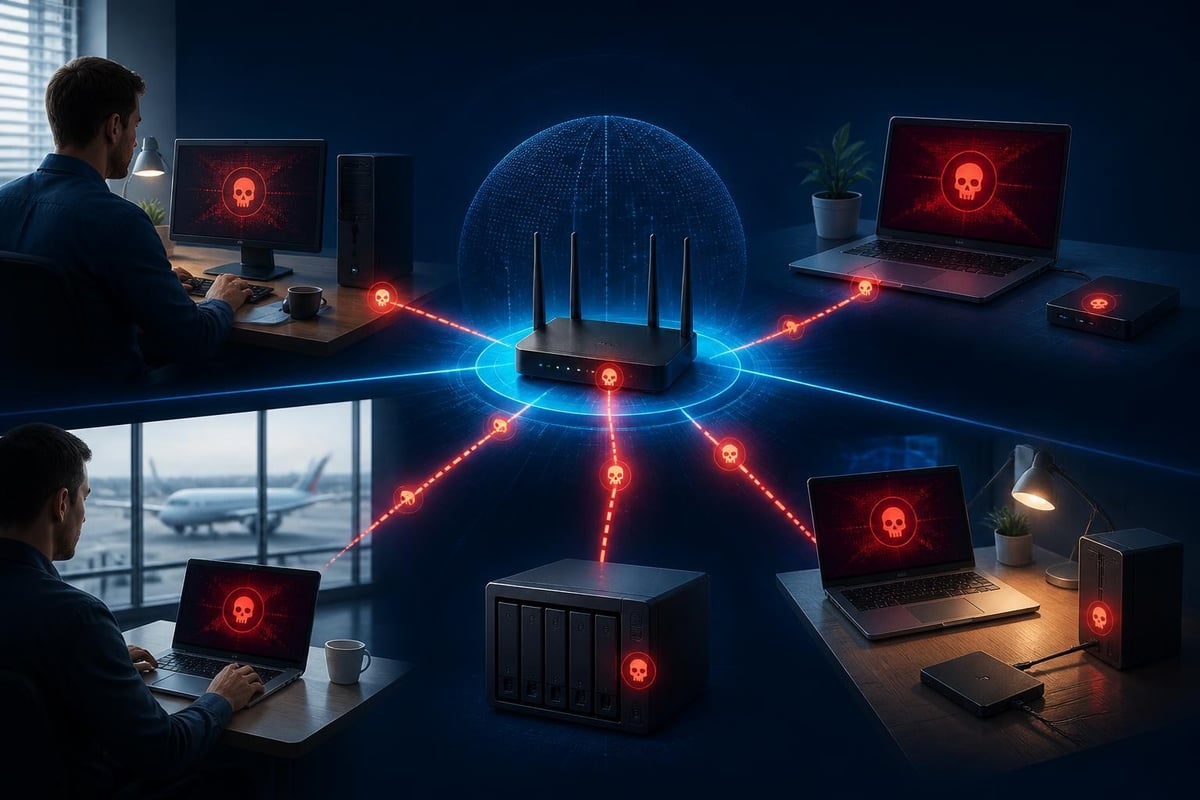
Lateral movement techniques allow attackers to pivot from one compromised device to others on the same network. A infected laptop on your home Wi-Fi can become a launching point for attacks against other family devices, network-attached storage, or IoT gadgets. Small businesses face similar risks when one employee's machine provides access to shared resources.
The MITRE ATT&CK framework catalogs real-world attack techniques, and many of the most dangerous involve network-level exploitation. Understanding these patterns helps you prioritize which network security solutions matter most for your situation.
Wireless and physical connection risks
Wi-Fi networks introduce specific vulnerabilities that traditional network security solutions must address. Public hotspots rarely encrypt traffic end-to-end, allowing anyone on the same network to intercept unprotected communications. Even password-protected networks at hotels or conferences share this fundamental weakness.
Your home network deserves equal attention. Weak router passwords, outdated firmware, and default configurations create entry points. Many home routers ship with remote management enabled or run services that shouldn't be exposed to the internet.
USB and Bluetooth connections expand the attack surface beyond Wi-Fi. BadUSB attacks disguise malicious code in seemingly harmless flash drives. Bluetooth vulnerabilities allow unauthorized pairing or data extraction when devices remain discoverable. Comprehensive network security solutions monitor these physical connection types alongside traditional network traffic.
Components of effective network security solutions
Building robust protection requires understanding what each component contributes and how they work together. No single technology solves every problem, but the right combination provides practical defense.
Intrusion detection and prevention
Intrusion detection systems (IDS) monitor network traffic for suspicious patterns, alerting you to potential threats. Intrusion prevention systems (IPS) take this further by actively blocking detected attacks. For endpoint protection, these systems run directly on your PC or laptop rather than requiring separate hardware.
Modern intrusion detection uses multiple approaches simultaneously:
- Signature-based detection matches known attack patterns against observed traffic
- Anomaly detection identifies deviations from normal behavior baselines
- Protocol analysis validates that network communications follow expected standards
- Heuristic analysis recognizes suspicious combinations of legitimate actions
The SANS Institute’s research on network security technology highlights how organizations increasingly deploy detection capabilities at the endpoint level, where visibility into individual device behavior is highest.
Detection modules should cover diverse attack vectors. Wi-Fi monitoring catches rogue access points and man-in-the-middle attempts. USB monitoring prevents unauthorized device connections and data exfiltration. Bluetooth monitoring stops unauthorized pairing and proximity-based attacks. Network connection analysis identifies suspicious outbound communications that might indicate command-and-control traffic or data theft.
Behavioral monitoring and threat intelligence
Static detection methods struggle with novel attacks and sophisticated evasion techniques. Behavioral monitoring addresses this by learning what normal looks like for your specific usage patterns, then flagging meaningful deviations.
Ransomware behavioral monitoring is particularly valuable. Rather than relying solely on signatures of known ransomware families, behavioral systems watch for suspicious file activity: rapid encryption of multiple files, attempts to delete shadow copies, or unusual access patterns to backup locations. This catches new variants before signature updates arrive.
Threat intelligence integration enhances detection accuracy by incorporating global knowledge about active campaigns, compromised infrastructure, and emerging techniques. When network security solutions check outbound connections against threat intelligence feeds, they can block communications with known malicious servers even when the local infection mechanism is novel.
| Detection Method | Strengths | Limitations |
|---|---|---|
| Signature-based | Fast, accurate for known threats | Misses zero-day attacks |
| Behavioral analysis | Catches unknown threats | May generate false positives initially |
| Threat intelligence | Identifies malicious infrastructure | Requires current data feeds |
| Protocol analysis | Detects protocol abuse | Limited to network traffic |

Clear alerts and user control
Technical accuracy means nothing if you can't understand what's happening or decide how to respond. Effective network security solutions present alerts in plain language, explaining what triggered the detection, which connection or device is involved, and what risk it represents.
You should be able to answer three questions immediately when an alert appears:
- What happened? A clear description of the detected activity without jargon
- Why does it matter? The potential impact if this is a genuine threat
- What should I do? Recommended actions and available controls
Blocking controls let you stop suspicious activity immediately. PC isolation features go further, cutting network access entirely when you suspect compromise, preventing lateral movement while you investigate or remediate.
The goal is informed decision-making rather than automated responses to everything. Some alerts require immediate blocking; others might be false positives from unusual but legitimate activity. You need enough context to judge which is which.
Network segmentation and Zero Trust principles
Traditional network security drew a hard perimeter around trusted resources and assumed everything inside that perimeter was safe. This model fails when attackers gain initial access through phishing, supply chain compromise, or credential theft.
Zero Trust Architecture replaces implicit trust with continuous verification. Every connection request, regardless of source, must authenticate and receive the minimum necessary access. Network security solutions that embrace Zero Trust principles segment access even within your local network.
For home users and small businesses, practical segmentation might mean:
- Isolating IoT devices on a separate network from computers containing sensitive data
- Requiring authentication for access to shared drives and network resources
- Limiting device-to-device communication so a compromised laptop can't automatically access other machines
- Monitoring all connections rather than assuming local traffic is inherently safe
The CISA Zero Trust Maturity Model provides a framework for implementing these principles progressively, starting with the highest-impact controls.
VPN integration for travel security
Professionals who travel need network security solutions that protect them on untrusted networks. Virtual Private Networks (VPN) encrypt all traffic between your device and a trusted server, preventing interception and hiding your communications from other users on the same network.
Built-in VPN capabilities eliminate the need for separate subscriptions and software. When network security solutions include VPN features, they activate automatically when you connect to public networks or can be enabled manually when you need privacy.
WireGuard protocol represents the current standard for VPN performance and security. It's faster and more efficient than older protocols while maintaining strong cryptographic protection. The TLS 1.3 specification provides similar improvements for securing individual connections even without a VPN.
You should use VPN protection in several situations:
- Public Wi-Fi at airports, coffee shops, hotels, or conferences
- Networks with unknown security posture at client sites or coworking spaces
- When accessing sensitive resources remotely
- Any time you want to prevent network-level monitoring of your traffic
VPN features work alongside intrusion detection rather than replacing it. The VPN encrypts your tunnel, while detection modules monitor for threats trying to exploit that connection or other network paths.
Complementing antivirus protection
Network security solutions and antivirus software serve different but overlapping purposes. Understanding the distinction helps you build complete protection without gaps or unnecessary redundancy.
Antivirus excels at file-based threats: scanning downloads, checking attachments, validating executable signatures, and quarantining malware before execution. It focuses primarily on the content itself.
Network security solutions excel at connection-based threats: monitoring what your device communicates with, detecting suspicious network behavior, identifying command-and-control traffic, and preventing lateral movement. They focus on how malware operates across networks rather than just its static signature.
Modern threats require both approaches. A document with a malicious macro might be detected by antivirus signature scanning. But if it bypasses that check, network monitoring can catch the subsequent download of additional payloads or the connection to a command server.
Why you need both types of protection
Consider a typical attack chain:
- Initial compromise via phishing link (antivirus may catch the download)
- Execution of payload (antivirus may detect known malware signatures)
- Network reconnaissance to identify other devices (network security detects unusual scanning)
- Command-and-control connection for attacker instructions (network security blocks malicious destination)
- Lateral movement to other machines (network security prevents unauthorized connections)
- Data exfiltration or encryption (both systems contribute to detection)
At each stage, different defenses contribute. Neither antivirus nor network security solutions alone cover every step, but together they create overlapping layers that make successful attacks significantly harder.

Practical implementation for different users
Network security solutions must match your actual needs and technical comfort level. A home user protecting family devices has different requirements than a small business managing multiple workstations or a traveling consultant working from various locations.
Home users and families
Your priorities center on protecting personal data, preventing device compromise, and avoiding disruption. You don't need enterprise complexity, but you do need effective detection and clear explanations.
Look for network security solutions that:
- Run on individual Windows PCs and laptops without requiring separate hardware
- Monitor all connection types including Wi-Fi, USB, and Bluetooth
- Reduce false alarms through behavioral learning of your normal activity
- Explain alerts clearly so you understand what's happening
- Provide simple controls to block threats or isolate your PC
Cost matters for home users. One-time purchases with included updates avoid ongoing subscription expenses while maintaining current protection. Email support helps when you encounter situations outside your experience.
Small businesses
Small business requirements add shared resources, multiple users, and basic compliance considerations to the home user foundation. You might operate without dedicated IT staff, so network security solutions need to be manageable by the same people who run the business.
Individual endpoint protection remains the foundation. Each workstation and laptop should run detection modules locally, creating defense in depth even when devices leave the office network.
Key capabilities for small business contexts include:
- Protection for devices used both in-office and remotely
- Monitoring of shared drives and network resources
- Detection of lateral movement attempts between workstations
- VPN for employees working from home or traveling
- Clear documentation you can hand to staff without extensive training
The CIS Controls provide a prioritized checklist for small organizations. Basic network security solutions should help you satisfy several of these controls, particularly around endpoint protection and secure configuration.
Traveling professionals
If you work from airports, hotels, client sites, and coffee shops, your network security solutions must protect you across constantly changing and inherently untrustworthy networks.
Assume every network outside your control is hostile. Public Wi-Fi should trigger automatic VPN activation. Hotel networks might look private but function like public spaces. Even client networks might be poorly secured or already compromised.
Your protection needs to be portable, running entirely on your laptop without depending on network infrastructure you don't control. Detection should work offline to catch USB-based threats and Bluetooth attacks. When you regain connectivity, threat intelligence updates can provide retrospective analysis of earlier activity.
Battery efficiency matters when you're away from power for extended periods. Network security solutions that run efficiently extend your productive working time rather than draining resources.
Choosing practical protection
Selecting network security solutions starts with understanding what you're protecting and which threats matter most to your situation. Generic "best" lists ignore the reality that home users, small businesses, and traveling professionals face different risks with different resources.
Features that deliver real value
Focus on capabilities that directly address identified risks:
- Multiple detection modules covering diverse attack vectors rather than single-purpose tools
- Ransomware behavioral monitoring beyond signature-based detection
- Threat intelligence integration for current information on active threats
- Learning systems that reduce false positives as they understand your normal patterns
- Clear, actionable alerts you can understand and respond to without specialized knowledge
- Blocking and isolation controls to stop threats immediately
Avoid feature lists that sound impressive but don't map to concrete protection. "Military-grade encryption" is marketing speak. Specific details about detection methods, supported protocols, and integration capabilities tell you what actually works.
Licensing and support models
How you pay for network security solutions affects both initial cost and long-term value. Subscription models create ongoing expenses that accumulate significantly over time. One-time purchases with included updates eliminate recurring costs while maintaining current protection against evolving threats.
Free updates matter because threat landscapes change constantly. Solutions that charge for signature updates or major version upgrades leave you with a choice between additional spending or degraded protection.
Support availability helps when you encounter unfamiliar situations. Email support included with purchase provides expert guidance without per-incident fees. Documentation and clear in-product help reduce how often you need to reach out.
For individuals and small businesses, budget predictability is valuable. Know what you'll spend upfront without worrying about subscription renewals, price increases, or surprise charges for features you thought were included.
Integration with broader security practices
Network security solutions function most effectively as part of comprehensive security practices rather than as isolated technical controls. Technology provides enforcement and detection, but your behaviors and policies determine what gets enforced.
Keep software updated on both your operating system and applications. Many network attacks exploit known vulnerabilities that patches already address. Automated updates remove the burden of tracking security bulletins while ensuring you benefit from fixes.
Use strong authentication for network resources, accounts, and device access. Network security solutions can detect unauthorized access attempts, but strong credentials reduce how often those attempts occur. Password managers help you maintain unique, complex passwords across services.
Back up critical data to locations not continuously connected to your network. Ransomware behavioral monitoring significantly improves detection, but backups provide recovery when prevention fails. Store backups offline or in cloud accounts with separate authentication so network compromise doesn't automatically expose your recovery option.
Segment networks logically even in home environments. Guest networks for visitors, separate VLANs for IoT devices, and isolated management interfaces for network equipment all reduce the impact when individual devices are compromised.
The CISA guidance on modern network access security emphasizes how technical controls and operational practices reinforce each other to create measurable risk reduction.
Real-world considerations
Theoretical security models often break when they encounter practical constraints. Perfect security might suggest blocking all external access and never connecting to untrusted networks, but this isn't compatible with actually getting work done or participating in modern life.
Balance security with usability. Network security solutions that create excessive friction or false alarms train you to ignore warnings or disable protection. Effective security feels invisible during normal operation and only becomes prominent when genuine threats appear.
False positive management is crucial for long-term success. Systems that learn your normal patterns reduce spurious alerts over time. When alerts do appear, clear explanations help you determine whether they represent real threats or unusual but legitimate activity you can safely allow.
Geographic considerations affect threat profiles and regulatory requirements. Users in regions with high cybercrime activity or targeted surveillance face different risks than those in other areas. Network security solutions that include VPN capabilities provide privacy protection regardless of local network monitoring.
Device performance matters, especially on older hardware or during resource-intensive tasks. Security that consumes excessive CPU, memory, or battery capacity creates pressure to disable protection when you need performance. Efficient implementation runs protection continuously without noticeable impact.
Moving forward with network security
Network security solutions in 2026 must address threats that traditional perimeter defenses never anticipated. Endpoints are the new perimeter, connections matter more than locations, and behavioral detection complements signature-based approaches.
You don't need enterprise complexity or dedicated security teams to implement effective protection. Modern network security solutions designed for individual users and small businesses bring sophisticated detection capabilities in manageable, understandable packages.
Start with clear visibility into what your devices are actually doing on the network. You can't protect what you can't see, and monitoring Wi-Fi, USB, and Bluetooth connections alongside traditional network traffic creates the foundation for threat detection.
Prioritize detection mechanisms that catch novel threats rather than only known signatures. Ransomware behavioral monitoring, threat intelligence integration, and anomaly detection identify attacks that signature updates haven't reached yet.
Maintain control over response decisions with clear alerts and accessible blocking capabilities. Automated responses help, but understanding what's happening and choosing your own actions ensures protection matches your risk tolerance and specific situation.
The path to practical network security starts with realistic assessment of threats you actually face, selection of network security solutions that address those specific risks, and consistent implementation of both technical controls and supporting practices. You don't need perfection; you need meaningful improvement over current baselines and protection that works where you actually compute.
Network security solutions work best when they fit naturally into how you use your devices rather than demanding constant attention or specialized expertise. NetGuardian Pro delivers practical intrusion detection and prevention for Windows 11 PCs and laptops, monitoring Wi-Fi, USB, and Bluetooth connections with clear alerts you can act on without an IT background. Its 14 detection modules, ransomware behavioral monitoring, and included VPN provide layered protection at home, in the office, or while traveling, with one-time payment and no subscription required.
Related reading: Active Defence: Practical Security for Your Network, Cybersecurity and Networking: Practical Protection Guide, Network and Security for Windows 11: Practical Guide.