
Network Intrusion Systems for Windows 11: A Practical Guide
Network intrusion systems protect your Windows 11 PC by watching network traffic for suspicious patterns, unauthorised connections and malicious behaviour. If you run a home network, travel with a laptop or manage security for a small business, understanding how these systems work helps you spot threats before they cause damage. Unlike antivirus software that scans files and programs, network intrusion systems focus on what enters and leaves your PC through Wi-Fi, Ethernet, USB and Bluetooth connections.
What network intrusion systems actually do
Network intrusion systems analyze the data flowing to and from your computer in real time. They compare what they see against known attack patterns, suspicious behaviours and unusual activity.
When your Windows 11 laptop connects to Wi-Fi at a coffee shop or your home PC communicates with a website, data packets move back and forth. Each packet contains information about where it came from, where it's going and what it carries. Network intrusion systems inspect these packets to identify threats.
Two main detection approaches:
- Signature-based detection matches traffic against a database of known attack patterns, similar to how traditional antivirus recognizes malware signatures
- Behaviour-based detection (sometimes called anomaly detection) learns what normal activity looks like on your network and flags deviations that might indicate new or unknown threats
The MITRE ATT&CK framework documents hundreds of adversary techniques that network intrusion systems can help detect, from initial access attempts to data exfiltration.
Detection versus prevention
You'll see two terms used frequently: intrusion detection systems (IDS) and intrusion prevention systems (IPS). The difference matters for how you respond to threats.
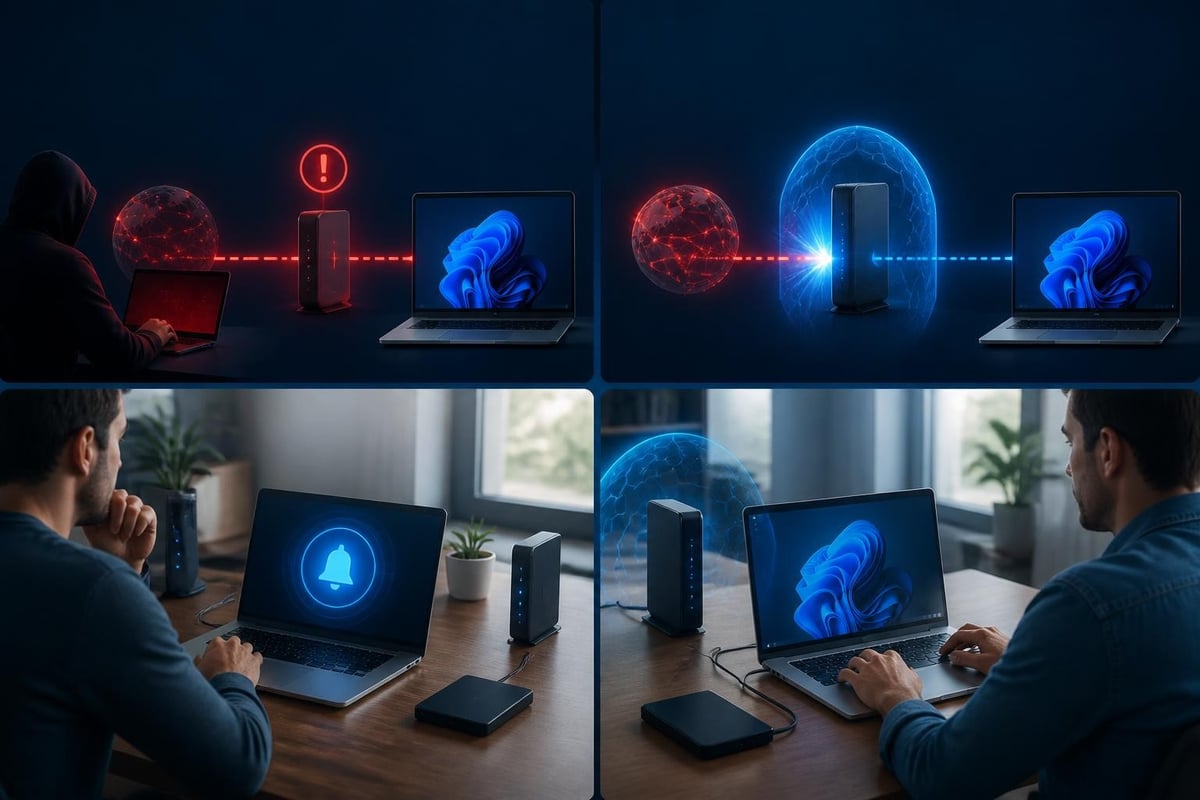
An IDS watches traffic and alerts you when it spots something suspicious. You decide what action to take. An IPS goes further by actively blocking or dropping suspicious traffic before it reaches your PC or network.
Many modern solutions combine both capabilities, giving you the choice to monitor passively or block automatically depending on the threat level and your comfort with false positives.
Why Windows 11 users need network-level protection
Windows 11 includes several built-in security features, but they focus primarily on the operating system and applications. Your PC needs additional layers that monitor network behaviour specifically.
Threats that target network connections:
- Ransomware that spreads laterally across home or office networks
- Command-and-control traffic where compromised devices communicate with attackers
- Port scans and reconnaissance that precede targeted attacks
- Man-in-the-middle attacks on public Wi-Fi
- Unauthorized devices connecting via USB tethering or Bluetooth
The CISA StopRansomware Guide explicitly recommends network intrusion detection as part of a comprehensive defense strategy, noting that early detection of suspicious network patterns can prevent ransomware from encrypting files.
For families in South Africa or the United States, this means protecting multiple devices that share a home network. For small businesses, it means spotting an infected laptop before it affects your file server or customer data.
What makes Windows 11 environments unique
Windows 11 PCs and laptops connect through multiple interfaces. You might use Wi-Fi at home, tether through your phone's USB connection while travelling, or pair Bluetooth devices in your office.
Each connection type introduces different risks. Network intrusion systems designed for Windows 11 need to monitor all these interfaces, not just your primary internet connection. They also need to understand Windows-specific protocols and behaviours to reduce false alarms.
How detection modules work together
Effective network intrusion systems use multiple detection modules that each specialize in different threats and traffic types. Running modules in parallel provides broader coverage than any single detection method.
| Module type | What it monitors | Example threats detected |
|---|---|---|
| Protocol analysis | TCP/IP, DNS, HTTP traffic | Malformed packets, protocol abuse |
| Port monitoring | Connection attempts to services | Unauthorized remote access, scanning |
| Behaviour tracking | Baseline vs. current activity | Data exfiltration, lateral movement |
| Threat intelligence | Known malicious IPs and domains | C2 servers, phishing sites, botnets |
| Application monitoring | Specific program network activity | Malware beaconing, suspicious updates |
Modern systems benefit from combining traditional signature-based detection with machine learning approaches. Research from USENIX Security 2023 explores how deep learning models can improve detection accuracy while maintaining explainability, helping users understand why something was flagged.
Ransomware behaviour monitoring
Ransomware attacks often exhibit specific network patterns before encrypting files. Network intrusion systems that include ransomware behaviour monitoring look for activities like rapid connections to multiple network shares, unusual encryption-related traffic and communication with known ransomware infrastructure.
This gives you a critical window to isolate affected devices before damage spreads across your network. For small businesses, this can mean the difference between recovering from a single infected laptop and losing access to all company files.
Reducing false alarms through learning
One challenge with network intrusion systems is distinguishing genuine threats from normal but unusual activity. If you work from home and suddenly start a large file upload, or your teenager begins streaming games on a new platform, those activities might look suspicious to a system that doesn't know your patterns.
Hawk Sense and similar adaptive technologies learn:
- Which devices normally connect to your network
- What times of day you typically use different services
- Your usual data transfer volumes and patterns
- Which applications generate network traffic
By building a baseline of normal behaviour, these systems reduce false positives while maintaining sensitivity to actual threats. This matters particularly for home users and small businesses without dedicated IT staff who can't spend hours investigating every alert.

Practical deployment for different scenarios
How you use network intrusion systems depends on whether you're protecting a home network, small business or laptop that travels frequently.
Home and family protection
At home, you want coverage across all family devices without complex configuration. Your network intrusion system should monitor your Wi-Fi network and alert you to suspicious incoming connections or unusual behaviour from any connected device.
Key capabilities for home users:
- Clear alerts that explain what happened in plain language
- Simple blocking controls you can activate without technical expertise
- Protection for all devices sharing your home network
- Monitoring of guest network traffic if you allow visitors to connect
For many families, the biggest risk is a compromised device that attackers use to access other computers, security cameras or smart home devices on the same network.
Small business requirements
Small businesses face similar threats to home users but with higher stakes. Customer data, financial records and business communications all flow through your network.
You need visibility into which devices connect to business resources, who accesses shared files and whether any PC exhibits signs of compromise. Network intrusion systems help you spot problems early, before they become data breaches or ransomware incidents.
Many small businesses in South Africa and the United States operate with one or two people handling IT alongside their regular responsibilities. Solutions designed for this environment provide guidance on what alerts mean and what actions make sense, rather than assuming dedicated security expertise.
Laptop security while travelling
Laptops that connect to public Wi-Fi, hotel networks or client sites need protection that travels with them. When you're at an airport in Johannesburg or a conference center in Austin, your laptop faces different threats than on your home network.
Travel-specific threats:
- Man-in-the-middle attacks that intercept your communications
- Malicious access points designed to capture credentials
- Unauthorized connection attempts from other devices on shared networks
- Compromised network infrastructure at hotels or conference venues
Network intrusion systems running directly on your Windows 11 laptop provide consistent protection regardless of which network you join. Combined with a VPN for encrypted communications, they create a secure environment even on untrusted networks.
If you're protecting business data while travelling for work, or accessing financial accounts while on leisure travel, this laptop-level protection becomes essential. The system travels with you, monitoring every connection your device makes.

Understanding alerts and taking action
Network intrusion systems generate alerts when they detect suspicious activity. What you do with those alerts determines how effective your protection actually is.
Effective alerts should tell you:
- What activity triggered the alert (connection attempt, unusual traffic pattern, known threat)
- Which device or connection is involved
- The severity or confidence level of the detection
- Recommended actions you can take
For home users and small businesses without security backgrounds, the language matters. An alert saying "TCP SYN flood detected from 192.168.1.45" doesn't help you understand the threat or response. An alert explaining "A device is trying to overwhelm your PC with connection requests, which might indicate an attack. Block this device?" gives you context to act.
Blocking and isolation controls
When you receive an alert about suspicious activity, you need simple controls to respond quickly. Network intrusion systems should let you block specific connections, isolate affected devices or temporarily restrict all network access while you investigate.
PC isolation is particularly valuable if you suspect your Windows 11 device might be compromised. This feature cuts network connections while maintaining enough access for you to download security updates, run scans or contact support. It prevents attackers from continuing to operate while you clean up.
Complementing your existing security
Network intrusion systems work alongside antivirus software, firewalls and other security tools. They don't replace these protections but add a critical layer focused specifically on network behaviour.
Your antivirus scans files and programs for malicious code. Your firewall controls which network services are accessible. Network intrusion systems monitor the actual traffic flowing through those allowed connections, spotting threats that have bypassed other defenses or exploiting legitimate network access.
For travelers and small businesses, NetGuardian Pro provides this network-level protection designed specifically for Windows 11 devices. Its 14 detection modules monitor Wi-Fi, USB and Bluetooth connections for suspicious activity, alert you to potential threats in clear language and give you blocking controls to respond quickly.

This layered approach means that even if malware evades your antivirus, its network communication patterns can still trigger detection. Similarly, if an attacker gains initial access through social engineering, their subsequent reconnaissance and lateral movement attempts create network signatures that intrusion systems can catch.
Open-source options and evaluation resources
If you want to understand how network intrusion systems work at a technical level, open-source projects provide transparency and learning opportunities. Suricata is a high-performance network IDS and IPS engine used in both commercial products and network security research.
Similarly, Zeek (formerly Bro) provides network security monitoring with extensive logging and analysis capabilities. These tools are typically deployed at the network edge rather than on individual PCs, but they demonstrate core concepts and detection techniques used across the field.
For those interested in testing and comparing different approaches, the Canadian Institute for Cybersecurity maintains benchmark datasets like CIC-IDS2017 that researchers use to evaluate detection accuracy and performance.
Common misconceptions about network intrusion systems
"A good antivirus is enough"
Antivirus software and network intrusion systems protect different attack vectors. Malware can communicate over the network using encrypted channels or legitimate protocols that antivirus won't inspect. Network intrusion systems catch these behaviours.
"Only large companies need this protection"
Home users and small businesses are frequently targeted because attackers assume they have weaker defenses. Network intrusion systems provide enterprise-grade detection capabilities in formats accessible to non-experts.
"They generate too many false alarms to be useful"
Early network intrusion systems did struggle with false positives. Modern systems that learn your normal patterns and provide clear explanations dramatically reduce alert fatigue while maintaining high detection rates.
"Firewalls already monitor network traffic"
Firewalls primarily control which connections are allowed or blocked based on rules you set. Network intrusion systems analyze the content and patterns of allowed traffic to spot threats operating within permitted connections.
Making network intrusion systems practical
The value of network intrusion systems depends on implementation that fits how you actually use your Windows 11 devices. Protection that requires constant configuration or technical expertise won't work for most home users and small businesses.
Practical requirements:
- Installation and setup you can complete in minutes, not hours
- Automatic updates to detection signatures and threat intelligence
- Clear documentation and responsive support when you have questions
- No subscription fees that create ongoing costs for protection
Protection should adapt to your usage rather than requiring you to manage complex rule sets or tune detection thresholds. For most users, defaults that work out of the box with minimal configuration provide better security than powerful systems that require expertise to operate effectively.
Privacy and local processing
Where your network traffic data is analyzed matters for privacy and performance. Cloud-based analysis sends your traffic patterns to remote servers for inspection. Local processing keeps everything on your PC.
For home users and travelers, local processing means your browsing habits, communications and online activities remain private. For small businesses, it means customer data and business communications aren't exposed to third parties.
Local processing also works when you're offline or have limited connectivity. Your protection remains active even if you can't reach cloud services, which matters particularly when travelling through areas with unreliable internet access.
Threat intelligence integration
Network intrusion systems become more effective when they incorporate current threat intelligence about known malicious IPs, domains and attack infrastructure. This intelligence comes from security research organizations, incident response teams and collaborative sharing among security vendors.
Threat intelligence helps identify:
- Command-and-control servers used by malware and ransomware
- Phishing sites hosting credential harvesting pages
- Botnet infrastructure coordinating distributed attacks
- Known compromised hosts attempting to spread infections
Regular updates to threat intelligence feeds ensure your network intrusion systems recognize the latest threats, even before signature updates for specific attacks are available.
Response time and resource usage
Network intrusion systems need to analyze traffic fast enough to keep up with your connection speed without slowing down your Windows 11 PC. This requires efficient processing and careful resource management.
Performance considerations:
- Low CPU usage during normal operation so you don't notice the protection running
- Minimal memory footprint that doesn't compete with your applications
- Fast analysis that doesn't introduce noticeable latency to web browsing or downloads
- Efficient storage of logs and alerts without consuming excessive disk space
For laptops, battery life matters. Network monitoring and analysis should use power-efficient techniques that don't significantly reduce how long you can work unplugged.
Building defence in depth
Network intrusion systems represent one essential layer in a comprehensive security approach. Combine them with strong passwords, regular software updates, backups and security awareness to create defence in depth that protects against multiple attack vectors.
Complete protection includes:
- Network intrusion systems monitoring traffic and connections
- Antivirus and anti-malware scanning files and programs
- Firewall controlling which services are network-accessible
- VPN encrypting communications on untrusted networks
- Regular backups protecting against ransomware and data loss
- Security updates closing known vulnerabilities
No single security tool stops every threat. Layered defences ensure that attacks failing to bypass one protection still face additional barriers, giving you multiple opportunities for detection and response.
Network intrusion systems provide essential visibility into threats targeting your Windows 11 PC through network connections, complementing antivirus protection with real-time monitoring of suspicious traffic patterns and behaviours. Whether you're protecting a home network, small business or laptop that travels frequently, understanding what's happening on your network helps you respond to threats before they cause damage. NetGuardian Pro brings this protection to Windows 11 users with 14 detection modules designed for home users, families, small businesses and travellers who want practical security without needing an IT background.
Related reading: Detection of Malware: A Guide for Windows 11 Users, Network Intrusion Detection Systems for Windows Users, Network and Security for Windows 11: Practical Guide.
About the author. Published by Joel Papenfus, founder of NetGuardian and creator of NetGuardian Pro. The sources this post draws on are linked in the post. Reviewed and checked by Joel on 1 October 2026.