
Cyber Security IDS: Protection for Windows Networks
Network threats don't announce themselves. Suspicious connections, unauthorised access attempts and data breaches often happen quietly in the background while you work, browse or stream. Cyber security IDS (intrusion detection systems) monitor your network traffic and alert you when something looks wrong. For Windows 11 users at home or in small businesses, understanding how these systems work helps you spot threats before they cause damage. This guide explains what cyber security IDS actually does, how it differs from antivirus software, and practical steps to protect your PC or laptop.
What cyber security IDS does on your network
An intrusion detection system watches network traffic flowing in and out of your computer. Unlike antivirus software that scans files for malicious code, cyber security IDS examines the behaviour of network connections. It looks for patterns that suggest attacks, unauthorised access or data theft.
Network monitoring versus file scanning
Your antivirus checks downloads, attachments and executables for known malware signatures. Cyber security IDS takes a different approach:
- Monitors active connections including Wi-Fi, Ethernet, USB network adapters and Bluetooth
- Analyses traffic patterns to spot unusual data transfers or connection attempts
- Checks connection origins against threat intelligence databases
- Detects protocol anomalies that indicate scanning, probing or exploitation attempts
- Alerts on suspicious behaviour like unauthorised port access or unusual outbound traffic
This means cyber security IDS complements your antivirus rather than replacing it. Both tools protect different attack surfaces.

Detection methods used by IDS
The NIST Special Publication 800-94 outlines core detection approaches used across intrusion detection systems. Modern cyber security IDS typically combines multiple methods:
| Detection Method | What It Does | What It Catches |
|---|---|---|
| Signature-based | Matches traffic against known attack patterns | Known exploits, malware communication, scanning tools |
| Anomaly-based | Compares current behaviour to learned baseline | Zero-day attacks, unusual data transfers, new threats |
| Protocol analysis | Validates traffic against protocol standards | Protocol violations, evasion techniques, malformed packets |
| Heuristic | Applies rules about suspicious combinations | Multi-stage attacks, reconnaissance, lateral movement |
Signature detection catches known threats quickly. Anomaly detection finds new or modified attacks that haven't been seen before. The challenge is reducing false positives while maintaining sensitivity to real threats.
How cyber security IDS protects Windows 11 systems
Windows 11 laptops and PCs face specific network risks depending on where and how you use them. Cyber security IDS adapts to different scenarios.
Home network protection
Your home Wi-Fi connects multiple devices. Each represents a potential entry point. Cyber security IDS monitors all network activity on your Windows 11 machine:
What it watches for at home:
- Devices attempting to connect without authorisation
- Unusual outbound connections from installed software
- Data uploads you didn't initiate
- Port scans from internal or external sources
- Communication with known malicious IP addresses
When your laptop detects suspicious activity, you receive clear alerts. You can then investigate the connection, block the traffic source or isolate your PC from the network temporarily.
Small business network security
Business networks involve more users, shared resources and sensitive data. Cyber security IDS helps small businesses without dedicated IT staff:
- Employee laptop monitoring catches compromised machines before they spread threats
- Visitor network separation alerts when guests attempt access to business resources
- Remote access validation identifies unauthorised VPN or remote desktop attempts
- After-hours activity detection flags unusual connections outside business hours
- Ransomware behaviour alerts spot encryption attempts and suspicious file access patterns
Small businesses benefit from systems that explain alerts in plain language rather than requiring network engineering knowledge to interpret.

Setting up network intrusion detection
Implementing cyber security IDS on Windows 11 involves choosing the right approach for your situation.
Host-based versus network-based detection
You have two architectural choices:
Host-based IDS (HIDS) runs directly on your Windows 11 PC or laptop. It monitors that specific machine's network activity, installed processes and system changes. This approach works well for:
- Home users and families protecting individual devices
- Laptops that travel between networks
- Remote workers connecting from various locations
- Small businesses without network infrastructure to deploy appliances
Network-based IDS (NIDS) sits on your network infrastructure, monitoring traffic passing through routers or switches. Better suited for:
- Larger offices with managed networks
- Businesses with IT staff or managed service providers
- Environments requiring centralised monitoring
- Networks with consistent topology
For most Windows 11 home users and small businesses, host-based cyber security IDS offers practical protection without requiring network hardware changes or configuration expertise.
Installation and initial configuration
Setting up host-based detection typically involves these steps:
- Install the detection software on each Windows 11 machine you want to protect
- Allow initial learning period so the system establishes your normal network behaviour baseline
- Configure alert thresholds based on your risk tolerance and network environment
- Set up blocking rules to automatically prevent high-risk connections
- Test isolation features so you know how to disconnect from the network during an incident
During the learning phase, cyber security IDS observes your typical applications, connection patterns and network usage. This baseline helps distinguish legitimate activity from genuine threats. Detection engineering best practices recommend validating detection rules against both normal and attack scenarios.
Understanding and responding to alerts
The value of cyber security IDS depends on actionable alerts. Too many false positives train you to ignore warnings. Too few alerts might miss real threats.
Effective alert design includes:
- Clear description of what was detected
- Source and destination of the suspicious connection
- Explanation of why it triggered an alert
- Recommended actions you can take
- Options to block, allow or investigate further
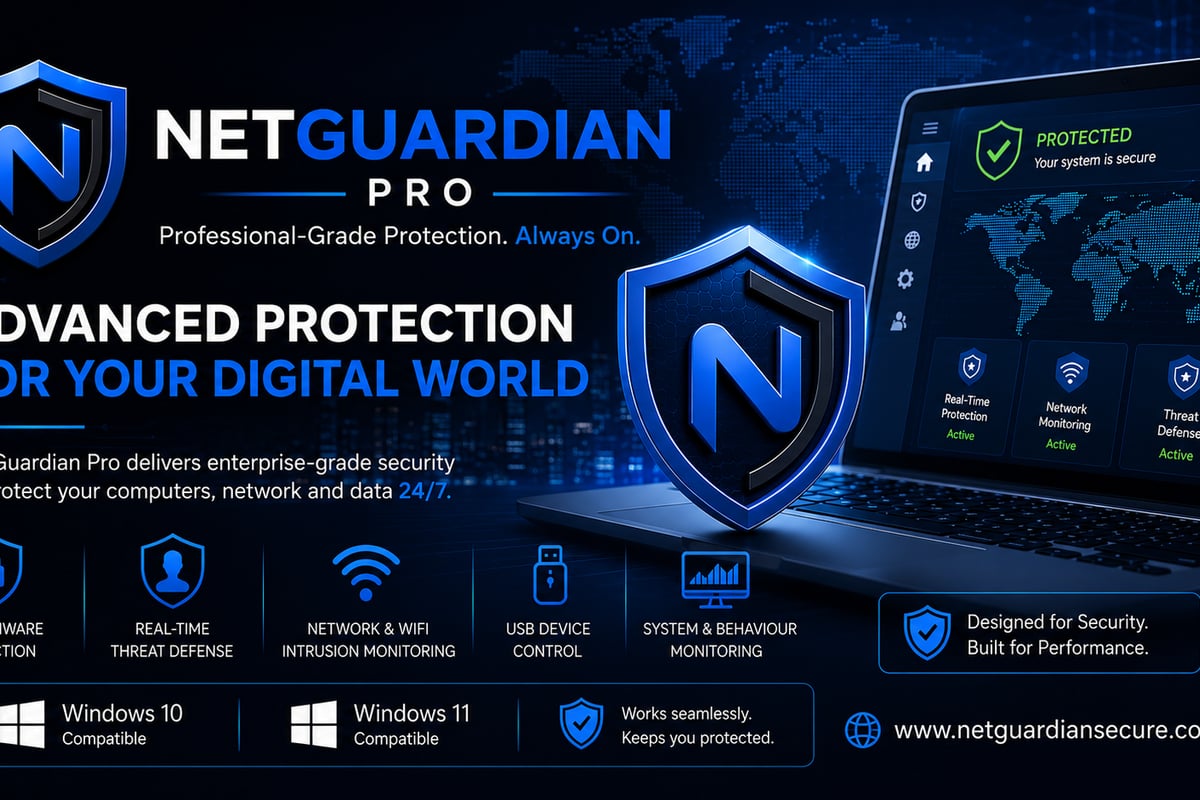
NetGuardian Pro delivers intrusion detection specifically designed for non-technical users. Its 14 detection modules monitor Wi-Fi, USB and Bluetooth connections, watching for threats that target Windows 11 systems. The Hawk Sense feature learns your normal network activity patterns, helping reduce false alarms while catching genuine threats. You get clear alerts explaining suspicious behaviour, with blocking controls and PC isolation available when needed.
When you receive an alert, follow a simple process:
- Read the alert description carefully
- Check if you recognise the application or connection involved
- Verify the timing matches your activity
- Block the connection if it's clearly unauthorised
- Isolate your PC if ransomware behaviour is detected
- Document the incident for pattern analysis
Advanced detection capabilities
Modern cyber security IDS incorporates threat intelligence and behavioural analysis.
Threat intelligence integration
Standalone detection catches attacks based on local patterns. Threat intelligence adds global context by comparing your network activity against databases of known malicious infrastructure.
Your IDS checks connections against:
- Malware command and control servers where compromised systems receive instructions
- Phishing infrastructure hosting credential theft pages
- Exploit kit domains serving automated attack payloads
- Data exfiltration endpoints where stolen information is uploaded
- Scanning sources conducting reconnaissance across the internet
The ENISA Threat Landscape 2024 identifies ransomware, data breaches and supply chain attacks as top concerns. Effective cyber security IDS should address current threat patterns documented in authoritative sources.
Ransomware behaviour monitoring
Ransomware typically exhibits distinctive network and system behaviour before encrypting your files:
Network indicators:
- Connections to known ransomware infrastructure
- Unusual outbound data transfers (exfiltrating data before encryption)
- Communication with cryptocurrency payment portals
- DNS queries to recently registered domains
System behaviour patterns:
- Rapid access to large numbers of files
- Modification of file extensions en masse
- Creation of ransom notes in multiple directories
- Deletion of volume shadow copies or backups
Cyber security IDS that monitors both network and system activity provides earlier warning than network monitoring alone. This layered approach aligns with CISA guidance on detection and visibility.

Protection for travelling laptops
Public Wi-Fi at airports, hotels and coffee shops introduces risks that home networks don't face.
Public network threats
When you connect to public Wi-Fi, cyber security IDS helps protect against:
- Man-in-the-middle attacks where attackers intercept your traffic
- Evil twin access points impersonating legitimate hotspots
- Packet sniffing capturing unencrypted data
- Malicious proxies redirecting your connections
- Device-to-device attacks from other clients on the same network
Your laptop's IDS continues monitoring even when you're away from your trusted networks. Some systems include VPN integration to encrypt traffic automatically when connecting to untrusted networks.
USB network adapter risks
Travellers sometimes use USB network adapters for wired connections or improved Wi-Fi reception. These devices create additional attack surfaces:
- Malicious adapters that look legitimate but inject traffic
- Compromised firmware on legitimate adapters
- Driver vulnerabilities allowing privilege escalation
- Network bridges bypassing system security policies
Cyber security IDS that monitors USB-based network connections helps detect threats entering through these adapters. This matters particularly for Windows 11 users who frequently work from different locations.
Integration with existing security measures
Cyber security IDS works best as part of layered defences.
Complementing antivirus software
Your antivirus and IDS protect different attack vectors:
| Security Tool | Primary Focus | Detection Approach | Response Method |
|---|---|---|---|
| Antivirus | Files, executables, documents | Signature matching, heuristics | Quarantine, deletion |
| IDS | Network connections, traffic | Pattern analysis, anomaly detection | Alert, block, isolate |
| Firewall | Port access, application permissions | Rule-based filtering | Allow/deny by rule |
| VPN | Traffic encryption, privacy | Encryption tunnel | Secure channel |
None of these tools provide complete protection alone. Network detection and response strategies emphasise detection-in-depth using multiple technologies.
Windows 11 built-in security features
Windows 11 includes several security capabilities that work alongside cyber security IDS:
- Windows Defender Firewall controls which applications can accept network connections
- Windows Security provides antivirus, exploit protection and device security
- Controlled Folder Access prevents unauthorised changes to protected directories
- SmartScreen blocks known malicious websites and downloads
Cyber security IDS adds continuous network monitoring and threat behaviour detection that Windows 11's built-in tools don't provide. The combination offers broader protection across more attack scenarios.
Choosing detection systems for specific needs
Your requirements depend on how and where you use Windows 11.
Home users and families
Family environments need protection that doesn't require technical expertise:
- Clear alerts explaining what was detected
- Simple block and allow controls
- Learning capability to reduce false positives
- Protection across Wi-Fi, wired and Bluetooth
- No ongoing subscription or complex maintenance
Look for cyber security IDS designed specifically for home use rather than enterprise products simplified for consumers.
Small business considerations
Businesses need additional capabilities:
- Consistent protection across employee laptops
- Alert documentation for incident records
- Email support when questions arise
- Predictable costs without per-device subscriptions
- Compliance alignment where regulations require network monitoring
Small businesses in South Africa and the United States increasingly face targeted attacks. Implementing cyber security IDS helps meet security requirements without hiring dedicated IT security staff.
Traveller and remote worker priorities
If you frequently work from airports, hotels or client sites:
Essential features include:
- Built-in VPN for public network encryption
- Automatic threat blocking without user intervention
- Offline detection capability when internet access is limited
- Low resource usage to preserve battery life
- Protection for USB network adapters
Your cyber security IDS should work reliably across different network types and geographic locations.
Evaluating detection system effectiveness
Not all intrusion detection systems provide equal protection.
Performance metrics that matter
When assessing cyber security IDS, focus on practical measurements:
- True positive rate: Percentage of actual threats correctly detected
- False positive rate: Percentage of safe activity incorrectly flagged
- Detection time: How quickly alerts appear after suspicious activity starts
- System impact: CPU and memory usage during monitoring
- Alert quality: How clearly alerts explain detected threats
Academic research like this IEEE survey of intrusion detection systems examines detection architectures and evaluation challenges. For non-technical users, focus on real-world usability rather than just detection algorithm performance.
Testing your protection
Verify your cyber security IDS actually works:
- Check alert logs to confirm monitoring is active
- Test with safe detection tools that simulate attack patterns
- Monitor during software updates when unusual network activity occurs
- Verify blocking works by attempting blocked connections
- Practice isolation so you know the process during real incidents
Regular validation ensures your detection system continues protecting as threats evolve.
Common deployment challenges
Understanding typical obstacles helps you avoid them.
Balancing security and usability
Overly sensitive cyber security IDS generates constant alerts, leading to alert fatigue. Too lenient configuration misses real threats. Finding the right balance requires:
- Adequate learning period to establish baselines
- Gradual threshold adjustment based on false positive rates
- Whitelist capability for trusted applications and services
- Clear documentation of why each rule exists
- Regular review of blocked and allowed connections
Resource consumption considerations
Network monitoring consumes system resources. For Windows 11 laptops, this impacts battery life and performance. Efficient cyber security IDS minimises overhead while maintaining detection effectiveness.
Resource efficiency factors:
- Selective packet inspection rather than capturing all traffic
- Efficient pattern matching algorithms
- Incremental updates to threat intelligence databases
- Optimised code for Windows 11 architecture
- Configurable intensity based on power source
On battery, you might reduce sensitivity. When plugged in, maximum detection makes sense.
Maintenance and updates
Threats evolve constantly. Your cyber security IDS needs current threat intelligence, detection rules and software improvements:
- Automatic updates to threat intelligence feeds
- Regular software updates for new detection capabilities
- Transparent update process that doesn't interrupt protection
- Rollback capability if updates cause issues
- Clear communication about what each update includes
Systems with one-time purchase pricing should include free updates. Subscription models make sense for enterprise deployments but add recurring costs for home and small business users.
Privacy and data handling
Monitoring network traffic raises legitimate privacy questions.
What data gets collected
Responsible cyber security IDS collects only information necessary for threat detection:
- Connection metadata (source, destination, ports, protocols)
- Packet headers for protocol analysis
- DNS query information
- Alert and event logs
- Application network behaviour patterns
What should not be collected without explicit consent:
- Full packet payloads of encrypted connections
- Personal communications content
- Browsing history beyond threat detection
- Credentials or authentication tokens
- Information unrelated to security
Local versus cloud processing
Host-based cyber security IDS can process detections locally on your Windows 11 machine. This keeps your network data on your device rather than uploading to cloud services. Cloud-based systems offer benefits like centralised threat intelligence but require trusting the provider with your network metadata.
For privacy-conscious users in South Africa and the USA, local processing with optional cloud threat intelligence provides good balance. You maintain control while benefiting from global threat data.
Cyber security IDS gives you visibility into network threats targeting your Windows 11 system, whether at home, in your small business or while travelling. By monitoring connections across Wi-Fi, USB and Bluetooth, explaining suspicious activity in clear terms and providing practical blocking controls, the right detection system helps you act on threats without needing IT expertise. NetGuardian Pro delivers exactly this approach with 14 detection modules, ransomware behaviour monitoring and a built-in VPN, all in a one-time purchase that complements your existing antivirus protection. Start protecting your network today with detection designed for real people, not just security professionals.
Related reading: Managed Cyber Security Services for Small Businesses, Attack Surface Cyber Security: Your Protection Guide, IDS in Cyber Security: Detection Systems Explained.
About the author. Published by Joel Papenfus, founder of NetGuardian and creator of NetGuardian Pro. The sources this post draws on are linked in the post. Reviewed and checked by Joel on 1 October 2026.