
Network Device Security: Essential Protection for 2026
Network device security has become a critical concern for everyone who connects to the internet, from families working from home to small businesses protecting customer data. Your router, modem, smart devices and other network equipment form the first line of defence against intrusions, yet they're often the most overlooked components in your security strategy. Every device that handles or routes your network traffic can become an entry point for attackers if not properly secured and monitored.
Understanding your network attack surface
Your network consists of far more devices than you might realize. The obvious components include your router and modem, but you're also managing switches, wireless access points, network-attached storage, smart home hubs, and increasingly, Internet of Things devices ranging from security cameras to thermostats. Each represents a potential vulnerability.
Attackers target network devices for several strategic reasons:
- Persistence: Compromised routers and switches can maintain access even after you rebuild infected computers
- Visibility: Network equipment sees all traffic, making it valuable for data theft and surveillance
- Lateral movement: Once inside your network perimeter, attackers can reach every connected device
- Resource hijacking: Device processing power and bandwidth can be used for cryptocurrency mining or launching attacks on others
The ENISA Threat Landscape 2023 report highlights how attacks on networked infrastructure continue to grow, with particular emphasis on devices running outdated firmware or default configurations.
Small businesses face the same threats as enterprises but typically with fewer resources to respond. For home users, a compromised router can expose everything from banking sessions to children's online activity.

Hardening your network infrastructure
Network device security starts with configuration. Most routers and switches ship with settings optimized for ease of setup rather than protection. Changing these defaults is your first critical step.
Change default credentials immediately
Every network device arrives with a default username and password, often as simple as "admin/admin" or "admin/password". These credentials are publicly documented and searchable. Within hours of connecting a new device, automated scanners will attempt these default combinations.
Create strong, unique passwords for every network device. Use a password manager if needed, but ensure you can access these credentials when your network is offline.
Disable unnecessary services and ports
Network equipment runs various services to support management and features. Each open port or running service expands your attack surface. Review your router's administration interface and disable:
- Remote management unless absolutely required (and even then, use a VPN instead)
- UPnP (Universal Plug and Play), which allows devices to open ports automatically
- WPS (Wi-Fi Protected Setup), which has known cryptographic weaknesses
- Telnet and other unencrypted management protocols
The CISA Enhanced Visibility and Hardening Guidance for Communications Infrastructure provides detailed, practical recommendations for securing routers, switches and firewalls based on real-world threat intelligence.
Segment your network appropriately
Network segmentation limits how far an attacker can move after compromising a single device. Create separate network zones for:
- Trusted devices: Your work computers and personal laptops
- Guest network: Visitors' phones and tablets
- IoT devices: Smart TVs, cameras, thermostats and appliances
- High-risk devices: Anything that cannot receive security updates
Most modern routers support multiple SSIDs (network names) with traffic isolation. This costs nothing and significantly contains potential breaches.
| Security Measure | Effort Required | Protection Impact | Priority |
|---|---|---|---|
| Change default passwords | Low | High | Critical |
| Disable unused services | Medium | High | Critical |
| Firmware updates | Low | High | Critical |
| Network segmentation | Medium | Medium | High |
| Access logging | Low | Medium | Medium |
Maintaining device firmware and software
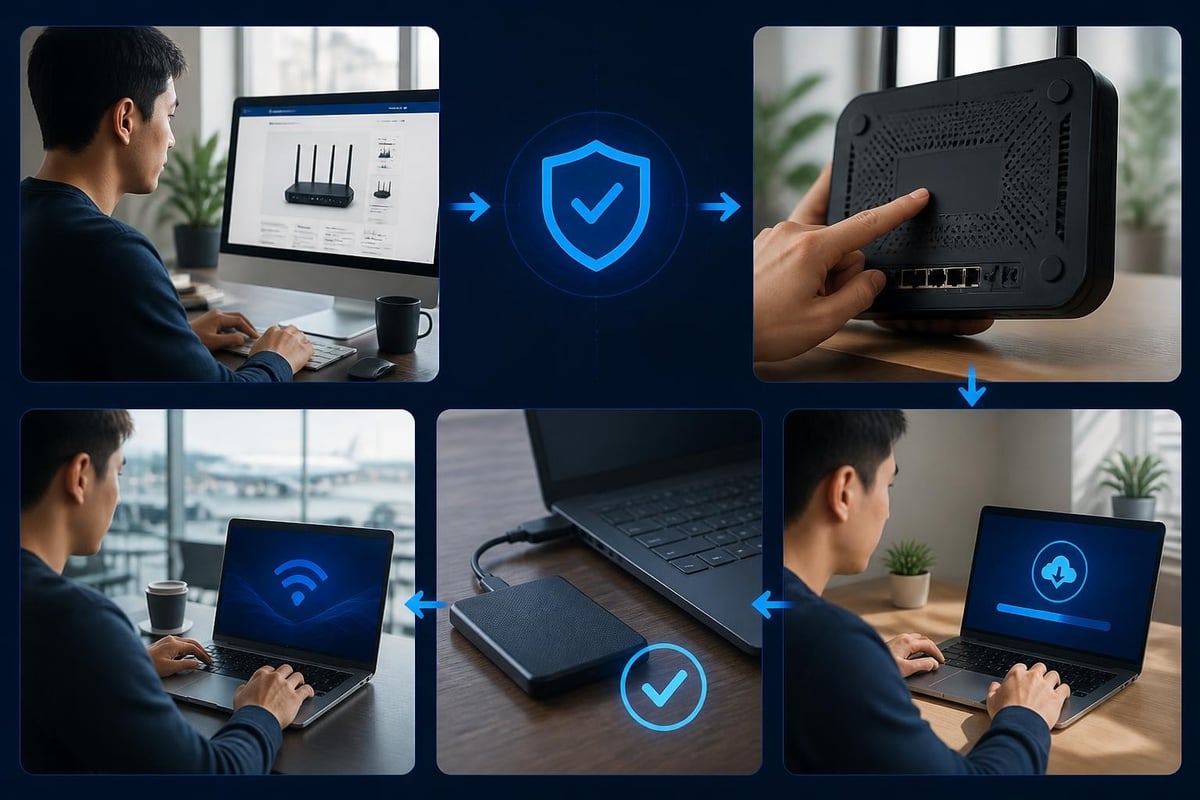
Outdated firmware is one of the most exploited vulnerabilities in network device security. Unlike your computer or phone, routers and switches don't automatically remind you about updates. You must check manually or enable automatic updates where available.
Establish an update schedule
Set a recurring calendar reminder to check for firmware updates monthly. Visit your device manufacturer's website directly rather than relying solely on the device's built-in update checker, which may itself be compromised if the device is infected.
Document the current firmware version of each network device. This record helps you verify that updates applied successfully and provides a baseline for troubleshooting.
Verify update authenticity
Only download firmware from the manufacturer's official website. Attackers distribute malicious firmware updates through search engine results and unofficial support forums. Always verify:
- The download URL matches the manufacturer's domain exactly
- The firmware version matches your specific device model number
- A checksum or digital signature is provided and verified
The CERT/CC Vulnerability Notes & guidance database tracks critical vulnerabilities affecting network devices, including embedded TCP/IP stack bugs and certificate reuse issues that can affect entire product lines.
Monitoring network activity and anomalies
Effective network device security requires visibility into what's happening on your network. You can't protect what you can't see.
Enable and review access logs
Most routers maintain logs of connection attempts, configuration changes and security events. Enable detailed logging and review these logs weekly at minimum. Look for:
- Failed login attempts: Especially repeated failures from the same source
- Configuration changes: Modifications you didn't make personally
- Unusual outbound connections: Devices communicating with unexpected destinations
- Off-hours activity: Network access patterns outside normal usage times
For Windows 11 users and small businesses, endpoint monitoring complements network-level visibility. NetGuardian Pro's 14 detection modules monitor network connections at the PC level, watching for suspicious Wi-Fi, USB and Bluetooth activity that might bypass network perimeter controls. Its Hawk Sense learning system helps distinguish genuine threats from normal activity patterns, reducing false alarms that plague many security tools.
Implement baseline monitoring
Understanding normal network behaviour helps you spot anomalies. Document typical bandwidth usage, connected device counts and traffic patterns during different times of day. Sudden changes often indicate problems:
- Sharp bandwidth increases may signal unauthorized devices or malware
- New devices appearing on your network require investigation
- Traffic to unusual geographic regions deserves scrutiny
- Protocol anomalies (unexpected ports or encrypted tunnels) need review
The MITRE ATT&CK Network Devices matrix maps specific attacker techniques targeting routers and switches, helping you understand what to monitor for and which detection strategies address the highest-priority threats.
Consider specialized detection tools
General antivirus software doesn't monitor your router or network infrastructure. Purpose-built network monitoring tools fill this gap. For Windows environments, look for solutions that monitor network connections at the endpoint level, providing visibility into what each PC communicates with and how.
Securing wireless access points
Wi-Fi introduces unique security challenges. Your wireless network broadcasts into physical space beyond your control, making it accessible to anyone within range.
Choose strong encryption protocols
Network encryption standards in 2026:
- WPA3: Use this if all your devices support it (most devices from 2020 onward)
- WPA2: Acceptable minimum standard, but transition to WPA3 when possible
- WEP/WPA/Open: Never use these; they're easily defeated within minutes
Enable WPA2/WPA3 mixed mode if you have older devices that don't support WPA3. This maintains backward compatibility while offering stronger protection to capable devices.
Create strong passphrases
Your Wi-Fi password protects everything on your wireless network. Use at least 20 characters combining letters, numbers and symbols. Avoid dictionary words, personal information and common patterns.
Change your wireless password:
- After any device is lost or stolen
- When employees or contractors leave your business
- Every 90 days as a precaution for high-security environments
- Immediately if you suspect unauthorized access
Hide management interfaces from wireless
Configure your router so its administration interface is only accessible from wired connections. This prevents wireless attackers from attempting to access device management even if they compromise your Wi-Fi password.
The CIS Benchmarks for network devices provide authoritative configuration baselines for routers, switches and access points, including wireless-specific hardening recommendations from security experts.
Securing devices without advanced authentication
Many network-connected devices can't support sophisticated authentication methods like 802.1X. Security cameras, printers, thermostats and legacy equipment often rely on simple password authentication or no authentication at all.
The challenge is maintaining network device security while accommodating these limited devices. The SANS white paper on implementing security for devices without 802.1X support offers practical approaches including MAC address authentication, device profiling and network segmentation strategies.
Practical controls for limited devices:
- Dedicated VLAN: Isolate these devices from your primary network
- MAC filtering: Whitelist specific device hardware addresses (acknowledge this is not strong security, but adds a layer)
- Firewall rules: Restrict which devices and services these devices can access
- Manufacturer accountability: Choose vendors committed to security updates
For IoT and embedded devices, the OWASP IoT Security Testing Guide provides testing methodologies to evaluate device security before deployment, including network service exposure assessment and firmware security checks.

Establishing access control policies
Who can access your network devices matters as much as how they're configured. Implement clear policies governing administrative access.
Limit administrative accounts
Create separate accounts for each person who manages network devices. Never share a single admin account among multiple people. This accountability helps you trace configuration changes and quickly revoke access when needed.
Use the principle of least privilege: grant only the minimum access required for each person's responsibilities. Not everyone needs full administrative rights to your router or switches.
Protect credential storage
Store network device passwords securely, separate from the devices themselves. A password manager with encryption provides better protection than a text file on your desktop.
For business environments, consider a privileged access management solution that rotates passwords automatically and logs every administrative session.
Implement session controls
Configure administrative session timeouts so idle sessions close automatically. Require re-authentication for sensitive changes like firmware updates or security policy modifications.
The Cisco device hardening guidance covers access management, software integrity practices and configuration controls applicable across vendor platforms, not just Cisco equipment.
Planning for incident response
Despite your best efforts, security incidents will occur. Preparation determines whether you contain a breach quickly or suffer extensive damage.
Document your network baseline
Maintain current network diagrams showing all devices, their IP addresses, firmware versions and configuration dates. During an incident, this documentation helps you identify what changed and what's behaving abnormally.
Create recovery procedures
Essential preparation steps:
- Save known-good device configurations offline
- Document factory reset procedures for each device type
- Keep firmware installation files in secure offline storage
- List essential settings that must be reconfigured after a reset
- Test your recovery process periodically
Know when to seek help
Small businesses and home users should establish relationships with security professionals before incidents occur. Research local IT security consultants and understand their incident response capabilities and rates.
For Windows 11 systems, NetGuardian Pro provides intrusion detection specifically designed for non-technical users, with clear alerts explaining suspicious network activity in plain language. Its PC isolation feature can quarantine compromised systems while you investigate, preventing lateral movement across your network.
Addressing emerging threats
Network device security evolves as attackers develop new techniques. Staying informed helps you adapt your defences accordingly.
Supply chain risks
Device manufacturers occasionally introduce vulnerabilities through third-party components. In 2026, we've seen compromised software libraries, backdoored firmware and hardware implants discovered in various network equipment.
Verify your device manufacturer maintains a vulnerability disclosure program and responds promptly to security issues. Check whether they've experienced supply chain incidents previously and how they handled them.
Cloud-managed devices
Many modern routers and switches offer cloud-based management interfaces. While convenient, these introduce dependencies on the manufacturer's security practices. If their cloud service is compromised, your network devices may be accessible to attackers.
Where possible, maintain local management capabilities as a backup. Understand what data your devices send to manufacturer clouds and whether you can disable telemetry.
AI-targeted attacks
Automated attacks now use machine learning to identify vulnerable devices faster and adapt to defensive measures. Rate limiting and behavioral analysis help counter these threats, but perfect prevention remains impossible.
Focus on detection and response capabilities rather than relying entirely on prevention. Assume that determined attackers will eventually find a way in, and prepare to limit the damage.
Building layered protection
Network device security works best as part of a comprehensive approach. No single measure provides complete protection.
Effective security layers include:
- Perimeter hardening: Secure router and firewall configurations
- Endpoint monitoring: Detection software on PCs and laptops watching network activity
- Encryption: Protection for data in transit across your network
- Access control: Authentication and authorization for device management
- Monitoring: Visibility into network traffic and anomalies
- Backup: Offline copies of configurations and critical data
- Training: User awareness of phishing and social engineering
Each layer compensates for the others' limitations. When one fails, the others maintain protection while you respond to the incident.
Network device security protects everything that flows through your routers, switches and wireless access points, but it requires ongoing attention to firmware updates, configuration hardening and activity monitoring. For Windows 11 users and small businesses, NetGuardian Pro adds essential endpoint visibility that complements network perimeter controls, monitoring your PCs for suspicious network connections and providing clear alerts about threats involving Wi-Fi, USB and Bluetooth without requiring an IT background.
Related reading: Enterprise Network Security Solutions: A 2026 Guide, Network Security Solutions for Practical Protection, Network Attacks: How to Detect and Stop Threats in 2026.