
Cloud Based Cyber Security Companies: A Practical Guide
Cloud based cyber security companies deliver network protection, threat monitoring and security services over the internet rather than through on-premises software or hardware. If you run a small business or manage your family's devices from home, you may have noticed more vendors offering cloud-delivered security alongside traditional tools like antivirus. This shift raises practical questions: what do cloud based cyber security companies actually do, how do they differ from software installed on your PC and when does outsourcing security make sense for a small team or household?
This guide explains how cloud security providers work, compares their approaches to endpoint tools and outlines what to look for if you are considering a cloud service for your Windows 11 laptops and home network. We focus on the needs of home users, families, small businesses and people who travel regularly, particularly in South Africa and the United States.
What cloud based cyber security companies actually do
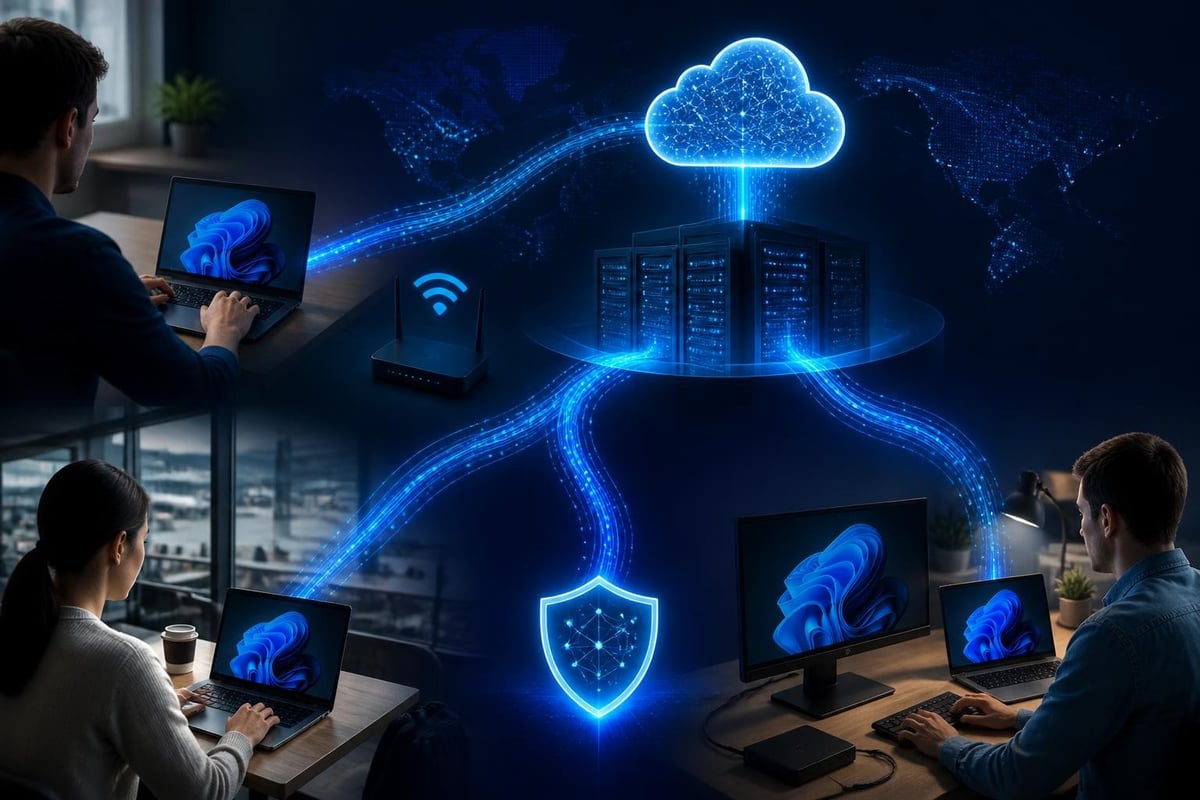
Cloud based cyber security companies operate security tools on remote servers instead of your device. When your laptop connects to the internet, traffic or telemetry flows to the provider's cloud platform for inspection, analysis or filtering. The service may monitor your network connections, scan files, filter web requests, detect suspicious behaviour or enforce access policies without requiring you to manage physical appliances or complex software installations on each PC.
Common services include:
- Secure web gateways that filter malicious websites and block phishing domains before they reach your browser
- Cloud access security brokers (CASBs) that enforce policies when you use cloud applications like Microsoft 365 or Google Workspace
- Network threat detection platforms that analyse traffic patterns to spot unusual connections or data exfiltration
- Endpoint detection and response (EDR) systems that combine local agents with cloud analytics to identify ransomware behaviour and advanced threats
- Identity and access management (IAM) tools that control who can log in to your business accounts and from which locations
Because the heavy lifting happens in the cloud, cloud based cyber security companies can process enormous volumes of threat intelligence, correlate activity across many customers and deploy updates or new detection rules instantly without waiting for you to download patches. This shared-intelligence model means the provider learns from attacks targeting other users and applies those lessons to your protection in near real-time.
The shared responsibility model
One critical concept underpins every cloud security relationship: shared responsibility. Cloud based cyber security companies secure their infrastructure, maintain detection engines and provide tools, but you remain responsible for configuring those tools correctly, managing user access and protecting the devices that connect to the service. AWS’s Well-Architected Framework formalises this principle for public cloud platforms, and the same logic applies when outsourcing security.
If you misconfigure a firewall policy in a cloud dashboard, the service will not magically fix it. If employees use weak passwords or ignore multi-factor authentication, a cloud provider cannot prevent account compromise. Understanding this split helps you set realistic expectations and prepare properly.
How cloud security differs from endpoint software
Traditional endpoint security software installs on each Windows 11 PC and runs locally. It monitors files, processes, network connections and system behaviour without relying on an internet connection for core protection. Cloud based cyber security companies, by contrast, depend on connectivity to function and centralise analysis away from the device.
| Aspect | Endpoint software (local) | Cloud-based service |
|---|---|---|
| Installation | Runs entirely on the PC | Small agent sends data to cloud platform |
| Internet dependency | Works offline | Requires steady connection for full features |
| Updates | You download and install | Provider deploys updates server-side |
| Threat intelligence | Built into local definitions | Continuously pulled from global telemetry |
| Management | Per-device or small console | Centralised web dashboard for all endpoints |
| Cost model | One-time or annual licence per device | Typically monthly or annual subscription per user or device |
Both approaches have strengths. Endpoint software responds instantly to threats without network latency and protects you even on a plane or in a location with unreliable connectivity. Cloud services scale effortlessly, reduce your maintenance burden and leverage collective intelligence that no single endpoint could gather alone.
When the cloud approach makes sense
Cloud based cyber security companies suit organisations and households that:
- Manage devices across multiple locations (remote workers, branch offices, family members at university)
- Lack in-house IT staff to maintain on-premises firewalls or security appliances
- Need centralised visibility and reporting across all users
- Require rapid policy changes without visiting each device
- Value automated threat intelligence updates and shared learning from a large user base
They may be less suitable if:
- Connectivity is frequently unreliable or expensive (rural areas, metered mobile data)
- Privacy regulations or company policy prohibit sending telemetry to third-party servers
- You require guaranteed offline protection during travel or in sensitive environments
- Budget constraints make subscription fees less attractive than one-time purchases
Key features to evaluate in cloud security providers
When comparing cloud based cyber security companies, focus on practical capabilities rather than marketing promises. Here are the features that matter most for small businesses, home users and travellers managing Windows 11 devices.
Real-time threat intelligence and detection
Look for providers that integrate global threat feeds and explain how they correlate your activity with known attack patterns. NIST’s guidelines on public cloud security emphasise that effective cloud services must protect data in transit and at rest while maintaining visibility into security events. Ask whether the service detects ransomware behaviour, command-and-control traffic, lateral movement or data exfiltration attempts targeting your network.
Clear alerts and actionable reporting
Security dashboards often overwhelm users with technical jargon and hundreds of low-priority alerts. Effective cloud based cyber security companies distill findings into plain language, prioritise genuine threats and suggest specific remediation steps. You should be able to understand what triggered an alert, why it matters and what action to take without needing an IT degree.
- Does the alert explain which device was involved and which connection looked suspicious?
- Can you quickly block a flagged domain or isolate a compromised laptop from the dashboard?
- Are false positives clearly distinguished from confirmed threats?
Transparent data handling and privacy
You are entrusting a third party with telemetry about your network activity, browsing patterns and possibly sensitive business data. Reputable providers publish detailed privacy policies, specify data retention periods and clarify whether they anonymise or share your information with partners. For South African users, verify compliance with the Protection of Personal Information Act (POPIA). For customers in the United States, look for adherence to industry frameworks and willingness to sign data processing agreements if you handle regulated data.
Compatibility with existing tools
Cloud based cyber security companies should complement your antivirus and endpoint tools, not replace them entirely or conflict with them. Verify that the service works alongside Windows Defender, your chosen antivirus and any VPN or firewall you already use. Layered security-combining local endpoint protection with cloud-based network monitoring-provides stronger defence than relying on a single vendor or approach.
Cost structure and contract terms
Cloud security subscriptions often bill per user, per device or per month. Understand exactly what you pay and whether prices increase after an introductory period. Watch for hidden costs like additional charges for extra devices, premium support or advanced features locked behind higher-tier plans. Compare the total cost over two or three years against one-time endpoint software purchases to make an informed decision.
Zero-trust architecture and modern cloud security
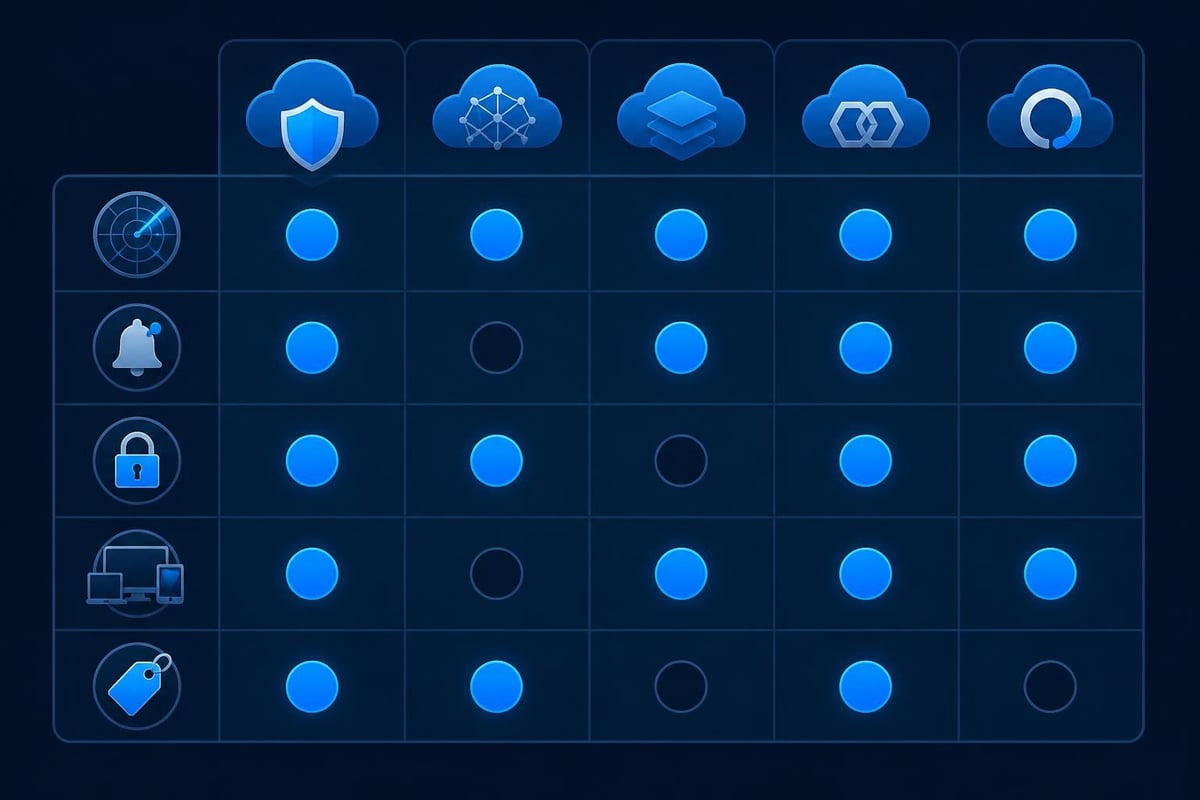
Many cloud based cyber security companies now promote "zero-trust" models. Zero-trust assumes no user or device is trustworthy by default, even inside your network perimeter. Instead, every access request is verified based on identity, device health, location and context before granting permission. NIST’s zero-trust guidance for cloud environments outlines how organisations can apply this principle across hybrid and multi-cloud setups.
Core zero-trust principles include:
- Verify explicitly – authenticate and authorise every connection using all available data points
- Least privilege access – grant only the minimum permissions needed for each task or role
- Assume breach – monitor continuously, segment networks and limit damage if an attacker gains entry
For small businesses and home users, zero-trust often means enabling multi-factor authentication on every account, restricting which devices can access sensitive files and monitoring network connections for signs of lateral movement or unauthorised data transfers. Cloud services make this easier to enforce than traditional perimeter-based models because they can inspect and control traffic regardless of location.
How SASE and SSE fit the picture
Secure Access Service Edge (SASE) and Security Service Edge (SSE) are two related architectures that bundle networking and security into a single cloud-delivered platform. TechTarget’s explainer on SASE versus SSE clarifies that SASE combines wide-area networking (SD-WAN) with security functions like secure web gateways and zero-trust network access, while SSE focuses purely on the security components without the networking layer.
Both approaches aim to simplify management and improve protection for remote workers and distributed teams. If your small business operates across multiple sites or your family members work from different locations, SASE or SSE providers can replace fragmented point solutions with a unified service. However, they add another subscription and centralise more of your security stack in a single vendor's hands, so weigh the convenience against vendor lock-in and cost.
Comparing cloud providers' security models
Major public cloud platforms-Amazon Web Services, Microsoft Azure and Google Cloud-publish detailed security documentation that reveals how they protect infrastructure and what you must configure yourself. Even if you do not host applications in the cloud, understanding these models helps you evaluate any cloud based cyber security company because many use the same platforms as their foundation.
Microsoft’s Azure Security Benchmark and Google Cloud’s security whitepaper both emphasise encryption, identity controls, logging and continuous monitoring. The Cloud Security Alliance’s Cloud Controls Matrix maps these practices to international standards and provides a checklist you can use to assess any provider's claims.
Questions to ask cloud based cyber security companies about their own infrastructure:
- Where are your servers hosted and do you use a major public cloud or your own data centres?
- How do you encrypt data in transit and at rest?
- What certifications or compliance frameworks (ISO 27001, SOC 2, PCI-DSS) have you achieved?
- How quickly do you patch vulnerabilities in your platform?
- What happens to my data if I cancel the service?
Transparency here signals a mature security posture. Vague answers or refusal to share compliance reports should raise concerns.
Practical steps for small businesses and home users
If you are considering a cloud based cyber security company, follow these steps to evaluate options and deploy the service safely.
- Inventory your current protection – list antivirus, firewalls, VPNs and any other security tools already in place on your Windows 11 devices
- Identify gaps – determine whether you lack network-level threat detection, centralised visibility or policy enforcement across remote users
- Research providers – compare three to five cloud based cyber security companies that serve small businesses and home users, reading independent reviews and checking compliance documentation
- Request trials – most providers offer free trials or proof-of-concept periods; test the dashboard, alert quality and support responsiveness
- Verify compatibility – confirm the cloud agent installs cleanly alongside your existing tools and does not trigger conflicts or excessive resource usage
- Review pricing carefully – calculate total cost over 24 or 36 months, including any price increases after introductory offers
- Configure policies conservatively – start with monitoring mode rather than aggressive blocking to reduce false positives and learn normal behaviour
- Train users – ensure family members or employees understand how to respond to alerts and when to contact support
- Monitor and adjust – review reports monthly, tune detection rules and update access policies as your needs evolve
Balancing cloud services with endpoint protection
Cloud based cyber security companies excel at network-level threats, centralised management and collective intelligence, but they do not replace antivirus or local intrusion detection entirely. A layered approach combines cloud services with robust endpoint tools that monitor processes, file access and system behaviour directly on each Windows 11 PC.
For example, a cloud web gateway filters malicious domains before they reach your browser, while endpoint behaviour monitoring detects ransomware attempting to encrypt files after a user clicks a link in a phishing email. Both layers working together provide stronger defence than either alone. For travellers who connect to public Wi-Fi frequently, a local VPN and intrusion prevention system offer immediate protection even if the cloud service experiences latency or the network blocks its telemetry.
NetGuardian Pro complements cloud services by running 14 detection modules locally on your Windows 11 laptop. It monitors Wi-Fi, USB and Bluetooth connections, watches for ransomware behaviour and provides clear alerts without requiring a subscription or steady internet connection. The built-in WireGuard VPN secures your traffic on untrusted networks, filling a critical gap when you cannot rely solely on cloud-delivered tools.


Risks and limitations of cloud-only security
Outsourcing protection to cloud based cyber security companies introduces dependencies and trade-offs. Recognising these limitations helps you make balanced decisions and plan contingencies.
Connectivity and latency
Cloud services require a stable internet connection. If your broadband fails, mobile data runs out or you work in an area with poor coverage, the service may degrade or stop protecting you entirely. Some providers offer limited offline functionality through cached policies on the local agent, but core features like real-time threat intelligence and centralised blocking depend on connectivity. Travellers in rural South Africa or on long flights need local protection that functions without cloud access.
Vendor dependency and lock-in
Once you commit to a cloud platform, migrating to a competitor can be difficult. Your security policies, historical logs and integrations may not export cleanly, and switching requires reconfiguring every device. Subscription models also mean your protection stops immediately if you cancel or fail to renew, unlike perpetual licences for endpoint software that continue functioning indefinitely.
Privacy and compliance concerns
Sending network telemetry to a third party raises privacy questions, especially for small businesses handling client data or families concerned about browsing activity. Cloud based cyber security companies may store logs for weeks or months, and data breaches at the provider could expose sensitive information. Understand exactly what data leaves your devices, where it is stored and who can access it under legal requests or warrants.
Over-reliance on automation
Cloud services often promise "AI-powered" threat detection and automated response. While machine learning can identify patterns at scale, it also generates false positives and occasionally misses novel attacks. You must review alerts critically, question unexplained blocks and maintain manual override capabilities. Blindly trusting automated decisions without understanding the underlying logic can lead to disruptions or missed threats.
Emerging trends in cloud security for 2026
Cloud based cyber security companies continue evolving. Several trends are reshaping the market and may influence your choice of provider or deployment model.
- Extended detection and response (XDR) platforms integrate telemetry from endpoints, networks, email and cloud applications into a single dashboard, correlating threats across multiple layers rather than siloing each data source
- Passwordless authentication using biometrics, hardware tokens or certificate-based methods reduces reliance on passwords and simplifies zero-trust access controls for remote workers
- Privacy-preserving analytics techniques like federated learning and differential privacy allow cloud providers to analyse threat patterns without collecting raw telemetry from each device, addressing privacy concerns
- Regulatory pressure in South Africa, the European Union and other jurisdictions is pushing cloud providers to clarify data residency, retention and sharing practices, making compliance easier to verify
- Hybrid models that combine on-premises appliances with cloud management and intelligence offer a middle ground for organisations needing local control plus cloud scale
As these trends mature, expect cloud based cyber security companies to offer more flexible deployment options, clearer privacy guarantees and tighter integrations with endpoint tools.
Choosing the right fit for your situation
There is no universal answer to whether cloud based cyber security companies suit every household or small business. Your decision depends on budget, technical skills, connectivity, privacy requirements and the specific threats you face.
Cloud services make the most sense when:
- You manage devices across multiple locations and need centralised visibility
- Your team lacks the skills or time to maintain on-premises security infrastructure
- You value automated updates and shared threat intelligence over local control
- Reliable internet access is available at all times and locations
- You trust the provider's privacy policies and compliance posture
Stick with endpoint-focused tools if:
- You travel frequently to areas with poor connectivity
- You prefer one-time purchases over recurring subscriptions
- You want guaranteed offline protection and local control over security decisions
- Privacy regulations or personal preference limit data sharing with third parties
- You already have effective antivirus and local intrusion detection in place
Many users find a hybrid approach works best: cloud services for centralised management and threat intelligence, paired with robust endpoint tools that protect each device independently. This layered strategy provides redundancy and flexibility without putting all trust in a single vendor or delivery model.
Cloud based cyber security companies offer centralised protection and collective intelligence that can simplify management for small businesses and distributed teams, but they are not a complete replacement for endpoint tools or local network monitoring. Understanding the shared responsibility model, evaluating features carefully and layering defences gives you the strongest protection. NetGuardian Pro complements cloud services by providing real-time intrusion detection and prevention on your Windows 11 PC, with 14 detection modules, ransomware behaviour monitoring and a built-in VPN-all without subscriptions or cloud dependencies. Whether you choose cloud, endpoint or both, the key is matching the solution to your specific situation and maintaining realistic expectations.
Related reading: Cyber Intelligence Feeds: A Practical Guide for 2026, Cloud Networking and Security: A Practical Guide, Attack Surface Cyber Security: Your Protection Guide.