
Threat Intelligence Feeds for Network Security
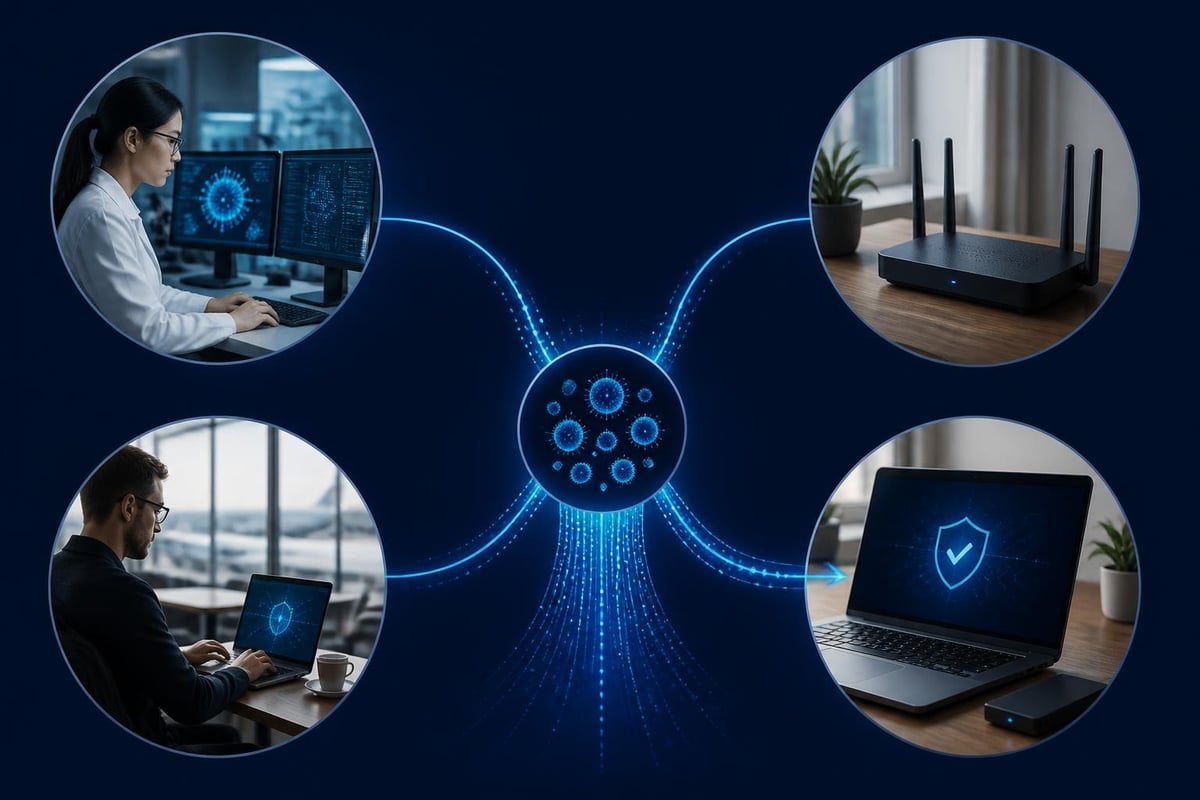
Your network faces thousands of potential threats every day, from malicious IP addresses scanning for vulnerabilities to newly discovered ransomware command servers. Threat intelligence feeds deliver this critical information to your security tools in real time, helping you block attacks before they reach your Windows PCs and laptops. These feeds act as early warning systems, sharing indicators of compromise that security researchers have discovered across the globe. For home users, small businesses and travellers, understanding how these feeds work helps you make smarter decisions about protecting your devices without needing specialist IT knowledge.
What threat intelligence feeds actually deliver
Threat intelligence feeds are structured data streams containing information about known malicious activity. They typically include IP addresses of command and control servers, domains hosting phishing sites, file hashes of malware samples, and patterns of suspicious network behaviour.
Most feeds deliver this information in standardized formats that security software can read automatically. The OASIS TAXII 2.1 specification defines how these feeds exchange data between systems, making it possible for your protection software to consume multiple sources without manual intervention.
Common types of indicators you'll find in feeds:
- IP addresses of known botnet controllers, scanning hosts and attack infrastructure
- Domain names used for phishing, malware distribution or data exfiltration
- URL patterns that match exploit kits or credential harvesting sites
- File hashes identifying ransomware, trojans and other malicious software
- Network signatures detecting specific attack techniques or malware communications
The value lies in timeliness. When security researchers discover a new ransomware campaign targeting Windows systems, they share the indicators through feeds within hours. Your security software receives these updates and can block connections to those malicious servers before any damage occurs.
Free versus commercial feed sources
You have access to both community-driven free feeds and subscription-based commercial services. Each approach offers different advantages depending on your needs and technical capabilities.
Free feeds often focus on specific threat categories. The MISP project aggregates community contributions covering everything from phishing domains to state-sponsored attack infrastructure. These sources work well for basic protection and give you visibility into threats that the security community considers serious enough to share publicly.
Commercial feeds provide broader coverage with faster updates and lower false positive rates. Vendors employ dedicated research teams who analyze malware samples, infiltrate criminal forums and monitor global attack campaigns. You pay for their expertise in distinguishing genuine threats from noise.
| Feed Type | Update Speed | Coverage Breadth | False Positive Rate | Best For |
|---|---|---|---|---|
| Free/Community | Hours to days | Focused categories | Higher | Basic protection, learning |
| Commercial | Minutes to hours | Comprehensive | Lower | Business-critical systems |
| Government (AIS) | Variable | Focused on national threats | Medium | Regulated sectors |
The CISA Automated Indicator Sharing program offers another option for US-based organizations, providing government-sourced indicators through a standardized platform.
How feeds integrate with your network protection
Your security software needs to consume, process and act on threat intelligence feeds automatically. The most effective implementations happen in the background without requiring you to interpret raw data files or make manual blocking decisions.
Modern endpoint protection tools query multiple feeds simultaneously, comparing your network traffic against thousands of known malicious indicators every second. When your Windows laptop attempts to connect to an IP address that appears in a ransomware feed, the software blocks the connection immediately.
The technical architecture typically works like this:
- Feed ingestion: Software downloads updated indicators on a schedule, usually hourly or daily
- Normalization: Different feed formats get converted into a consistent internal structure
- Deduplication: Overlapping indicators from multiple sources are merged
- Prioritization: Feeds are weighted based on reliability and threat severity
- Application: Indicators are matched against live network connections and file operations
NetGuardian Pro incorporates threat intelligence directly into its 14 detection modules, matching network connections against updated feeds without slowing down your PC. The system checks Wi-Fi, USB and Bluetooth connections against known threat indicators while Hawk Sense learns your normal activity patterns to reduce false alarms from legitimate but unusual connections.
Making sense of alert accuracy
No threat intelligence feed achieves perfect accuracy. You will encounter false positives where legitimate services get flagged, and false negatives where genuine threats slip through. Understanding these limitations helps you respond appropriately when alerts appear.
False positives often occur when shared infrastructure gets compromised. A legitimate cloud hosting provider might have thousands of customer sites, but if attackers use one server for phishing, the entire IP range could appear in feeds. Your software needs logic to weigh multiple factors before blocking access.
The SANS operationalized threat intelligence guidance emphasizes the importance of feed validation and tuning. Rather than blindly trusting every indicator, effective systems track which feeds produce the most accurate alerts for your specific environment.
Strategies for improving feed accuracy:
- Start with conservative blocking rules and expand as you gain confidence
- Monitor blocked connections for patterns that suggest false positives
- Combine multiple feed sources to require confirmation from several independent researchers
- Pay attention to indicator age, removing stale entries that no longer represent active threats
- Use confidence scores when feeds provide them, acting more aggressively on high-confidence indicators
Evaluating which feeds match your risk profile
Not every organization needs every type of threat intelligence feed. Your selection should reflect the threats you actually face, the systems you need to protect, and your ability to act on the information.
Small businesses and home users typically benefit most from feeds covering common threats like ransomware distribution networks, phishing infrastructure and botnet command servers. These address the attacks you're most likely to encounter in daily operations.
Research from USENIX comparing commercial and open threat sources found significant overlap between free and paid feeds for well-known threats, but commercial services excel at detecting emerging attacks and zero-day exploitation infrastructure. The study suggests that organizations with standard risk profiles get substantial protection from carefully selected free feeds, while those facing targeted attacks benefit from commercial research.

Specific threat categories worth monitoring
Windows network security particularly benefits from feeds tracking specific attack methods that target Microsoft environments.
Ransomware infrastructure feeds identify the command and control servers that ransomware variants contact during encryption. Blocking these connections can prevent encryption keys from being delivered, stopping attacks before files are locked. The ENISA Threat Landscape consistently ranks ransomware among the top threats facing both businesses and individuals in 2026.
Phishing and credential harvesting feeds track domains and URLs used to steal passwords. These feeds update constantly as attackers register new domains to replace ones that get shut down or blacklisted.
Exploit kit feeds monitor the infrastructure delivering browser exploits and drive-by downloads. When you visit a compromised website, these kits attempt to exploit vulnerabilities in your browser or plugins. Blocking the kit infrastructure prevents the attack payload from loading.
Botnet feeds identify computers already infected and under attacker control. If your IP address appears in these feeds, it signals that malware on your network is communicating with command servers. This information helps you detect infections your antivirus might have missed.
Privacy and sharing considerations
When you consume threat intelligence feeds, you typically receive data without sharing information about your own network. However, some programs operate on reciprocal sharing models where participants contribute their own observations.
The NIST Special Publication 800-150 provides comprehensive guidance on privacy considerations when sharing cyber threat information. The document addresses what types of indicators can be safely shared, how to sanitize data to remove identifying information, and legal frameworks governing cross-border threat data exchange.
For most home users and small businesses, consuming feeds presents minimal privacy risk. You're downloading lists of known bad actors, not uploading information about your network activity. The feeds themselves don't know who is consuming them or what you're protecting.
Some considerations change if you participate in active sharing communities:
- Shared indicators should remove any details that identify your organization or users
- Automated sharing tools can accidentally leak internal IP addresses or domain names
- Timing information about when you observed an indicator might reveal your operational patterns
- Some jurisdictions regulate the sharing of security incident data across borders
Most modern threat sharing platforms handle these concerns automatically, anonymizing contributions before distribution.
Operationalizing feeds without security expertise
The technical complexity of threat intelligence feeds can seem overwhelming if you're not an IT professional. The good news is that properly designed security software handles the complexity for you, translating raw indicators into clear, actionable alerts.
You don't need to understand STIX objects or TAXII protocols to benefit from threat intelligence feeds. What matters is that your security software consumes quality feeds and presents information in ways you can act on.
What to look for in feed-enabled security software:
- Automatic updates that run in the background without user intervention
- Clear explanations when connections are blocked based on threat intelligence
- Options to review blocked items and allow exceptions for false positives
- Regular summaries showing what threats were prevented
- No requirement to manually download, parse or update feed data
The MITRE ATT&CK guidance on threat intelligence emphasizes mapping indicators to attacker techniques rather than just blocking IPs. For non-technical users, this means your software should explain why something was blocked in terms of what attack it prevents, not just that an IP appeared in a feed.
Practical responses to feed-based alerts
When your security software alerts you based on threat intelligence, you need enough context to make good decisions without requiring a security analyst's expertise.
A well-designed alert tells you:
- What connection or activity was blocked
- Which threat intelligence feed identified it as malicious
- What type of threat it represents (ransomware, phishing, botnet, etc.)
- Whether you need to take additional action or if blocking the connection is sufficient
Most blocks require no action on your part. The software prevents the connection, logs the event, and continues protecting you. You might review the logs occasionally to understand what threats you're encountering and whether any patterns emerge.
Repeated alerts for the same internal device attempting suspicious connections could indicate an infection that needs deeper investigation. Similarly, alerts triggered by software you intentionally installed might be false positives requiring exceptions.
Technical standards that make feeds work together
Behind the scenes, threat intelligence feeds rely on standardized formats and protocols that enable different security tools to share information. While you don't need to master these standards, understanding their purpose helps you evaluate security software capabilities.
STIX (Structured Threat Information Expression) defines how to describe threat information in machine-readable formats. When a feed says an IP address belongs to a ransomware campaign, STIX provides the structure to include the malware family, attack techniques and related indicators in a consistent way.
TAXII (Trusted Automated Exchange of Indicator Information) defines how systems exchange STIX-formatted threat data. It's essentially an API specification that feed providers and consumers use to share information automatically.
OpenIOC and YARA offer alternative formats focused on specific use cases. OpenIOC excels at describing indicators found during incident investigations, while YARA provides a language for detecting malware families based on code patterns.
The CERT-EU Cyber Threat Intelligence Framework documents how European institutions implement these standards for cross-border threat sharing. Their publications provide authoritative guidance on classification and prioritization even if you're outside the EU.
For practical purposes, choose security software that supports multiple feed formats. This flexibility ensures you can consume both commercial feeds and community sources without manual conversion.
Combining feeds with other detection methods
Threat intelligence feeds work best as one component in a layered security approach. They excel at blocking known threats but won't catch zero-day attacks or novel techniques that haven't been observed and shared yet.
Behavioral detection systems complement feeds by identifying suspicious patterns even without matching specific indicators. When ransomware begins encrypting files, behavioral monitoring catches the unusual file activity regardless of whether the ransomware's command server appears in any feed.
| Protection Layer | Strengths | Limitations | Works With Feeds |
|---|---|---|---|
| Threat Intelligence | Blocks known threats fast | Misses new/unknown threats | Foundation |
| Behavioral Analysis | Catches novel attacks | Higher false positive rate | Confirms/validates |
| Signature Detection | Precise malware identification | Requires known samples | Enriches context |
| Network Monitoring | Sees traffic patterns | Needs expertise to interpret | Applies blocklists |
Network intrusion detection systems use feeds to enrich alerts with context. When your system detects an unusual connection, checking whether the destination IP appears in threat feeds helps distinguish between legitimate unusual activity and genuine threats.
Antivirus software operates at the file level with malware signatures, while threat intelligence feeds focus on network indicators. The two approaches address different stages of attack chains. Feeds block communication to malicious servers, antivirus prevents malicious files from executing.
Feed maintenance and keeping information current
Threat intelligence feeds require continuous updating to remain effective. Attack infrastructure changes rapidly as criminals abandon compromised servers, register new domains and shift tactics.
Quality feeds update multiple times per day, adding newly discovered indicators and removing ones that are no longer relevant. Stale indicators waste processing resources and increase false positive rates as legitimate services reuse previously malicious IP addresses.
Your security software should handle feed updates automatically, but understanding the maintenance requirements helps you evaluate different solutions:
- Update frequency: How often does the software check for new indicators?
- Aging policies: How long does an indicator remain active before expiring?
- Removal criteria: Are indicators removed when infrastructure goes offline or gets cleaned?
- Version tracking: Can you see when feeds were last updated and verify freshness?
Feeds that haven't updated in weeks or months provide minimal protection value. Active threat campaigns evolve too quickly for static indicator lists to remain relevant.
Some attacks specifically target the feed update mechanism, attempting to prevent your security software from receiving new threat information. Reliable systems verify feed integrity and alert you if updates fail repeatedly.
Regional considerations for feed selection
Threat landscapes vary significantly by geography. Attackers targeting organizations in South Africa use different infrastructure and techniques than campaigns focused on the United States or Europe.
Regional feeds from local security organizations often provide better coverage of threats you'll actually encounter. They track attack infrastructure hosted nearby, phishing campaigns using local languages and banking trojans targeting regional financial institutions.
Global feeds offer breadth but may include many indicators irrelevant to your location. A feed tracking threats against Japanese government agencies provides little value if you're a small business in Johannesburg or Miami.
Balancing global and regional coverage:
- Start with one or two high-quality global feeds covering major threat categories
- Add regional feeds from security organizations in your area
- Consider feeds specific to your sector if you're in finance, healthcare or other targeted industries
- Monitor which feeds generate the most actionable alerts for your environment
- Remove feeds that consistently produce false positives or irrelevant indicators
The VirusTotal threat feed documentation describes vendor-neutral options for accessing aggregated intelligence that spans multiple commercial and community sources, providing broad baseline coverage.
Threat intelligence feeds transform global security research into immediate, practical protection for your Windows devices. They bring enterprise-grade threat detection to home users and small businesses without requiring security expertise or constant manual updates. NetGuardian Pro combines threat intelligence with behavioral monitoring, network intrusion detection and clear alerts that help you understand and respond to threats without an IT background. The software's one-time purchase with free updates ensures you stay protected as new threats emerge, with 14 detection modules working together to defend your PCs and laptops against evolving attacks.
Related reading: Cyber Intelligence: What It Means for Your Network, Network Security Threats: What to Spot and How to Respond.