
Network Security IT: A Practical Guide for 2026
Network security IT has become essential for everyone who connects a device to the internet. Whether you're working from home, running a small business or travelling with your laptop, understanding how network security IT protects your data helps you make informed decisions. This guide explains what network security IT involves, why it matters for ordinary people and how you can implement practical protections without needing an IT degree.
What network security IT actually means
Network security IT refers to the policies, practices and technologies that protect your network infrastructure and the devices connected to it. It's not just about firewalls at the network edge anymore.
Modern network security IT encompasses everything from the router in your home office to the laptop you use at a coffee shop. It includes monitoring who connects to your network, what data moves across it and which applications communicate with the outside world. Small businesses without an in-house IT team can also outsource monitoring through managed cyber security services, which handle alerts around the clock.
The scope includes:
- Endpoint protection on individual devices
- Connection filtering and access controls
- Threat detection and behavioral monitoring
- Encrypted communications (VPNs, TLS)
- Network segmentation and isolation
- Intrusion detection and prevention systems
For most people, network security IT means ensuring that your Windows PC, laptop or mobile device can defend itself when connected to any network, trusted or untrusted. The modern approaches to network access security recommended by CISA emphasize protecting endpoints directly, rather than assuming network perimeters alone will keep threats out.

Why endpoint-focused network security IT matters in 2026
Traditional network security IT assumed you could trust devices inside your network perimeter and treat everything outside as hostile. That model broke down as people started working remotely, using cloud services and connecting personal devices.
Today's threats arrive through multiple channels. Ransomware might enter via a malicious email attachment, then spread laterally across your network. A compromised USB device could deliver malware directly to your laptop. Public Wi-Fi networks can expose your traffic to interception.
The endpoint is the new perimeter
When your laptop connects to a hotel Wi-Fi network or your home office PC links to a client's network, you need protection that travels with the device. Network security IT in 2026 means running detection and prevention controls on each endpoint.
This approach aligns with Zero Trust principles outlined by NIST, which assume no network is inherently trustworthy. Instead, each connection request is verified and each device must prove it's not compromised.
Practical benefits for real people:
- Protection works anywhere, not just behind your office firewall
- You can detect suspicious activity even on trusted networks
- Ransomware behavior is spotted before files are encrypted
- USB and Bluetooth threats are monitored alongside Wi-Fi
- You maintain control without relying on network administrators
For home users and small businesses, this shift toward endpoint-focused network security IT means you can implement meaningful protection without enterprise-grade network infrastructure. The controls run on your Windows 11 PC or laptop, giving you visibility and control over what's happening.
Core components of effective network security IT
Understanding the building blocks helps you evaluate solutions and make informed choices. Network security IT isn't a single product but a combination of capabilities working together.
| Component | What it does | Why it matters |
|---|---|---|
| Connection monitoring | Watches all network traffic to and from your device | Spots unusual connections, data exfiltration, command-and-control communication |
| Threat intelligence | Compares connections against known bad actors | Blocks access to malicious servers, phishing sites, malware distribution points |
| Behavioral analysis | Learns normal activity patterns | Reduces false alarms, detects novel attacks without signatures |
| Encryption (VPN) | Protects data in transit over untrusted networks | Essential for travel, public Wi-Fi, preventing eavesdropping |
| Access controls | Blocks or allows specific connections | Gives you control over which applications can access the network |
| Isolation capabilities | Disconnects compromised device from network | Stops lateral spread of ransomware and other threats |
These components work together to create defense in depth. If one layer misses a threat, another catches it.
Detection modules and comprehensive coverage
The most effective network security IT solutions monitor multiple attack vectors simultaneously. A system with 14 detection modules, for example, can watch for threats arriving via Wi-Fi, USB and Bluetooth, analyze ransomware behaviors, apply threat intelligence and detect anomalous connection patterns all at once.
This comprehensive approach matters because modern attackers use multiple techniques. The MITRE ATT&CK framework documents dozens of adversary tactics and techniques targeting networks. Covering more of those techniques reduces the chance something slips through.

Practical network security IT for small businesses
Small businesses face the same threats as large enterprises but rarely have dedicated IT security staff. Effective network security IT for this audience must be powerful yet understandable.
Start with these priorities:
- Protect every Windows device with endpoint detection that monitors network connections
- Enable encryption for laptops used outside the office (VPN for travel)
- Monitor for ransomware behaviors specifically, as this is the top threat to small businesses
- Ensure you get clear alerts you can actually understand and act on
- Have blocking and isolation controls so you can respond quickly when something's wrong
The CIS Controls provide a prioritized framework for building security programs, with several controls specifically addressing network protection and monitoring. Even if you can't implement all of them, following the highest-priority items substantially improves your security posture.
Choosing solutions that work for non-IT people
Many network security IT products assume you have a security operations center and trained analysts. For small businesses and home users, that's not realistic.
Look for solutions that provide context with their alerts. Instead of cryptographic hashes and IP addresses, you want to know which program tried to connect where and why that's suspicious. Clear language and actionable guidance matter more than technical detail.
Key features for practical use:
- Alerts that explain what happened in plain language
- Recommendations for whether to block or allow
- Learning capabilities that adapt to your normal activity
- One-time purchase rather than ongoing subscriptions
- Email support from people who can explain things
Network security IT should complement your existing antivirus, not replace it. Antivirus focuses on malware files; network security IT focuses on suspicious connections and behaviors. Together, they provide broader coverage.
Network security IT considerations for travellers
When you travel for work or leisure, your network environment changes constantly. Hotel Wi-Fi, airport networks, coffee shop connections and client sites all present different risk profiles.
Effective network security IT for travel must work independently of the network you're using. You can't assume the hotel has good security or that the conference center Wi-Fi is trustworthy.
VPN as a fundamental travel tool
A VPN encrypts all traffic between your device and the VPN server, preventing anyone on the local network from intercepting your data. This is essential on public Wi-Fi but also valuable on any untrusted network.
Built-in VPN capabilities using modern protocols like WireGuard offer the best balance of security, performance and battery life for travellers. The secure use of TLS and related protocols underpins both VPN security and the encrypted web connections your browser relies on.
Travel security checklist:
- Enable VPN before connecting to any public or untrusted network
- Keep network monitoring active to spot connection attempts
- Watch for USB charging stations that try to access your device
- Monitor Bluetooth for unexpected pairing attempts
- Have isolation controls ready if you detect a threat
Travellers from regions like South Africa and the United States often encounter varying network security standards. Your network security IT protection needs to work regardless of local infrastructure quality.
Understanding ransomware and network-based threats
Ransomware remains the most damaging threat most people will face. It typically arrives via email or compromised websites but uses network connections to spread and communicate with attackers.
Network security IT can detect ransomware behaviors even if the initial infection bypasses your antivirus. Watching for mass file encryption, attempts to spread to network shares and connections to command-and-control servers provides additional detection opportunities.
How ransomware uses your network
Once ransomware executes on your device, it often attempts to:
- Contact external servers to retrieve encryption keys
- Scan your local network for other vulnerable devices
- Access network file shares to encrypt shared documents
- Exfiltrate data before encrypting (double extortion)
- Download additional tools and payloads
Effective network security IT monitors all these activities. When your PC suddenly tries to connect to a known malicious server or starts scanning for other devices on your network, that's a clear warning sign.
| Ransomware behavior | Network indicator | Network security IT response |
|---|---|---|
| Retrieving encryption keys | Connection to suspicious external server | Block connection, alert user |
| Lateral movement | Scanning local network for SMB shares | Detect scanning, enable isolation |
| Data exfiltration | Large uploads to unusual destinations | Flag abnormal data transfer |
| Command and control | Periodic check-ins to attacker server | Block based on threat intelligence |
The combination of behavioral monitoring and threat intelligence gives you multiple chances to detect and stop ransomware before it encrypts your files.
Reducing false alarms with intelligent network security IT
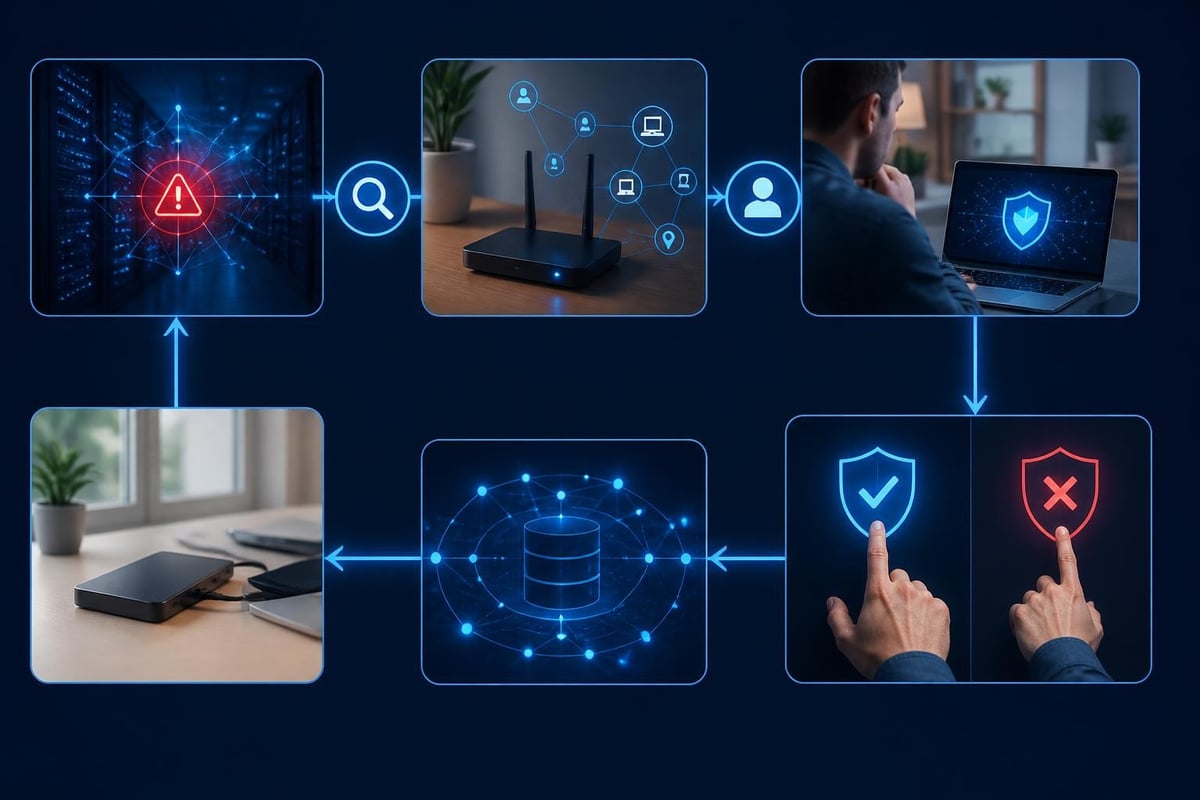
One common complaint about security tools is the flood of alerts. If everything is flagged as suspicious, you'll stop paying attention and miss the real threats.
Modern network security IT uses machine learning to understand your normal activity patterns. This baseline helps distinguish between legitimate applications that happen to use unusual network protocols and genuinely suspicious connections.
Hawk Sense and similar technologies:
- Learn which applications you regularly use and trust
- Understand typical connection patterns for your work
- Adapt to changes in your routine over time
- Reduce alerts for known-good activity
- Highlight genuinely novel or suspicious connections
This adaptive approach means you see fewer false positives without sacrificing detection capability. The system gets smarter as it observes your environment.
You can accelerate this learning by reviewing alerts and marking connections as trusted or blocked. Your feedback helps the system understand your specific needs and environment.
Integrating network security IT with existing protections
Network security IT works best as part of a layered defense. It complements rather than replaces other security tools you might already use.
Your security stack should include:
- Antivirus software for file-based malware detection and removal
- Network security IT for connection monitoring, intrusion detection and behavioral analysis
- Firewall (Windows Firewall is sufficient for most home and small business users)
- Regular updates for your operating system and applications
- Email filtering to reduce phishing and malicious attachments
- Secure browsing habits including caution with links and downloads
Each layer addresses different attack vectors. Antivirus focuses on malicious files; network security IT focuses on suspicious connections and behaviors; the firewall provides basic ingress/egress controls.
The OWASP Cheat Sheet Series includes practical guidance on network segmentation, secure configuration and defense-in-depth principles that apply regardless of which specific products you use.
Avoiding subscription fatigue
Many network security IT solutions now operate on subscription models with monthly or annual fees. For home users and small businesses, this can become expensive, especially when combined with subscriptions for antivirus, VPN, backup and other security services.
One-time purchase options with included updates and support offer better long-term value. You pay once and receive ongoing protection without recurring charges. This model works particularly well for network security IT tools that run locally on your device and don't require cloud infrastructure to operate.
Email support ensures you can get help when you need it without paying extra for phone support or premium tiers.
Network security IT for home networks and families
Home networks face unique challenges. Multiple family members share the network, each with different devices and security awareness levels. Smart home devices, gaming consoles and streaming devices all connect, often with minimal built-in security.
Protecting a home network requires securing individual devices since you can't control everything centrally. Each Windows PC and laptop should run its own network security IT protection.
Home network best practices:
- Run network monitoring on all Windows devices, not just work laptops
- Use a VPN when accessing sensitive information (banking, health records)
- Monitor for unauthorized devices connecting to your Wi-Fi
- Segment IoT devices onto a separate network if your router supports it
- Have conversations about suspicious alerts when they occur
NetGuardian Pro's approach of running 14 detection modules locally on each Windows 11 PC or laptop means every family member's device is protected individually. When one device detects a threat, it can isolate itself from the network to prevent spread to other family devices.
Making network security IT decisions
Choosing the right network security IT solution requires understanding your specific needs and risk profile. A home user has different priorities than a small business with client data, and both differ from an enterprise with compliance requirements.
Questions to guide your decision:
- What devices need protection? Windows PCs and laptops? Mobile devices? Servers?
- Where will you use them? Only at home? Travelling frequently? Client sites?
- What threats concern you most? Ransomware? Data theft? Network intrusion?
- Do you have IT expertise? Or do you need plain-language guidance?
- What's your budget model preference? Subscription or one-time purchase?
For Windows users concerned about ransomware, network intrusions and threats when travelling, a solution with comprehensive detection modules, behavioral monitoring, threat intelligence, clear alerts and a built-in VPN addresses the core needs.
The SANS Institute whitepapers include vendor-neutral research on network defense, intrusion detection and threat hunting that can inform your evaluation criteria and help you understand current best practices.
Testing and evaluating protection
Before committing to any network security IT solution, understand how it will work in your environment. Look for:
- Clear documentation explaining what it monitors and how
- Transparent alerting so you can see what it's detecting
- Control over blocking rather than purely automatic responses
- Regular updates to threat intelligence and detection rules
- Responsive support when you have questions
Run it for a few weeks while monitoring the alerts you receive. Are they actionable? Do they make sense? Can you understand what's happening and why it matters?
If you're drowning in false alarms or can't understand the alerts, the tool isn't right for you regardless of its technical capabilities.
Network security IT protects your devices, data and connections wherever you work or travel. By understanding the core components and choosing solutions that match your technical comfort level, you can implement meaningful protection without enterprise complexity. NetGuardian Pro provides network intrusion detection and prevention for Windows 11 devices, with 14 detection modules monitoring Wi-Fi, USB and Bluetooth threats, ransomware behavior monitoring, clear alerts and a built-in VPN, all with a one-time purchase and no subscription required.
Related reading: Information Security Systems: A Practical 2026 Guide, Network Security Companies: A 2026 Buyer’s Guide, Enterprise Network Security Solutions: A 2026 Guide.