
Network Security Companies: A 2026 Buyer’s Guide
Choosing the right protection for your network means understanding what different network security companies actually deliver. In 2026, the landscape ranges from enterprise-grade managed services to endpoint tools designed for individuals and small teams. Whether you're safeguarding a home office, travelling with a laptop, or running a small business, you need to know which type of provider matches your technical skills, budget, and the threats you face daily on Windows devices.
What network security companies do
Network security companies build, sell, or manage systems that protect data as it moves across your infrastructure. Some focus on detection and prevention, watching for suspicious traffic patterns or unauthorised connections. Others emphasise perimeter defences like firewalls and VPN gateways. A third group offers monitoring and response services, where analysts investigate alerts on your behalf.
The core functions most providers deliver:
- Intrusion detection and prevention to spot anomalies
- Firewall management for network boundaries
- VPN services for remote and travel encryption
- Threat intelligence feeds to recognise known attackers
- Logging and alerting when rules are violated
The differences emerge in how these companies deliver those functions. Managed security service providers install appliances or agents and handle triage remotely. Software vendors ship products you install and operate yourself. Cloud-native platforms run in a provider's data centre, routing your traffic through their inspection engines. Each model suits different customers.
Managed services versus self-managed tools
Managed security appeals to organisations without dedicated IT staff. You pay a recurring fee, and the provider monitors your network around the clock. Alerts go to their analysts first, reducing the burden on your team. The downside is cost and dependency. If the contract ends or the service degrades, you lose visibility quickly.
Self-managed tools put you in control. You install software on endpoints or appliances on your network, configure detection rules, and respond to alerts yourself. This approach costs less over time and keeps sensitive telemetry on-premises. It demands more effort upfront and assumes you can interpret alerts without a security operations centre behind you.
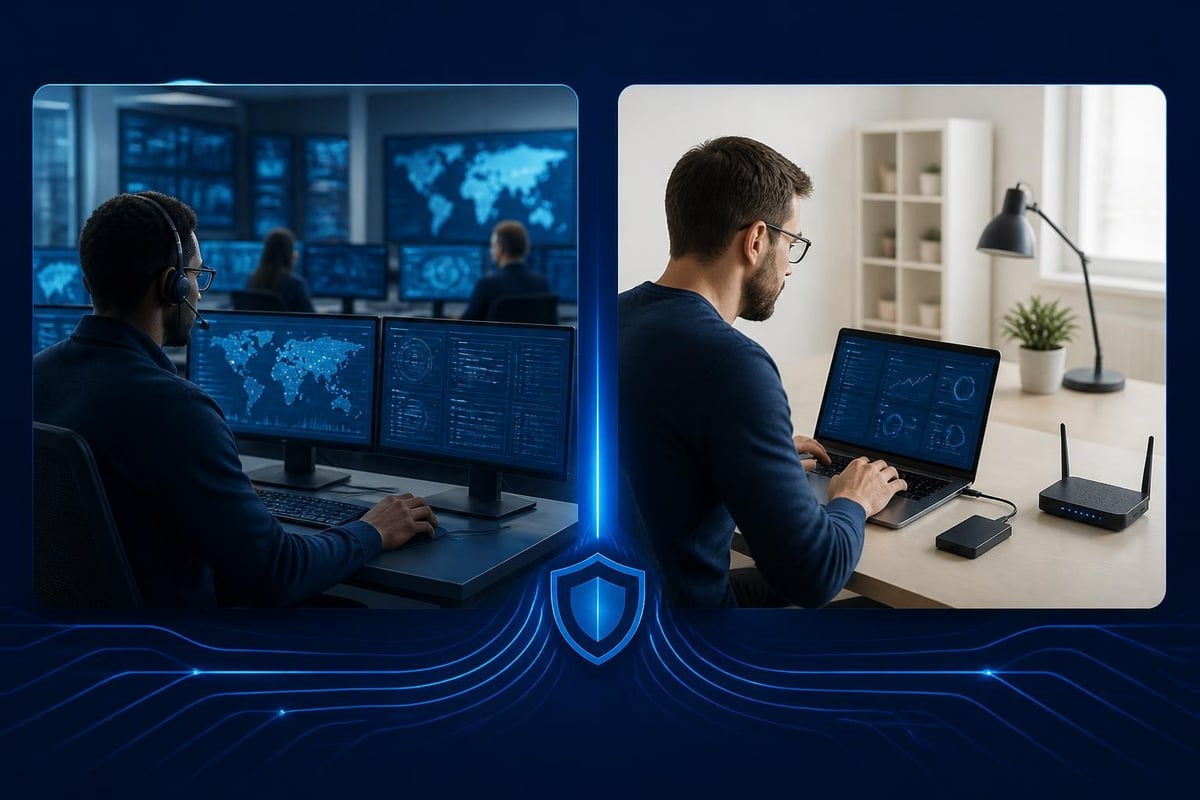
Evaluating network security companies in 2026
Start by defining what you're protecting. A single Windows 11 laptop travelling internationally faces different risks than a small office with ten desktops, printers, and guest Wi-Fi. The MITRE ATT&CK framework catalogues adversary techniques across platforms, helping you map threats to controls without vendor hype.
Questions to ask before you compare providers
| Criterion | Why it matters | What to verify |
|---|---|---|
| Deployment model | Cloud, on-premises, or endpoint agent | Does it run locally or route traffic externally? |
| Platform coverage | Windows, macOS, Linux, mobile | Does it monitor the devices you actually use? |
| Detection scope | Wi-Fi, USB, Bluetooth, application traffic | Can it see lateral movement and peripheral threats? |
| Licensing | Subscription, perpetual, per-device | What's the total cost over three years? |
| Support | Email, phone, knowledge base, community | Can you get help when an alert is unclear? |
Network security companies targeting enterprises emphasise integration with SIEM platforms and compliance frameworks. If you're a home user or small business, those features add cost without value. Instead, prioritise clarity of alerts and ease of action. You want to understand what triggered a warning and how to block it, not wade through raw packet captures.
Detection capabilities that matter
Modern threats don't always cross traditional firewalls. Ransomware can arrive via USB. Malicious Bluetooth devices can inject keystrokes. An attacker on the same public Wi-Fi network can intercept unencrypted traffic. Network security companies that focus solely on perimeter defences miss these lateral and physical vectors.
Look for providers that monitor multiple connection types on each endpoint. Wi-Fi inspection catches rogue access points and man-in-the-middle attempts. USB monitoring detects unauthorised storage and Human Interface Devices. Bluetooth visibility alerts you to pairing requests from unknown hardware. Combining these detection modules in a single agent simplifies deployment and correlation.
Behavioural analysis also helps. Static signatures miss zero-day exploits and polymorphic malware. Systems that learn normal network activity for each device can flag deviations, such as a laptop suddenly contacting an unusual command-and-control domain or attempting to encrypt files en masse. This technique, sometimes called anomaly detection or heuristic monitoring, reduces reliance on threat intelligence updates.
The ENISA Threat Landscape 2025 report underscores the shift toward endpoint and edge compromise. Perimeter-only defences no longer suffice when users work from cafés, hotels, and co-working spaces across continents.
Types of network security companies
Understanding the categories helps you filter marketing claims and compare apples to apples.
Enterprise-focused managed detection and response providers
These network security companies cater to medium and large organisations. They deploy agents across hundreds or thousands of endpoints, aggregate telemetry in a security operations centre, and provide incident response playbooks. Pricing is per-seat annual subscription, often with minimum commitments.
Typical features:
- 24/7 monitoring by security analysts
- Integration with existing SIEM and ticketing systems
- Threat hunting and forensic investigation services
- Compliance reporting for GDPR, HIPAA, PCI-DSS
If you run a small business or protect personal devices, this model is overkill. You pay for analyst time you don't need and integration with tools you don't own.
Appliance and gateway vendors
Another segment sells hardware or virtual appliances that sit at your network edge. Traffic flows through the box, where deep packet inspection, sandboxing, and signature matching occur. These network security companies appeal to offices with a fixed perimeter and predictable traffic patterns.
Challenges include upfront hardware costs, ongoing license renewals for signature updates, and limited visibility into encrypted traffic unless you deploy SSL interception (which brings its own privacy and certificate management headaches). Appliances also can't protect laptops when they leave the office and connect to untrusted networks.
Endpoint-focused software providers
This category designs agents that run directly on each device. Instead of routing all traffic through a gateway, the software monitors network activity locally. Alerts appear on the user's screen, and blocking happens at the endpoint firewall or network stack.
Benefits for individuals and small teams:
- No additional hardware to purchase or maintain
- Protection follows the device anywhere, including travel
- Lower cost, often perpetual licensing instead of subscriptions
- Visibility into USB, Bluetooth, and Wi-Fi without appliances
Network security companies in this space often complement traditional antivirus rather than replace it. Antivirus scans files and executables. Network monitoring watches connections and data flows. Together, they cover more attack surface.

Cloud-native and zero-trust access providers
A newer breed routes traffic through cloud inspection points. You install a lightweight connector, and all network requests pass through the provider's infrastructure for analysis. This model suits distributed workforces but raises privacy and latency questions. Your traffic traverses third-party servers, and performance depends on the provider's capacity and peering.
Zero-trust architecture, detailed in NIST’s Publications and SP 800 series, assumes no user or device is trusted by default. Every connection request is verified. Cloud-native network security companies implement this by authenticating and authorising each session, regardless of location. It's powerful for enterprises with complex SaaS footprints but adds complexity for individuals and small businesses.
Key features to prioritise
Not all capabilities deliver equal value. Focus on what reduces risk without creating operational overhead.
Ransomware behaviour monitoring
Ransomware remains a top threat. The Verizon Data Breach Investigations Report (DBIR) 2026 shows it's the most common malware variety in breaches. Network security companies that detect ransomware behaviour, such as rapid file encryption or contact with known ransom payment domains, give you a chance to isolate the device before damage spreads.
Look for systems that monitor file-system activity alongside network traffic. An alert that combines "unusual outbound connection to IP address X" with "mass file modification in Documents folder" is more actionable than either signal alone.
Threat intelligence integration
Signature-based detection only works if your provider knows about the threat. Reputable network security companies subscribe to intelligence feeds, update indicators of compromise regularly, and share telemetry across their customer base (anonymised). Ask how often feeds refresh and whether updates arrive automatically.
Be wary of providers that claim proprietary "AI-driven" intelligence without explaining their data sources. Effective threat intelligence comes from collaboration, not marketing buzzwords.
Clear alerts and blocking controls
You need to understand alerts without a degree in networking. Good network security companies write notifications in plain language: "A device at 192.168.1.105 attempted to connect to a known phishing server. Connection blocked." Poor alerts dump hex codes and ask you to consult a playbook.
Blocking controls should be straightforward. Can you allow or deny a connection with one click? Can you temporarily isolate the PC from the network to contain a threat? Manual intervention is only useful if the interface is intuitive.
VPN for travel
Travelling exposes you to untrusted Wi-Fi at airports, hotels, and coffee shops. Network security companies that bundle a VPN encrypt your traffic and hide your activity from local eavesdroppers. Built-in VPN avoids the hassle of subscribing to a separate service or configuring third-party clients.
WireGuard has become the preferred protocol in 2026 for its speed, simplicity, and modern cryptography. If a provider offers VPN, confirm the protocol and whether the server locations suit your travel patterns.
Reducing false alarms with machine learning
Alerts lose value when they're constant and irrelevant. Network security companies face a tension: detect everything and overwhelm users, or tune rules tightly and miss novel attacks. Machine learning helps by modelling normal behaviour for each device.
A system that learns your laptop usually connects to your home router, your office VPN, and a handful of cloud services can flag an unexpected connection to an unfamiliar IP range. Over time, the model adapts. When you visit a new city or join a conference Wi-Fi, initial alerts taper as the system incorporates the new pattern.
This approach, sometimes called anomaly detection or adaptive baselines, works best when:
- The system trains on your actual usage, not generic profiles
- You can provide feedback (mark alerts as false positives)
- The vendor explains what triggered the alert, not just that a threshold was crossed
For families managing children's devices, understanding normal activity becomes even more important. If your child typically uses certain apps and websites, sudden connections to unknown servers warrant investigation.
Parents looking for tools to monitor and guide their children's Android phone use can explore options like the Hawk Perantal Control for Android app, which takes a family-centred approach to safer phone use. While this is a separate offering focused on mobile parental controls, the principle of learning and flagging unusual activity applies across platforms.

Complementing antivirus software
Network security companies often clarify they don't replace antivirus. Antivirus inspects files, executables, and memory for malicious code. Network monitoring watches connections, protocols, and data flows. Both are necessary.
An attacker might deliver malware via email. Antivirus scans the attachment and quarantines it. If a piece of malware evades the scan and executes, network monitoring can catch its attempt to phone home or move laterally. The OWASP Cheat Sheet Series includes guidance on defence in depth, emphasising layered controls rather than single solutions.
Don't assume one product covers every angle. Ask vendors explicitly what they monitor and what they don't.
Licensing models and total cost of ownership
Subscription fatigue is real in 2026. Many users and small businesses prefer perpetual licenses with optional paid upgrades. Network security companies offering one-time purchases with free updates attract customers tired of monthly fees.
Compare total cost over three years:
| Model | Year 1 | Year 2 | Year 3 | Total |
|---|---|---|---|---|
| Subscription (£10/month) | £120 | £120 | £120 | £360 |
| Perpetual (£150 once) | £150 | £0 | £0 | £150 |
| Perpetual + optional upgrade (£150 + £50) | £150 | £0 | £50 | £200 |
Subscription models often include support and automatic updates. Perpetual models may charge separately for major version upgrades or premium support. Read the terms carefully. Some network security companies lock features behind subscription tiers even after you buy the software.

Support and documentation
When an alert appears, you need answers quickly. Network security companies that provide email support, knowledge bases, and clear documentation empower you to act without waiting for a response.
Evaluate support options:
- Email support: Response time SLA and whether it's included or paid
- Knowledge base: Searchable articles explaining common alerts and configuration
- Community forum: User-to-user help for non-urgent questions
- Phone support: Available, but often reserved for enterprise customers
For individuals and small businesses, responsive email support and good documentation often matter more than 24/7 phone lines. You're not managing a critical infrastructure outage at 3 a.m.; you're investigating a suspicious connection during business hours.
Deployment and configuration simplicity
Complex deployment kills adoption. Network security companies targeting non-technical users should offer installers that require minimal configuration. Default settings should provide robust protection out of the box, with advanced options available for those who want them.
Look for guided setup wizards, automatic network profiling, and sane defaults. If the first screen demands subnetting decisions or firewall rule syntax, the product isn't designed for your audience.
Installation should:
- Detect your network configuration automatically
- Activate core detection modules by default
- Provide an initial walkthrough of the alert interface
- Offer optional advanced settings behind a clearly labelled menu
The CIS Controls v8.1 emphasise secure configuration as a foundational control. But for individuals and small businesses, secure defaults are more realistic than custom hardening.
Privacy and data handling
Network monitoring involves capturing information about where your device connects and what it sends. Trustworthy network security companies explain what data they collect, where it's stored, and whether it's shared.
Questions to ask:
- Is telemetry stored locally or uploaded to the vendor's cloud?
- Do you anonymise or aggregate data before analysis?
- Can users opt out of data sharing while retaining functionality?
- Where are your servers located, and which jurisdiction governs privacy?
On-device detection, where all analysis happens locally, offers the strongest privacy. Cloud-assisted models may upload connection metadata to improve threat intelligence. Neither is inherently wrong, but you deserve transparency.
Regional considerations for South Africa and the United States
Network security companies serving global customers must account for regional infrastructure and threat landscapes. In South Africa, load shedding and intermittent connectivity can disrupt cloud-dependent security platforms. Endpoint solutions that operate offline and synchronise updates when connectivity returns suit this environment better.
In the United States, regulatory scrutiny around data sovereignty and supply chain security has intensified. Federal agencies and contractors often require vendors to disclose code provenance and avoid dependencies on foreign infrastructure. Small businesses and individuals may not face these mandates but benefit from providers who prioritise transparency.
Travel between regions also matters. A VPN with server locations in both continents ensures low-latency encrypted connections whether you're in Johannesburg, Cape Town, New York, or San Francisco.
Staying current with emerging threats
Threat landscapes evolve. Network security companies that rest on legacy signature databases fall behind. Look for evidence of active development: regular software updates, blog posts analysing new attack techniques, participation in industry working groups.
The SANS Institute research and whitepapers offer practitioner-focused analyses of emerging threats and defensive strategies. Vendors who reference or contribute to this body of knowledge demonstrate commitment to staying current.
Signs a provider invests in research:
- Quarterly or monthly product updates with new detection capabilities
- Public disclosure of vulnerabilities they've identified or mitigated
- Contributions to open-source security projects
- Transparent communication about limitations and known gaps
Avoid network security companies that promise 100 per cent protection or claim their product eliminates all risk. Security is about reducing likelihood and impact, not achieving invulnerability.
Making the decision
After evaluating features, cost, and fit, narrow your shortlist to two or three network security companies. Test them if trials are available. Install the software, trigger a few benign alerts (disconnect Wi-Fi and reconnect, plug in a USB stick), and see how the interface responds.
Final checklist:
- Does it monitor the connection types you care about (Wi-Fi, USB, Bluetooth)?
- Are alerts understandable without consulting documentation every time?
- Can you block or allow a connection in one click?
- Does it include VPN for travel, and is the protocol modern?
- Is the cost sustainable over three years?
- Will support respond within a reasonable timeframe?
No single product fits everyone. Enterprise-focused network security companies offer depth and integration that small businesses and individuals don't need. Conversely, lightweight endpoint tools may lack the compliance features large organisations require. Match the solution to your actual environment, skills, and budget.
Choosing network security companies in 2026 means looking beyond marketing claims to assess deployment models, detection scope, and how well the solution fits your daily reality. For individuals, families, and small businesses running Windows 11, endpoint-based detection that monitors Wi-Fi, USB, and Bluetooth offers practical, portable protection without the complexity of enterprise platforms. NetGuardian Pro delivers exactly that: 14 detection modules, ransomware behaviour monitoring, threat intelligence, and a built-in VPN, all in a one-time purchase with no subscription. Whether you're at home, in the office, or travelling, you get clear alerts and the controls to act on them.
Related reading: Internet Security Companies: A 2026 Buyer’s Guide, Enterprise Network Security Solutions: A 2026 Guide, Information Security Business Guide for 2026.