Enterprise Information Security for Growing Businesses
Enterprise information security protects business data, systems and networks from unauthorised access, theft and disruption. While large corporations employ dedicated security teams, small and medium businesses face the same threats with fewer resources. You need to understand the fundamentals and apply practical controls that fit your environment, whether you manage two computers or two hundred. This guide walks through what enterprise information security means for growing businesses, particularly those relying on Windows networks.
What enterprise information security covers
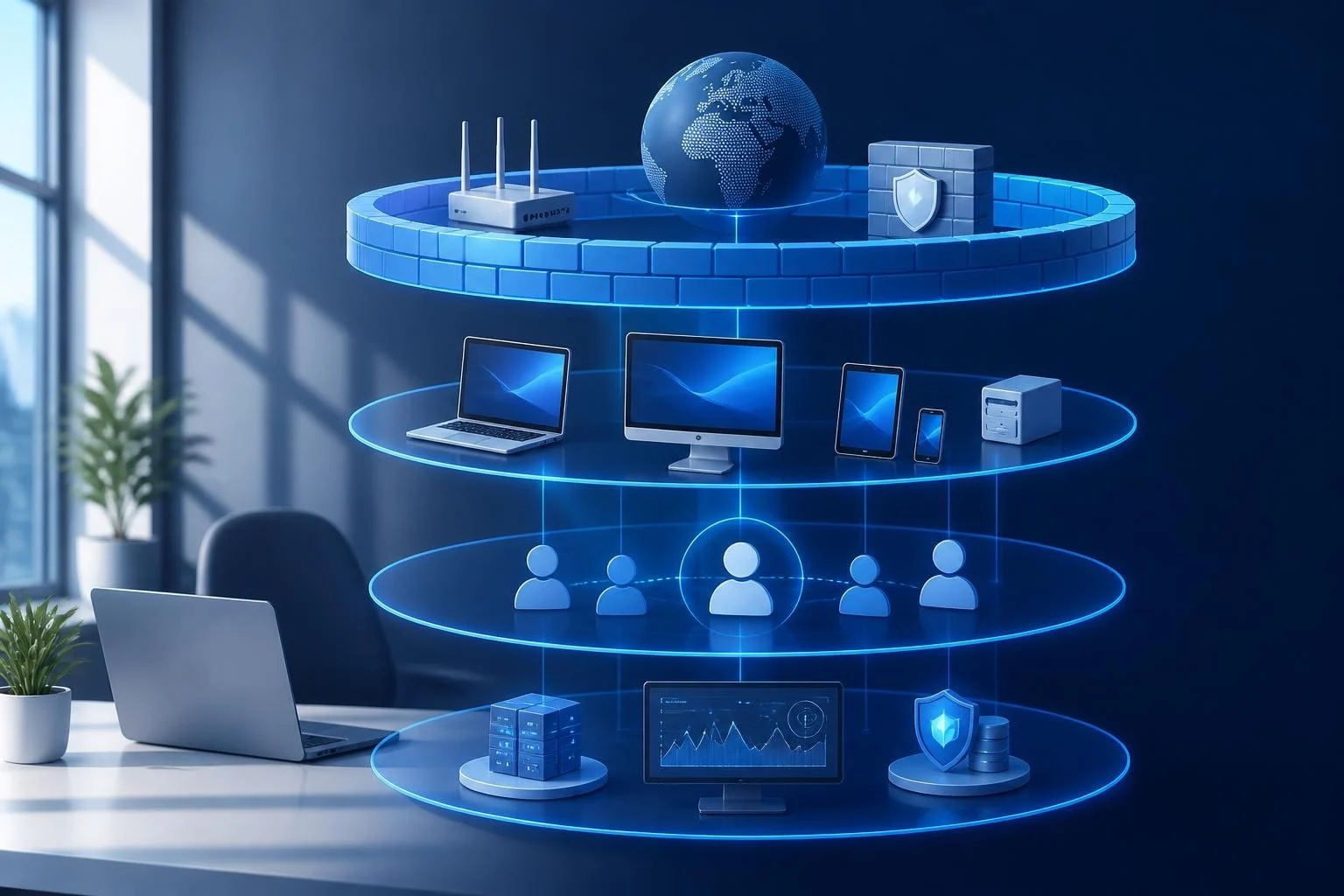
Enterprise information security encompasses every layer where threats can enter your organisation. It starts at the network perimeter, where internet traffic flows in and out, and extends to individual devices, user accounts, applications and stored data.
Network security monitors connections between your systems and the outside world. This includes firewalls, intrusion detection systems, and controls over Wi-Fi access points. For Windows environments, you need visibility into what devices connect to your network and what traffic they generate.
Endpoint protection secures the devices employees use daily. Laptops, desktops and mobile devices all represent potential entry points. Antivirus software catches known malware, but you also need behavioral monitoring to spot suspicious activity that signature-based tools miss.
Access control ensures only authorised people reach sensitive systems and data. This involves authentication (proving who you are), authorisation (defining what you can access) and audit trails (recording what you did).
Physical and cloud considerations
Physical security matters even in 2026. USB ports on office computers can introduce malware from infected devices. Bluetooth connections can be exploited. An effective enterprise information security program addresses these hardware-level threats alongside digital ones.
Cloud services add complexity. Email, file storage and business applications now live outside your direct control. You need to secure the connection to these services and manage who has access, even though the infrastructure belongs to someone else.
Building a practical framework for small businesses
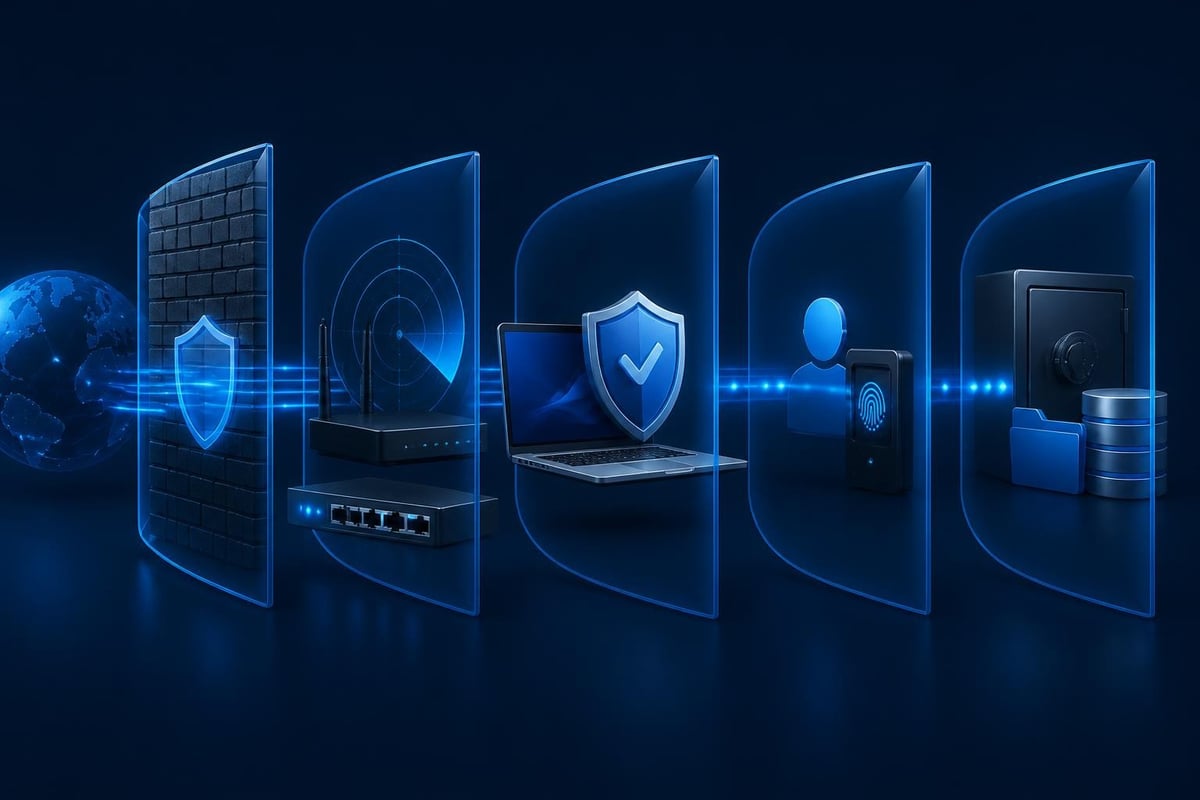
The NIST Cybersecurity Framework 2.0 provides structure without demanding enterprise-scale resources. Released in February 2024, it organises security activities into six functions: Govern, Identify, Protect, Detect, Respond and Recover.
| Function | What it means | Small business example |
|---|---|---|
| Govern | Set policies and assign responsibility | Decide who manages security updates |
| Identify | Know what assets and risks you have | List all devices and critical data |
| Protect | Put controls in place | Enable firewalls, require strong passwords |
| Detect | Monitor for threats and incidents | Review connection logs, watch for alerts |
| Respond | Handle incidents when they occur | Isolate infected machines, restore backups |
| Recover | Return to normal operations | Test backup recovery, document lessons |
You don't need to implement everything at once. Start with the basics: know what you have, protect it with available tools, and watch for problems.
Prioritising controls that matter
The CIS Controls rank security measures by effectiveness. The first few controls deliver outsized protection:
- Inventory your devices – you can't protect what you don't know exists
- Inventory your software – unauthorised applications create risk
- Protect configurations – disable unnecessary services and ports
- Patch vulnerabilities – apply security updates promptly
- Control administrative privileges – limit who can install software or change settings
- Maintain audit logs – keep records of connections and changes
These steps don't require expensive tools. Windows 11 includes features for most of them. The challenge is discipline: actually doing the inventory, checking for updates weekly, reviewing logs when something looks odd.
Endpoint detection for Windows networks
Enterprise information security depends heavily on endpoint protection. Traditional antivirus scans files against known malware signatures. That's necessary but insufficient. Modern threats use techniques antivirus can't catch.
Behavioral monitoring watches how programs act. Ransomware doesn't just appear as a malicious file – it performs specific actions like encrypting large numbers of documents rapidly. Detecting that behavior stops the attack even if the malware is brand new.
Network connection monitoring tracks what your devices communicate with. Malware often "phones home" to command servers. Spotting unusual outbound connections helps you detect compromised machines before data leaves your network.
For Windows 11 devices, you need tools that run locally on each machine. Cloud-based security services can't see USB or Bluetooth connections. They can't monitor traffic before it reaches your internet connection.
Understanding detection modules
Comprehensive endpoint security breaks monitoring into specific areas:
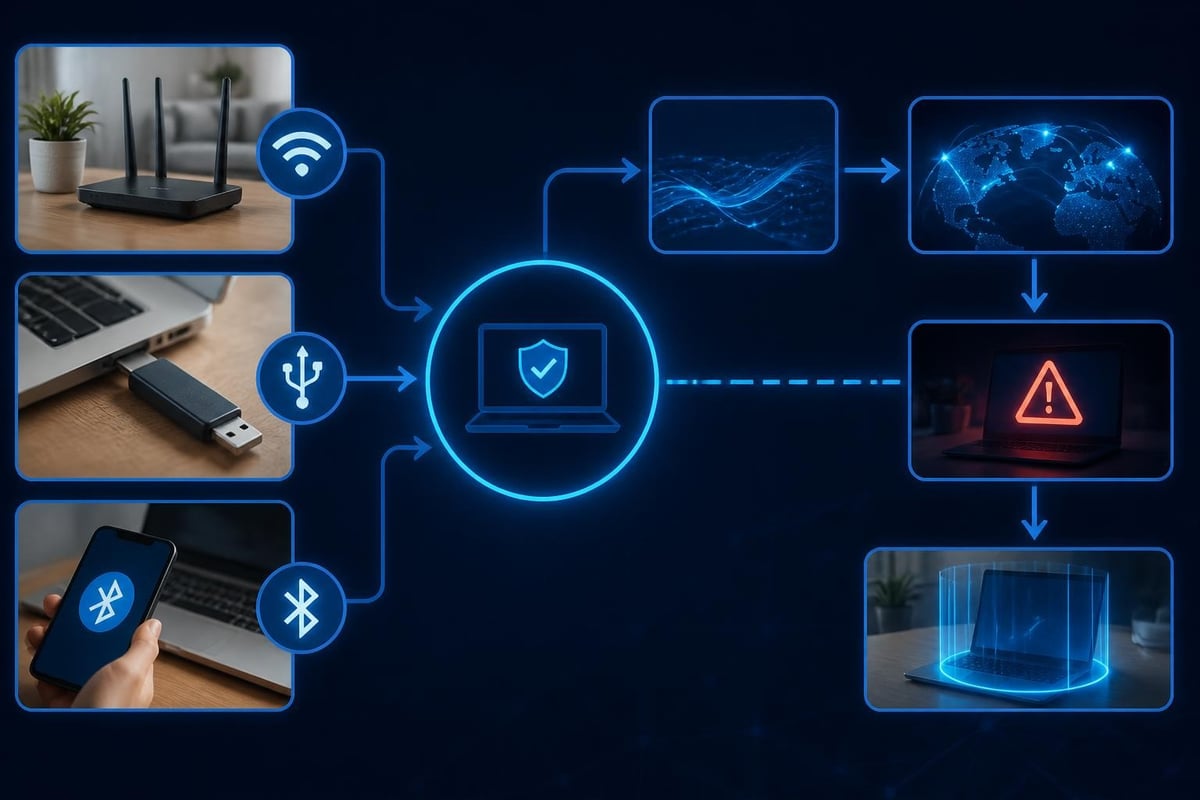
- Wi-Fi connections and network traffic
- USB device activity and file transfers
- Bluetooth pairing and data exchange
- Process behavior and memory access
- File system changes
- Registry modifications
- DNS queries and web traffic
- Known threat indicators
Each module addresses a different attack vector. Malware might arrive via infected USB drive, establish persistence through registry changes, then exfiltrate data over Wi-Fi. You need coverage across all these channels.
Reducing false alarms with learned baselines
Enterprise information security systems generate alerts. The challenge is distinguishing real threats from normal activity. Too many false alarms and you start ignoring warnings. Too few and you miss actual attacks.
Baseline learning solves this problem. The system observes your environment during a training period, learning what applications you run, what servers you contact, what devices you connect. Future alerts prioritize unusual activity – the behavior that deviates from your baseline.
This approach suits small businesses particularly well. You don't have a security operations center reviewing thousands of alerts daily. You need a system that learns your pattern and only interrupts you when something genuinely suspicious occurs.
The learning never stops. As you add new applications or change workflows, the baseline adapts. This reduces maintenance burden while maintaining detection accuracy.
Threat intelligence and context
Raw connection data doesn't tell you much. You see an IP address, a port number, a protocol – but what does it mean? Threat intelligence adds context by identifying known malicious infrastructure.
IP reputation databases flag addresses associated with malware distribution, command servers, phishing sites and bot networks. When your device contacts one, you receive an alert with explanation: "Connection to known ransomware command server detected."
Domain reputation works similarly for DNS queries. Before your browser reaches a suspicious website, the security system warns you. This stops drive-by downloads and credential theft.
For enterprise information security, threat intelligence transforms technical alerts into actionable information. You don't need to research every IP address manually. The system tells you what it found and why it matters.
Keeping intelligence current
Threat landscapes shift constantly. New malware appears daily. Command infrastructure moves. Intelligence databases require continuous updates to remain effective.
Look for security tools that update threat intelligence automatically. Daily or real-time updates ensure you're protected against current campaigns, not just last year's threats. The ENISA Threat Landscape 2024 report highlights how quickly attack methods evolve, making current intelligence essential.
Clear alerts that explain the risk
Enterprise information security alerts should tell you three things: what happened, why it matters, and what you should do. Technical jargon helps no one.
Good alert: "A program tried to contact a known ransomware server. Connection was blocked. Recommend scanning the device."
Bad alert: "TCP SYN packet to 192.0.2.45:8443 flagged by threat feed rule #2847."
You shouldn't need an IT background to understand your security system. The software should translate technical events into plain language. It should recommend actions: block this connection, isolate this device, check these files.
This clarity matters especially for small businesses where the person receiving alerts might be the owner, an office manager or a travelling employee. They need to understand the situation quickly and act confidently.
Response controls and network isolation
Detection alone doesn't stop attacks. Enterprise information security requires response capabilities that you can activate immediately.
Blocking controls prevent specific connections. When a device attempts to reach a malicious server, the security system can block that traffic automatically or wait for your approval. This stops data theft and prevents malware from receiving instructions.
Device isolation disconnects a compromised machine from the network while maintaining local access. You can still use the computer to investigate the problem, save important files or prepare for reimaging – but it can't spread malware to other devices or leak data to attackers.
These controls put you in charge. You decide whether to trust a flagged connection, block it temporarily or isolate the device completely. The system provides information and tools; you make the decision.
Planning for travel security
Employees working remotely or travelling face additional risks. Public Wi-Fi networks expose traffic to interception. Hotel and airport networks may be compromised. Devices connect to unfamiliar infrastructure where you have no visibility or control.
Built-in VPN capability addresses this. A WireGuard VPN encrypts traffic between the device and your network, protecting it from interception on untrusted Wi-Fi. The security system continues monitoring even when the employee is thousands of miles away.
For businesses with staff in South Africa, the United States or other locations, travel security is part of enterprise information security. You need protection that works everywhere, not just in the office.
Complementary tools in your security stack
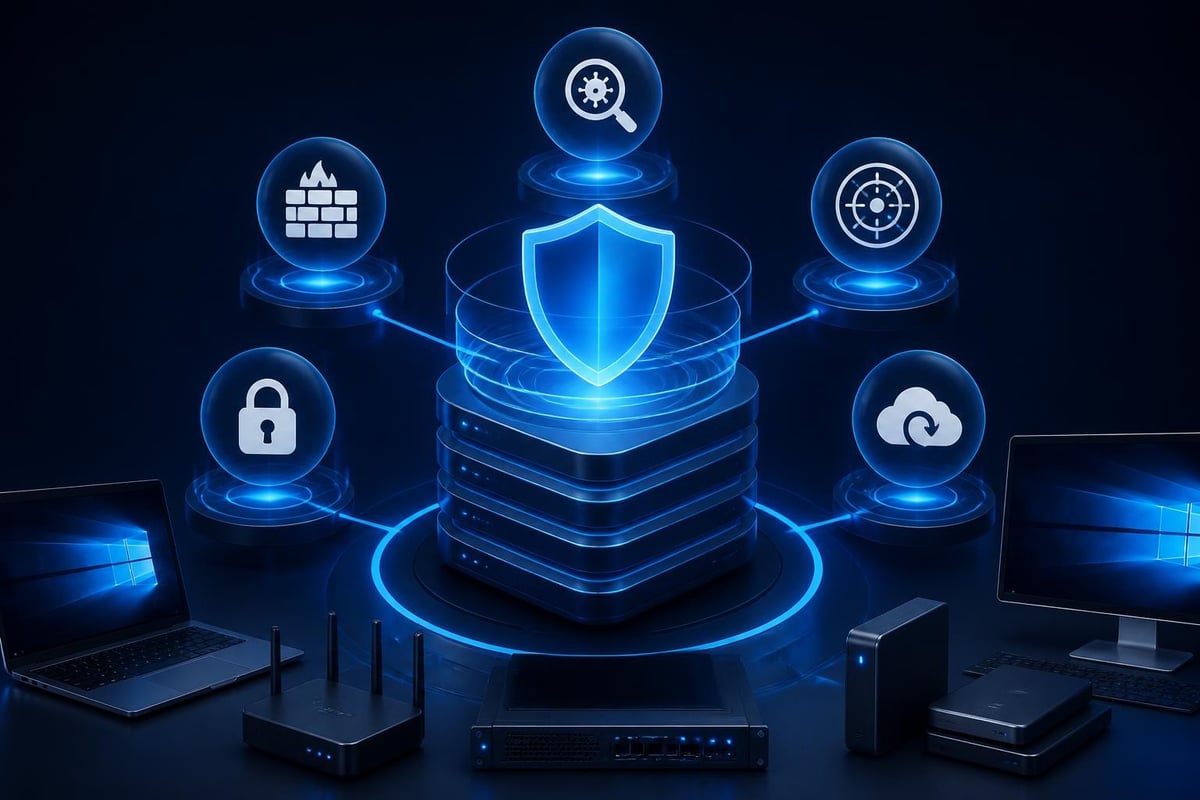
Enterprise information security relies on multiple layers. No single tool prevents every threat. You build a stack where each component addresses specific risks.
Antivirus software remains essential. It catches known malware through signature matching and heuristic analysis. Update it regularly and run scheduled scans.
Firewalls control network traffic at the perimeter and on individual devices. Windows 11 includes a capable firewall; ensure it's enabled and properly configured.
Intrusion detection monitors network activity for suspicious patterns that firewalls and antivirus miss. This is where behavioral analysis and threat intelligence add value beyond traditional tools. NetGuardian Pro provides this layer for Windows 11 PCs and laptops, complementing your antivirus with 14 detection modules that monitor Wi-Fi, USB and Bluetooth connections, plus ransomware behavior tracking and automated threat intelligence updates.
Backup systems enable recovery when prevention fails. Regular backups to offline or immutable storage protect against ransomware and accidental deletion.
Implementation without subscription fatigue
Enterprise information security costs accumulate quickly when every tool requires a monthly subscription. Antivirus, firewall management, intrusion detection, VPN, backup – five subscriptions for five tools means ongoing expenses that grow with each device.
Perpetual licensing offers an alternative. You pay once for the software and own it. Updates continue at no additional cost. This model suits small businesses with predictable device counts who want to budget security as a capital expense rather than recurring overhead.
Consider total cost over three to five years. A $100 annual subscription costs $500 over five years. A $300 one-time purchase with free updates costs $300. The subscription might offer more frequent feature additions, but the perpetual license provides financial predictability.
For home users, families and small businesses, eliminating subscription creep reduces complexity. One payment, ongoing updates, no renewal worries.
Training and security awareness
Technology solves technical problems. Humans remain the weakest link. Enterprise information security requires people to recognize threats and respond appropriately.
Phishing awareness tops the priority list. Employees need to identify suspicious emails, verify sender addresses, avoid clicking unknown links and report attempts. Regular short training sessions work better than annual hour-long courses.
Password practices matter despite the availability of password managers. Teach staff to create unique passwords for each system, enable multi-factor authentication where available, and never share credentials.
Physical security habits prevent USB and Bluetooth attacks. Don't plug in found drives. Don't accept Bluetooth pairing requests from unknown devices. Lock screens when stepping away from computers.
Small businesses can implement security awareness without formal programs. Brief team meetings, email reminders and occasional drills keep security top of mind.
Measuring effectiveness and adjusting
Enterprise information security isn't static. You implement controls, monitor results and adjust based on what you learn. This cycle continues as your business and the threat landscape evolve.
Metrics to track:
- Number of alerts generated
- Number of false positives
- Number of blocked connections
- Number of devices requiring isolation
- Time to detect and respond to incidents
- Percentage of devices with current updates
These numbers reveal whether your security measures work. Rising false positives suggest your detection rules need tuning. Frequent device isolations might indicate a bigger problem requiring investigation.
Review metrics monthly. Look for trends rather than fixating on individual incidents. A single ransomware detection means your controls worked. Ten detections in a month suggests a systemic vulnerability.
Planning for the unexpected
Incident response planning separates businesses that recover quickly from those that don't. Document steps to take when security alerts appear. Who investigates? Who has authority to isolate devices? Where are backup credentials stored?
The SANS Institute resources on incident response provide practical playbooks you can adapt. You don't need a 50-page plan. A two-page checklist covering common scenarios helps your team act quickly under pressure.
Test your plan periodically. Simulate a ransomware infection or data breach. Walk through the response steps. Identify gaps before they matter.
Zero Trust principles for small networks
Zero Trust architectures assume no user or device is inherently trustworthy. Every access request requires verification. While designed for large enterprises, small businesses can adopt key principles.
Verify explicitly – require authentication for every access request, not just initial login.
Use least privilege – grant minimum necessary permissions, not blanket admin rights.
Assume breach – monitor as if attackers are already inside, because they might be.
The CISA Zero Trust Maturity Model outlines a progression path. You don't need to reach advanced maturity immediately. Start with basic identity verification and network segmentation.
For Windows networks, this means configuring group policies to enforce authentication, limiting local administrator accounts, and using network isolation features to separate critical systems from general workstations.
Web application security in business context
If your business runs web applications – even simple contact forms or e-commerce sites – application security becomes part of enterprise information security. Web apps face different threats than network infrastructure.
The OWASP Top 10 lists the most critical web application risks:
- Broken access control
- Cryptographic failures
- Injection attacks
- Insecure design
- Security misconfiguration
- Vulnerable components
- Authentication failures
- Software and data integrity failures
- Logging and monitoring failures
- Server-side request forgery
Even if you outsource development, you should understand these risks. Ask vendors how they address OWASP concerns. Request regular security testing. Review access logs for suspicious patterns.
Web application security integrates with network security through monitoring outbound connections from servers and protecting the infrastructure hosting your applications.
Practical steps to start today
Enterprise information security feels overwhelming when you focus on everything at once. Break it into manageable tasks you can accomplish this week.
This week:
- List all devices connecting to your network
- Verify Windows 11 firewall is enabled on each device
- Check that antivirus definitions are current
- Enable automatic updates for operating system and applications
- Document your most critical data and where it's stored
This month:
- Implement backup for critical data
- Review user accounts and remove unused ones
- Change default passwords on network equipment
- Enable multi-factor authentication where available
- Install intrusion detection on high-risk devices
This quarter:
- Train staff on phishing recognition
- Document incident response procedures
- Test backup restoration
- Review security metrics and adjust controls
- Schedule next quarter's security tasks
Progress compounds. Each step reduces risk and builds foundation for the next improvement.
Enterprise information security doesn't require massive budgets or dedicated security teams. You need clear understanding of what you're protecting, practical tools that fit your environment, and consistent attention to emerging threats. For Windows 11 networks especially, combining antivirus with behavioral monitoring and network connection visibility creates robust protection against modern attacks. NetGuardian Pro delivers this layered approach with one-time pricing, 14 detection modules, ransomware monitoring, and built-in VPN – complementing your existing antivirus to strengthen your enterprise information security posture without subscription overhead.
Related reading: Information Security Business Guide for 2026.