
Active Defense: What It Means for Your Network Security
Network security used to mean building walls and hoping attackers stayed outside. You installed antivirus software, set up a firewall, and waited to see what happened. That passive approach worked when threats were simple and slow-moving. Today's attackers move quickly, adapt constantly, and exploit the time between detection and response. Active defense changes the game by letting you engage with threats directly, gather intelligence about attackers, and slow them down while you respond. It's not about aggression or striking back. It's about taking control of your security posture instead of just watching and reacting.
Understanding active defense in practical terms
Active defense sits between passive monitoring and offensive counter-attacks. You're not just logging suspicious activity. You're actively engaging with potential threats to understand them better, verify their intent, and disrupt their progress.
The concept includes several distinct approaches:
- Deception technologies that create fake assets to attract and study attackers
- Threat hunting where you actively search for hidden intrusions
- Dynamic response that changes your network configuration in real time
- Intelligence gathering from attempted attacks to improve defences
Think of it like home security. A passive system records footage of a break-in. An active system detects the intrusion, turns on lights, locks internal doors, and alerts you with specific details about what's happening and where. You maintain control and make informed decisions instead of discovering damage after the fact.
Legal and ethical boundaries matter
Active defense operates within clear limits. You defend your own network and assets. You don't attack back, access attacker systems, or cause damage outside your network perimeter. The CISA federal incident and vulnerability response playbooks provide operational guidance that references these techniques within legal frameworks.
Aggressive counter-attacks create legal liability and often violate computer fraud laws. Legitimate active defense focuses on your network, your data, and your response capabilities. You're gathering information about threats targeting you, not launching attacks on others.
Core techniques you can implement
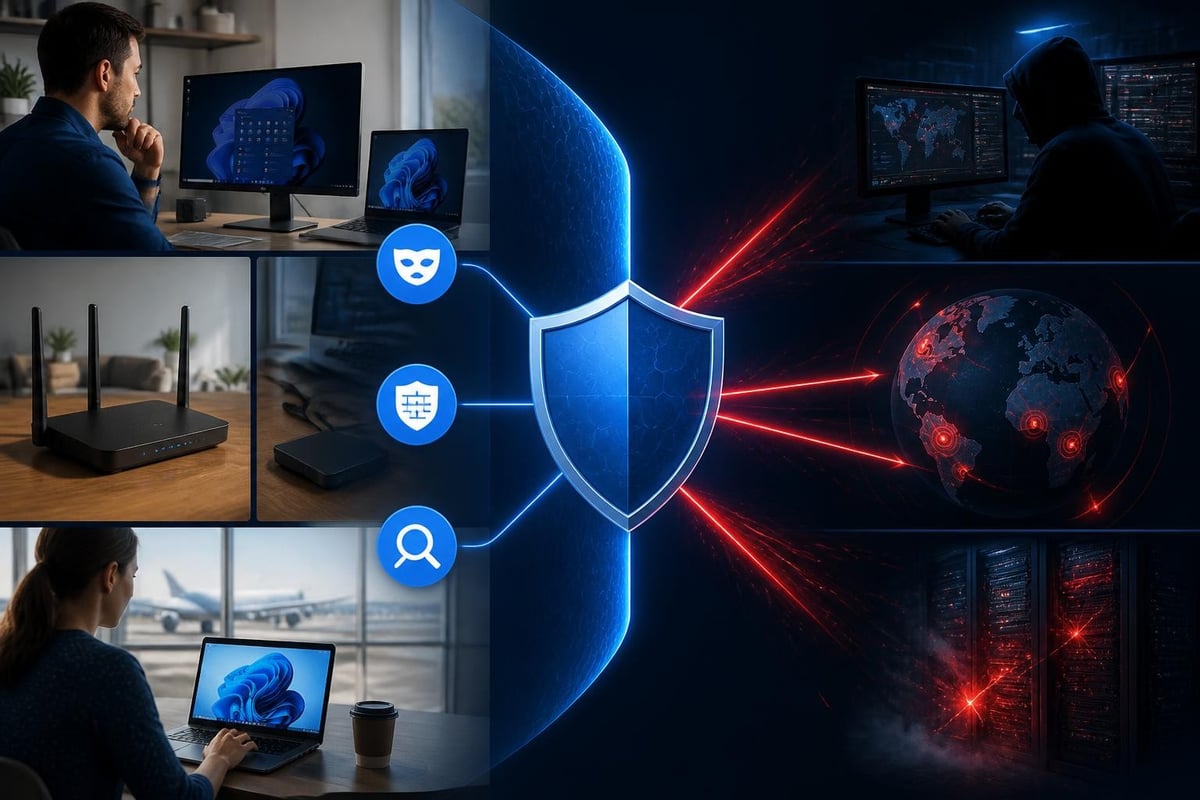
Active defense includes practical approaches that work for small businesses, home networks, and travelling professionals. You don't need enterprise budgets or dedicated security teams.
Honeypots and deception
A honeypot is a decoy system that looks valuable but exists only to detect and study attackers. You set up a fake file share, database, or service that legitimate users never touch. Any access attempt is automatically suspicious.
ENISA’s resources on digital traps provide European perspectives on deployment and risk considerations. Their national honeypot programs demonstrate how deception works at scale.
For home users and small businesses, simple honeypots include:
- Fake administrative accounts with obvious names that should never be accessed
- Unused file shares with tempting names like "Passwords" or "Financial Records"
- Decoy files that trigger alerts when opened or modified
| Deception Type | Complexity | Detection Value | Setup Time |
|---|---|---|---|
| Fake accounts | Low | Medium | 15 minutes |
| Decoy files | Low | High | 30 minutes |
| Honeypot services | Medium | Very high | 2-4 hours |
| Full honeypot networks | High | Maximum | Days/weeks |
Behaviour monitoring and anomaly detection
Active defense means watching for unusual patterns, not just known attack signatures. Ransomware might use new encryption methods, but the behaviour pattern stays recognisable. Files getting encrypted rapidly across multiple folders triggers alerts regardless of the specific malware variant.
Modern detection systems learn what's normal for your network. A laptop that never accessed databases suddenly querying customer records at 3 AM isn't just logged. It's flagged, investigated, and potentially isolated before damage occurs.
Hawk Sense technology, for example, learns normal network activity patterns to reduce false alarms while catching genuine anomalies. The system understands your typical behaviour and flags deviations that matter.
Real-time response and network isolation
Passive systems tell you about attacks. Active defense systems take action while attacks are happening. You don't wait for manual review of logs from last night. The system responds immediately based on predefined rules and learned behaviour.
Automated isolation stops lateral movement
When a device shows compromise indicators, active defense isolates it from the rest of your network. The infected laptop can't spread ransomware to file servers. The compromised desktop can't exfiltrate data to external servers. The device stays online for investigation but can't cause wider damage.
Isolation happens in seconds, not hours. You maintain visibility into what the attacker is attempting while protecting other assets. Once you've gathered intelligence and confirmed the threat, you can clean the device or restore from backup without worrying about reinfection from network sources.

Threat intelligence integration
Active defense systems consume and contribute to threat intelligence. When your network blocks a suspicious connection, that information becomes data. Sharing anonymised threat indicators helps other networks defend against the same attacks.
You benefit from global intelligence about emerging threats. When a new botnet command server appears, systems worldwide share that information. Your network blocks connections to that server before attackers even try targeting you specifically.
Active defense for Windows networks
Windows 11 environments face constant threats from ransomware, data theft, and unauthorised access attempts. Active defense techniques work particularly well in these environments because you can monitor multiple threat vectors simultaneously.
Monitoring connection behaviour
Every network connection tells a story. A Word document doesn't normally connect to servers in unfamiliar countries. Email clients don't usually upload gigabytes of data at midnight. Legitimate software updates follow predictable patterns and use known, trusted servers.
Active defense monitors these patterns across Wi-Fi, USB, and Bluetooth connections. You see what's normal, what's suspicious, and what's definitely malicious. Clear alerts explain what happened, why it matters, and what you should do.
Key connection monitoring points:
- Outbound connections to unknown or suspicious IP addresses
- Unusual data transfer volumes or timing patterns
- Protocol violations or malformed network packets
- Connections from unexpected applications or processes
- USB or Bluetooth device behaviour that doesn't match device type
The SANS whitepaper validating MITRE Engage practices evaluates operational considerations for these monitoring approaches. Their 2025 research tests effectiveness in real-world deployments.
Layered detection modules
A single detection method misses sophisticated threats. Active defense uses multiple detection modules working together. One module might catch network anomalies while another spots ransomware behaviour patterns. A third monitors threat intelligence feeds while a fourth watches for lateral movement attempts.
This layered approach means attackers must bypass multiple different detection systems simultaneously. Each module provides different visibility and catches different attack stages. Early-stage reconnaissance gets detected even if it doesn't trigger traditional antivirus signatures.
Advanced active defense with machine learning
Machine learning transforms active defense from rule-based to adaptive. Systems learn attack patterns, attacker behaviour, and evasion techniques. Recent research shows promising results for dynamic deception strategies.
A Scientific Reports study on reinforcement learning for industrial IoT deception demonstrates how AI-driven active defense adapts to attacker behaviour in real time. The system orchestrates deception tactics based on observed attacker strategies.
For practical home and small business use, machine learning reduces false positives. The system learns that you always connect to specific cloud services on weekday mornings. That pattern becomes normal rather than suspicious. But connecting to those same services at unusual times with unusual data volumes triggers deeper investigation.
Adaptive response escalation
Machine learning enables response escalation based on threat confidence levels. Low-confidence anomalies generate logs. Medium-confidence threats trigger alerts. High-confidence attacks initiate automatic isolation and blocking.
| Confidence Level | System Response | User Action Required |
|---|---|---|
| Low (10-30%) | Log activity, continue monitoring | None (review logs periodically) |
| Medium (30-70%) | Alert user, request decision | Review alert, approve or block |
| High (70-90%) | Block connection, alert user | Review incident, investigate device |
| Critical (90%+) | Isolate device, block connections | Immediate investigation required |
The system handles obvious threats automatically while involving you in uncertain situations. You stay in control without drowning in false alarms about legitimate activity.
Practical implementation for non-technical users
Active defense sounds complex, but you don't need IT expertise to benefit. Modern implementations provide clear information and actionable choices.
What good active defense looks like for everyday users:
- Clear explanations of what happened, not technical jargon about ports and protocols
- Visual indicators showing threat severity and recommended actions
- One-click blocking for confirmed threats
- Detailed logs available when you want them, not forced on you constantly
- Learning systems that improve over time without constant manual tuning
You make decisions based on understandable information. "A program tried to encrypt 50 files in 30 seconds" means something. "Detected AES-256-CBC encryption operation on NTFS filesystem" doesn't help most people respond appropriately.
Complementing existing security tools
Active defense works alongside antivirus software, not instead of it. Antivirus catches known malware signatures. Active defense catches suspicious behaviour patterns, zero-day exploits, and attacks that don't rely on malware files.
Together, these layers provide comprehensive protection. Antivirus stops known ransomware variants. Active defense catches the new variant that uses different code but exhibits the same rapid encryption behaviour. The firewall blocks unauthorised incoming connections. Active defense monitors authorised applications for suspicious outbound connections.
Protection without active network monitoring leaves gaps. You might block incoming attacks but miss data theft from compromised software you installed yourself. You might catch malware files but miss credential theft that uses legitimate system tools.
NetGuardian Pro’s approach to network security demonstrates this complementary model. The system monitors network connections and threat behaviour specifically, working alongside your existing antivirus rather than replacing it. Fourteen detection modules watch different threat vectors simultaneously.

Travel and remote work scenarios
Active defense becomes critical when you leave your home network. Coffee shop Wi-Fi, hotel networks, and airport connections expose you to threats your home firewall normally blocks. You need protection that travels with you.
VPN technology forms part of active defense for travellers. Encrypted tunnels protect your traffic from network eavesdropping. But VPNs alone don't stop malware, detect suspicious behaviour, or identify compromised applications on your device.
Travel-specific active defense features:
- Automatic network trust assessment when joining new Wi-Fi networks
- Detection of man-in-the-middle attacks on public connections
- Monitoring for rogue access points and evil twin attacks
- Behaviour analysis that works regardless of network location
- Offline threat detection for times without internet connectivity
Small businesses with travelling employees need consistent protection across locations. Active defense ensures the same security posture in Johannesburg, New York, London, or anywhere else. The system doesn't depend on corporate network infrastructure or VPN connections back to headquarters.
USB and Bluetooth threat vectors
Travel increases exposure to physical device threats. You might connect to untrusted USB charging stations, accept Bluetooth pairing requests in crowded spaces, or insert USB drives of uncertain origin.
Active defense monitors these connections for suspicious behaviour. A charging cable that tries to access your files gets blocked. A Bluetooth device that requests unnecessary permissions triggers alerts. A USB drive that attempts to execute code without your knowledge gets quarantined.
Physical proximity attacks exploit trust and convenience. Active defense maintains technical vigilance even when you're distracted, tired, or in a hurry.

Building your active defense strategy
Start with clear priorities and build progressively. You don't need every technique implemented immediately. Focus on threats relevant to your situation and expand coverage over time.
Implementation priority framework:
- Essential baseline: Behaviour monitoring, ransomware detection, basic threat intelligence
- Important additions: Network isolation capabilities, USB/Bluetooth monitoring, deception techniques
- Advanced enhancements: Machine learning, adaptive responses, comprehensive logging
- Optional extras: Honeypot networks, threat hunting tools, intelligence sharing
Small businesses in South Africa face different threat landscapes than home users in the United States. Prioritise based on your specific risks, technical comfort level, and available time for security management. No implementation fits everyone perfectly.
Measuring effectiveness
Active defense should reduce successful attacks and improve response times. Track meaningful metrics rather than vanity numbers.
| Metric | What It Tells You | Target Direction |
|---|---|---|
| Time to detect | How quickly threats are identified | Decrease over time |
| False positive rate | How often legitimate activity triggers alerts | Decrease as system learns |
| Successful blocks | Threats stopped before damage | Maintain/increase |
| User response time | How quickly you act on alerts | Decrease through clearer information |
| Repeat infections | Same device compromised multiple times | Decrease toward zero |
Good active defense feels invisible when things work well. You're aware threats exist and get blocked, but you're not constantly firefighting incidents or recovering from successful attacks.
Cost and subscription considerations
Traditional enterprise security requires ongoing subscriptions, per-device licensing, and professional management. That model doesn't fit home users, families, or small businesses well.
Active defense implementations should match your needs and budget. One-time purchases with included updates avoid subscription fatigue. Email support helps non-technical users understand alerts and make good decisions without paying for premium tiers or phone support.
Free updates matter because threats evolve constantly. Software purchased in 2026 needs threat intelligence updates in 2027, 2028, and beyond. Vendors charging separately for security updates create dangerous incentives to skip protection updates when budgets tighten.
Cost factors to evaluate:
- Initial purchase price versus subscription costs over 3-5 years
- Per-device licensing or household/business licensing
- Update and support costs (free, paid tiers, time-limited)
- Additional module or feature costs
- Professional management requirements and costs
The most expensive security is security that fails. Evaluate effectiveness and usability alongside price. Cheap software you can't configure properly provides no value. Expensive enterprise tools designed for IT departments frustrate home users and small business owners without technical staff.
Active defense transforms network security from passive observation to engaged protection, giving you control over threats before they cause damage. For Windows 11 users, small businesses, and travellers, these techniques provide practical protection without requiring IT expertise or enterprise budgets. NetGuardian Pro brings active defense to your PC with 14 detection modules, ransomware monitoring, threat intelligence, and network isolation that works alongside your existing antivirus. Take control of your network security today with protection that travels with you and adapts to emerging threats.
Related reading: Active Defence: Practical Security for Your Network, Cyber Intelligence: What It Means for Your Network.