Wi-Fi Security: Protecting Windows 11 Networks in 2026
You might have seen wifi sec mentioned in router settings, security guides or even on your Windows 11 PC. It sounds technical, but understanding wifi sec is essential for anyone who connects devices to wireless networks at home, at work or while travelling. Wi-Fi security protocols determine how your network encrypts data, authenticates devices and protects against unauthorised access. In 2026, the landscape has evolved significantly, and knowing which protocols to use and how to configure them properly can mean the difference between a secure network and one that's wide open to attackers.
What wifi sec actually means
Wifi sec is shorthand for Wi-Fi security, the set of protocols and technologies that protect wireless networks from eavesdropping, unauthorised access and data theft. When you set up a router or connect to a wireless network, you're choosing a wifi sec standard that determines how strong your protection is.
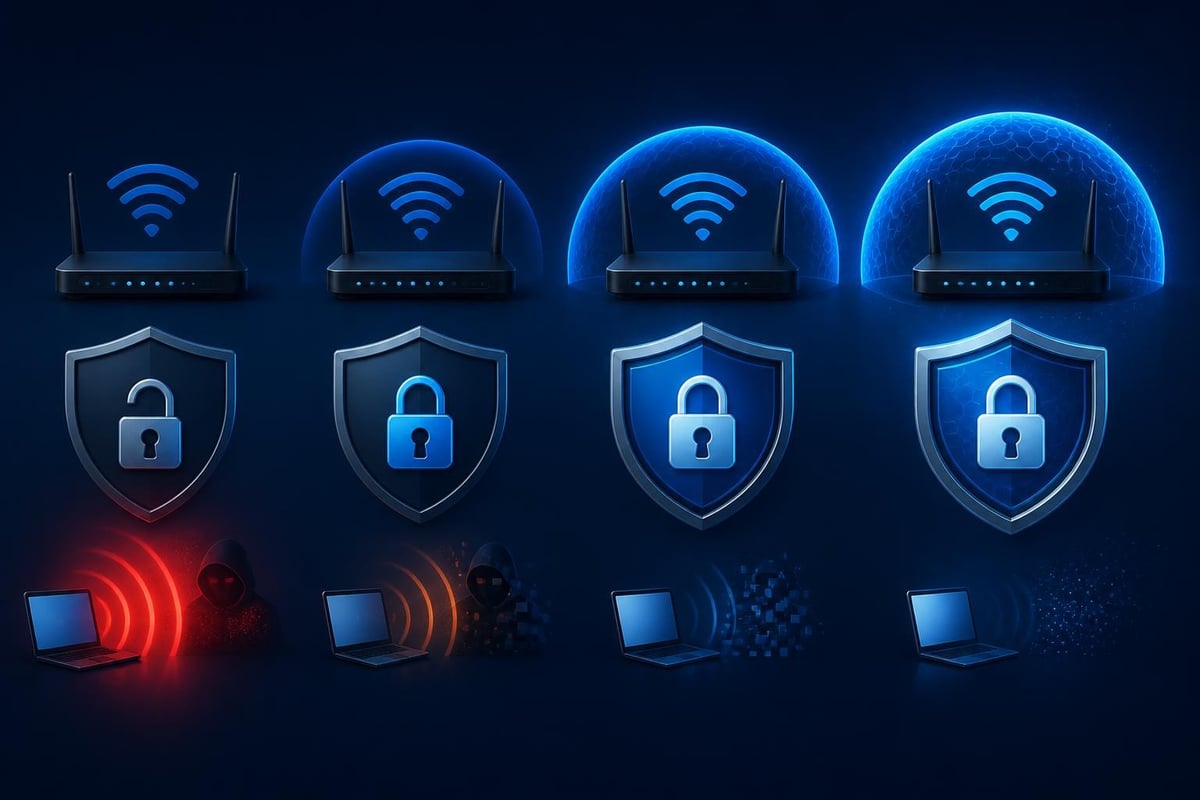
The most common wifi sec standards you'll encounter in 2026 are WPA2 and WPA3. WPA2 (Wi-Fi Protected Access 2) has been the industry standard since 2004 and uses AES encryption to protect network traffic. WPA3, introduced in 2018 and now widely deployed, adds stronger encryption, better password protection and forward secrecy. Forward secrecy means that even if someone captures your encrypted traffic today, they can't decrypt it later even if they somehow obtain your password.
Why wifi sec matters for Windows 11 users
Your Windows 11 PC connects to wireless networks dozens or even hundreds of times each month. Each connection is an opportunity for someone to intercept your data, inject malicious traffic or gain access to your device. Poor wifi sec leaves your laptop vulnerable whether you're working from home, managing a small business network or using public Wi-Fi at a coffee shop or airport.
According to NIST guidance on securing wireless devices, organisations should prioritise WPA3 where possible and maintain strong password policies even when using modern protocols. This advice applies equally to home users and small businesses.
Choosing the right wifi sec protocol
Most routers manufactured after 2020 support WPA3, but many users leave their devices on WPA2 or even mixed mode without realising it. Here's what you need to know about each option:
| Protocol | Encryption | Best use case | Vulnerabilities |
|---|---|---|---|
| WEP | RC4 | None (obsolete) | Easily cracked in minutes |
| WPA | TKIP | None (obsolete) | Known cryptographic weaknesses |
| WPA2-Personal | AES-CCMP | Older devices, legacy compatibility | KRACK attack, offline password cracking |
| WPA3-Personal | AES-GCMP | Modern home/business networks | Requires compatible hardware |
| WPA2/WPA3 Mixed | Both | Transition period | Only as strong as weakest client |
WPA3-Personal uses a protocol called SAE (Simultaneous Authentication of Equals), also known as Dragonfly. Unlike WPA2's four-way handshake, SAE protects against offline dictionary attacks even when users choose weak passwords. The Wi-Fi Alliance certification programme maintains detailed documentation on WPA3 features and deployment requirements.
Setting up wifi sec on your router
To check and update your router's wifi sec settings, follow these steps:
- Open a web browser and type your router's IP address (commonly 192.168.1.1 or 192.168.0.1)
- Log in with administrator credentials
- Navigate to wireless settings or Wi-Fi security
- Look for the security mode or wifi sec protocol dropdown
- Select WPA3-Personal if available, or WPA2-Personal with AES if WPA3 isn't supported
- Create a strong passphrase with at least 16 characters mixing letters, numbers and symbols
- Save changes and restart your router if prompted
If your router is more than four or five years old, it may not support WPA3 at all. In that case, WPA2-Personal with a strong password remains acceptable for home use, but consider upgrading your hardware when budget allows.
Common wifi sec vulnerabilities in 2026
Even with WPA3 enabled, wifi sec is only one layer of protection. Windows 11 users face several categories of wireless threats that go beyond protocol vulnerabilities:
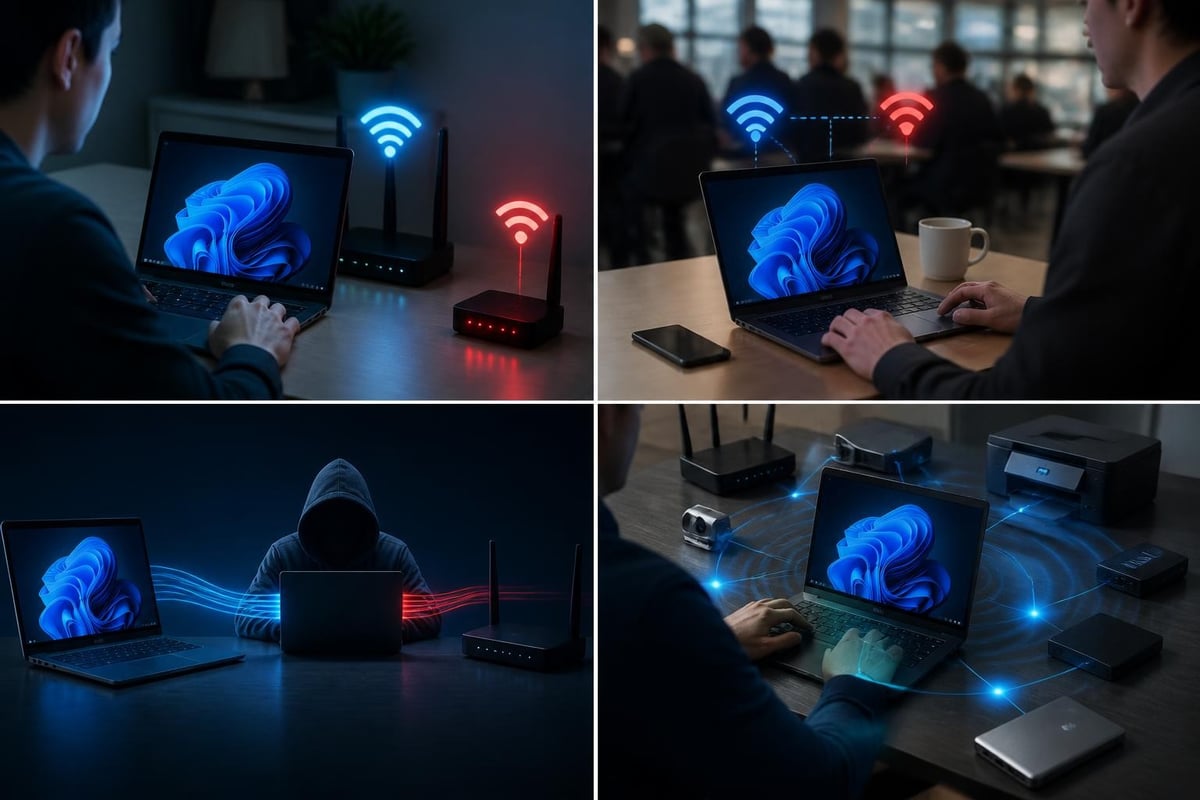
Rogue access points are fake Wi-Fi networks set up by attackers to mimic legitimate hotspots. When you connect, all your traffic flows through the attacker's device. This is particularly common in airports, hotels and coffee shops where you expect free Wi-Fi to be available.
Evil twin attacks are a variation where an attacker creates a network with the same name as a legitimate one but with stronger signal strength. Your Windows 11 PC may automatically connect, especially if you've saved the network before.
Local network attacks occur after you've already connected to a network. An attacker on the same Wi-Fi can attempt to intercept traffic, exploit vulnerabilities in network services or probe your PC for open ports and weak defences. Research from KrebsOnSecurity has documented numerous cases where even VPN users were compromised by local network attacks they didn't anticipate.
Protecting Windows 11 from wireless threats
Windows 11 includes built-in tools to improve your wireless security posture, but you need to enable and configure them properly.
- Randomised MAC addresses: Windows 11 can use a different hardware address for each network, making it harder to track your device across locations
- Network profiles: Mark home and work networks as Private, and everything else as Public to restrict file sharing and discovery
- Firewall rules: The Windows Defender Firewall should be enabled for all network types, with stricter rules for public connections
- VPN on untrusted networks: Always use a VPN when connecting to public Wi-Fi or networks you don't control
Many home users and small businesses also benefit from real-time monitoring of network connections as they happen. NetGuardian Pro provides 14 detection modules that monitor Wi-Fi, USB and Bluetooth connections on your Windows 11 PC, giving you clear alerts about suspicious activity and the ability to block threats or isolate your device when needed.

Wifi sec best practices for different scenarios
Your wifi sec strategy should adapt to where and how you use your Windows 11 device. Here's practical guidance for common situations:
At home or in your home office
Set your router to WPA3-Personal and use a strong, unique passphrase. Disable WPS (Wi-Fi Protected Setup), which has known vulnerabilities. Change the default SSID to something that doesn't reveal your router model or personal information. Create a separate guest network for visitors and IoT devices so they can't access your main network.
Additional steps for home networks:
- Update router firmware at least quarterly
- Disable remote administration unless absolutely necessary
- Use strong administrator credentials, not the factory defaults
- Enable MAC address filtering if your router supports it without causing usability issues
- Regularly review the list of connected devices and investigate any you don't recognise
The CISA guidance on securing Wi-Fi networks provides a comprehensive checklist that's particularly useful for small business owners who manage their own infrastructure.
Small business environments
Small businesses face greater risk because attackers know you're handling customer data, financial information and intellectual property. In addition to strong wifi sec protocols, you should implement network segmentation, keeping customer-facing Wi-Fi completely separate from administrative systems.
Consider 802.1X authentication (WPA2-Enterprise or WPA3-Enterprise) if you have more than ten employees. This eliminates shared passwords by using individual credentials and can integrate with Active Directory or Azure AD. The setup is more complex, but it gives you granular control over who can access your network and makes it much easier to revoke access when someone leaves the company.
Travelling with Windows 11 laptops
Public Wi-Fi at airports, hotels and cafes is convenient but inherently risky. The CISA federal mobile workplace guidance recommends treating all public networks as hostile and using VPN or other encrypted channels for all traffic.
When travelling, you should:
- Never access banking, medical or other sensitive services on public Wi-Fi without a VPN
- Verify the exact network name with staff before connecting
- Disable automatic connection to open networks in Windows settings
- Use your mobile phone's hotspot when possible for a more controlled environment
- Monitor active connections and close any applications you're not using
Understanding WPA3 limitations and trade-offs
While WPA3 represents a significant improvement in wifi sec, it's not perfect. Security researchers have identified several concerns that Windows 11 users should understand.
The IEEE Spectrum analysis of WPA3 notes that while SAE (the authentication protocol) is more robust than WPA2's handshake, implementation flaws in some routers have led to vulnerabilities. Timing attacks and side-channel leaks in early WPA3 implementations allowed attackers to extract password information under certain conditions.
Compatibility challenges also persist. Some older devices can't connect to WPA3-only networks, forcing many users to run mixed mode. When you enable WPA2/WPA3 transition mode, devices that only support WPA2 fall back to the older protocol, which means they don't benefit from WPA3's improvements. If security is your priority, consider replacing or retiring devices that can't support modern wifi sec standards.
How WPA3 affects network performance
WPA3's stronger encryption and authentication add some computational overhead, but on modern hardware the difference is negligible. Windows 11 PCs with recent Wi-Fi 6 or Wi-Fi 6E adapters handle WPA3 efficiently, and you won't notice any slowdown in typical use.
The more significant performance consideration is the initial connection time. WPA3's SAE handshake takes slightly longer than WPA2's four-way handshake, especially on lower-powered routers. This adds perhaps a second or two when you first connect, but doesn't affect ongoing performance once the connection is established.
Advanced wifi sec techniques
For users who want to go beyond basic wifi sec configuration, several advanced techniques can further harden your wireless network.
Certificate-based authentication (WPA3-Enterprise) uses digital certificates instead of passwords, eliminating the risk of credential guessing or brute-force attacks entirely. This requires a certificate authority and more complex configuration, but it's becoming accessible for small businesses through cloud identity providers.
Network access control (NAC) systems can enforce security policies before allowing devices onto the network. For example, you might require that all Windows PCs are running the latest updates and have specific security software installed before granting full network access.
Intrusion detection at the wireless layer watches for suspicious patterns like repeated failed authentication attempts, unusual traffic volumes or devices attempting to spoof MAC addresses. While enterprise wireless controllers have included these features for years, individual Windows 11 users can achieve similar visibility through local monitoring tools that analyse network behaviour in real time.
The SANS Institute white papers include several practical guides on implementing these techniques without enterprise-level budgets or expertise.
Monitoring and responding to wifi sec threats
Strong wifi sec configuration is essential, but monitoring is equally important. You need visibility into what's happening on your wireless network and the ability to act quickly when something looks wrong.
Signs that your wifi sec may be compromised:
- Devices connected to your network that you don't recognise
- Dramatically slower internet speeds than usual
- Your router's settings have changed without your involvement
- Strange network traffic patterns or unexpected bandwidth usage
- Antivirus or security software flagging network-based threats
When you notice suspicious activity, isolate the affected Windows 11 PC from the network immediately. This prevents an attacker from moving laterally to other devices or exfiltrating data while you investigate. Change your Wi-Fi password and consider temporarily switching to a different network or mobile hotspot while you assess the situation.
For users who want continuous visibility, network monitoring tools that run directly on Windows 11 provide real-time alerts when unusual connections occur. You can learn more about detection capabilities on the NetGuardian Pro features page.
Future developments in wifi sec
The wifi sec landscape continues to evolve. Wi-Fi 7 devices are beginning to appear in 2026, bringing new security enhancements alongside faster speeds and lower latency. The Wi-Fi Alliance is also working on post-quantum cryptography support to protect against future threats from quantum computers.
WPA4 remains in development, with expected improvements in privacy, protection against downgrade attacks and better support for IoT devices. The formal research on WPA3’s cryptographic protocols informs these ongoing efforts, helping identify weaknesses before they're exploited in the wild.
For Windows 11 users, the practical takeaway is that wifi sec isn't a one-time configuration. Plan to review your wireless security settings at least annually, update router firmware regularly and stay informed about new vulnerabilities and recommended mitigations as they emerge.
Preparing for quantum-resistant wifi sec
While practical quantum computing attacks remain theoretical in 2026, forward-thinking organisations are already planning for post-quantum wifi sec. This matters because an attacker could capture encrypted traffic today and decrypt it years later once quantum computers become available (a "harvest now, decrypt later" attack).
The Cloudflare engineering blog discusses post-quantum considerations for network security, including early implementations of quantum-resistant algorithms in VPN and TLS contexts. Similar protections will eventually make their way into Wi-Fi protocols, but for now your best defence is using the strongest available encryption (WPA3) combined with forward secrecy and regular credential rotation.
Strong wifi sec protects your Windows 11 PC from unauthorised access, eavesdropping and local network attacks whether you're at home, running a small business or travelling for work. By choosing WPA3 where possible, using strong credentials and monitoring your network connections, you create multiple layers of defence that make attackers' work much harder. NetGuardian Pro adds real-time detection and response capabilities directly on your Windows 11 device, complementing strong wifi sec with visibility into suspicious activity across Wi-Fi, USB and Bluetooth connections. It's practical protection that gives you clear alerts and control without requiring an IT background, helping you understand and act on threats as they happen.
About the author. Published by Joel Papenfus, founder of NetGuardian and creator of NetGuardian Pro. The sources this post draws on are linked in the post. Reviewed and checked by Joel on 1 October 2026.
Related reading: Best Rated Computer Security Solutions for 2026, Intrusion and Detection for Windows 11 Networks, Protection Cyber Security for Windows Networks in 2026.
About the author. Published by Joel Papenfus, founder of NetGuardian and creator of NetGuardian Pro. The sources this post draws on are linked in the post. Reviewed and checked by Joel on 1 October 2026.