
Database Privacy: How to Protect Personal Data in 2026
Database privacy affects anyone who stores personal information on their computer. Whether you keep customer details for a small business, maintain membership records for a community group, or simply organise family contacts and finances, the way you protect that data matters. A database is any organised collection of information, from a simple Excel spreadsheet to a customer relationship management system. When unauthorised people access these files, the consequences range from identity theft to regulatory fines. Understanding database privacy helps you recognise risks and take steps that keep sensitive information secure on Windows 11.
Why database privacy matters for everyday users
You might think database privacy only concerns large corporations, but small businesses and home users face similar threats. A ransomware attack can encrypt your customer list just as easily as a multinational's records. Network intruders often target home and small business systems precisely because defences are weaker.
Common scenarios where database privacy becomes urgent:
- A family doctor's practice storing patient appointments and medical notes
- A freelance bookkeeper maintaining client financial records
- A sports club managing member contact details and payment history
- A home-based online shop tracking orders and delivery addresses
Each scenario involves personal data that, if exposed, could harm real people. Database privacy is the practice of controlling who can view, edit or copy that information, and ensuring it stays confidential even when your system is under attack.

The NIST Privacy Framework provides a structured approach to managing privacy risk. It emphasises identifying what data you hold, assessing who might want it, and applying controls proportional to the sensitivity. For a home user, this might mean password-protecting a financial spreadsheet and storing it on an encrypted drive. For a small business, it could include access logs, regular backups and network monitoring.
How attackers target databases on your network
Intruders rarely break into databases directly. Instead, they exploit network connections to reach the systems where databases reside. On Windows 11, this often starts with a compromised Wi-Fi connection, a malicious USB device, or a Bluetooth vulnerability that grants initial access.
Network-based attack paths
Once inside your network, an attacker maps connected devices and searches for file shares, open ports and running services. If you store a database on a shared folder or run database software without proper authentication, the intruder can query, copy or alter records.
| Attack vector | How it works | Database privacy impact |
|---|---|---|
| Wi-Fi eavesdropping | Intercepts unencrypted traffic on public or weak home networks | Credentials, queries and data travel in clear text |
| Lateral movement | Uses initial foothold to scan and access other machines on the LAN | Finds backup files, shared databases, poorly secured admin accounts |
| USB autorun exploits | Malicious device executes code when plugged in | Installs keyloggers or backdoors to capture database passwords later |
| Bluetooth pairing attacks | Forces pairing or exploits legacy protocols | Gains remote shell access to exfiltrate files, including database exports |
Ransomware behaviour often includes scanning for database file extensions (.mdf, .accdb, .sqlite, .csv) and prioritising them for encryption. The attacker knows these files are valuable and that victims will pay to recover them.
Modern threats also involve data exfiltration before encryption. The intruder copies your customer database to a remote server, then encrypts the original. Even if you restore from backup, the attacker still holds your data and may threaten to publish it unless you pay.
Practical steps to improve database privacy on Windows 11
You do not need an IT degree to strengthen database privacy. Start with basic controls and layer additional protections as your risk and capacity grow.
Encrypt data at rest
Windows 11 includes BitLocker, which encrypts entire drives. If someone steals your laptop or accesses the hard drive externally, they cannot read the database files without the decryption key. Enable BitLocker on any drive that stores sensitive information.
For individual files, tools like 7-Zip or VeraCrypt let you create encrypted containers. Place your database inside the container, and it remains locked unless you supply the password. The OWASP Cryptographic Storage Cheat Sheet offers detailed guidance on choosing algorithms and managing keys safely.
Limit network exposure
Databases should never be accessible from the internet unless you have a specific reason and robust authentication. On a home or small business network, place the database on a machine that does not accept inbound connections from the wider internet.
If you run database software (such as SQL Server Express, MySQL or PostgreSQL), configure it to listen only on localhost (127.0.0.1) or bind it to your internal LAN address. Disable remote administration features unless you actively use them, and always require strong passwords or certificate-based authentication.
Apply access controls and least privilege
Every user or application that touches the database should have the minimum permissions needed. If an employee only needs to read customer names and email addresses, do not grant them permission to delete records or view payment details.
The OWASP Database Security Cheat Sheet recommends creating separate accounts for different tasks: a read-only account for reporting, a limited-write account for data entry, and a full-admin account used only for maintenance. This way, if one account is compromised, the damage stays contained.
Checklist for least-privilege access:
- Identify each person or process that touches the database
- List exactly what they need to do (read, write, delete, modify schema)
- Grant only those permissions
- Review and revoke unused accounts every six months
Monitor network connections in real time
Database privacy depends on knowing when something unusual happens. A sudden spike in outbound traffic at 3 a.m. might indicate data exfiltration. An unknown device on your network probing database ports could be an intruder mapping your systems.
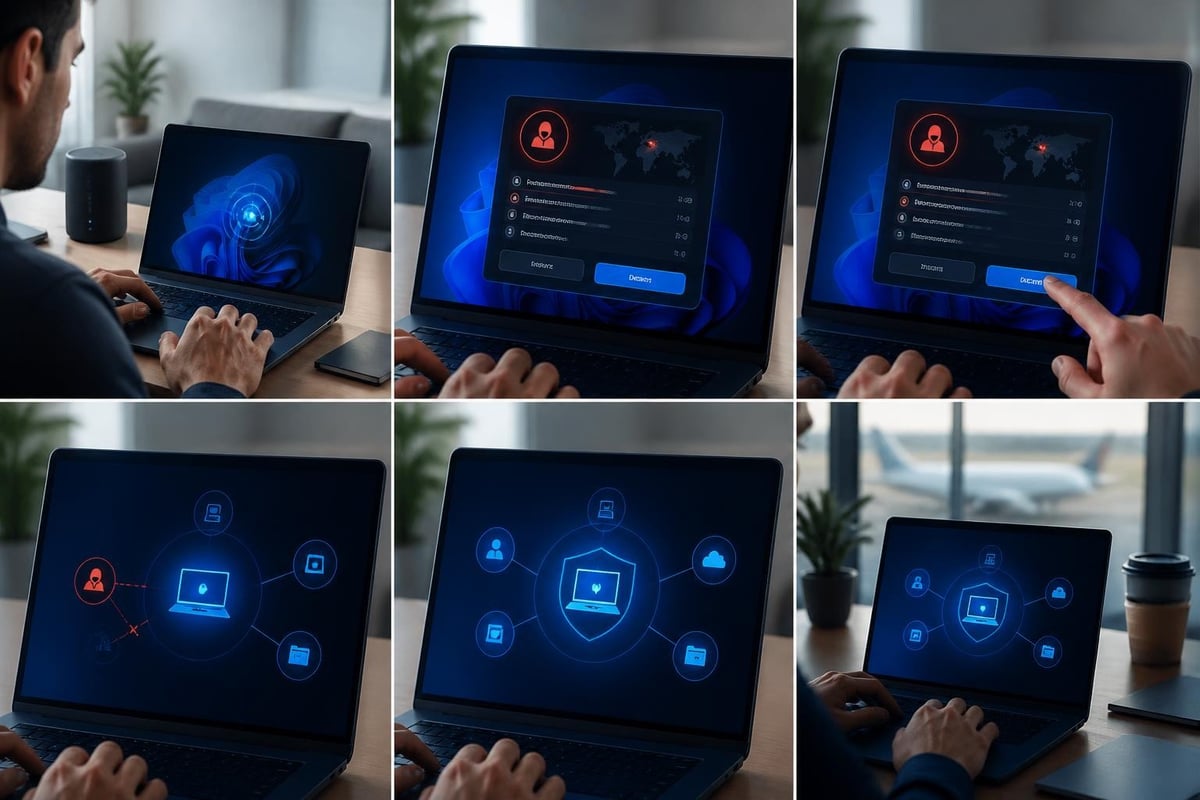
Network intrusion detection helps you spot these patterns before data leaves your control. For Windows 11 users, real-time monitoring of Wi-Fi, USB and Bluetooth connections reveals suspicious activity that traditional antivirus might miss.
NetGuardian Pro provides 14 detection modules that run directly on your PC, alerting you to unauthorised access attempts, ransomware behaviour and anomalous network traffic. It complements your antivirus by focusing on network-level threats, giving you the visibility to block suspicious connections before they reach your database files.
Use pseudonymisation and data minimisation
Database privacy is easier when you store less sensitive data in the first place. If you do not need a customer's full address, collect only their city and postal code. If you no longer require old transaction records, delete them.
Pseudonymisation replaces direct identifiers (names, email addresses, phone numbers) with tokens or codes. The European Data Protection Board’s guidance on anonymisation and pseudonymisation explains when this technique reduces privacy risk under GDPR, and the principles apply broadly. If an intruder steals a pseudonymised database, they cannot immediately identify individuals without the separate lookup table.
Simple pseudonymisation example:
- Replace customer names with unique IDs (CUST-0001, CUST-0002)
- Store the mapping (ID to real name) in a separate, heavily protected file or system
- Use the pseudonymised database for analysis, reporting and day-to-day operations
- Reunite ID with real name only when absolutely necessary (e.g., customer service inquiry)
This approach limits exposure. Even if the main database leaks, the intruder must also breach the lookup table to re-identify individuals.
Advanced techniques and emerging standards
Database privacy continues to evolve. Researchers and standards bodies develop methods that allow you to analyse data or share insights without exposing individual records.
Differential privacy
Differential privacy adds controlled noise to query results, ensuring that no single person's data significantly influences the output. This technique lets you publish statistics or train machine learning models while protecting individual privacy. The NIST guidelines on evaluating differential privacy guarantees provide practical criteria for assessing whether an implementation truly delivers privacy.
For most home users and small businesses, implementing differential privacy requires specialised software. However, understanding the concept helps you evaluate third-party tools or cloud services that claim to protect privacy in analytics. Ask vendors how they define their privacy budget and what guarantees they provide.
Auditing and retention policies
Database privacy also means controlling how long you keep data and who can prove what happened to it. Audit logs record every access, modification and deletion. If a breach occurs, you can trace which account was compromised and what data was viewed.
Windows 11 includes basic auditing through Event Viewer, but database software often provides more granular logs. Enable logging for authentication failures, privilege escalations and schema changes. Store logs on a separate system or append-only storage so attackers cannot erase evidence.
Retention policy basics:
- Define how long each type of data must be kept (legal, business or operational reasons)
- Automatically delete or archive records past their retention period
- Document the policy and review it annually
- Ensure backups respect the same retention rules (do not keep old backups indefinitely if the source data is deleted)
Data minimisation and retention limits reduce your attack surface. Fewer records mean fewer targets for intruders and simpler compliance with privacy regulations.
Regulatory and compliance considerations
Even if you are not subject to formal regulations, understanding privacy laws helps you adopt best practices that protect your customers and your reputation.
GDPR and international standards
The General Data Protection Regulation applies to businesses that handle EU residents' data, but its principles (consent, data minimisation, purpose limitation, security) are sound guidance for anyone. The ENISA report on data pseudonymisation explores technical options and deployment examples that align with GDPR requirements.
In South Africa, the Protection of Personal Information Act (POPIA) sets similar standards. In the United States, sector-specific laws (HIPAA for healthcare, GLBA for financial services, CCPA in California) impose obligations, but many small businesses and home users fall outside formal mandates. Regardless, treating personal data with care builds trust and reduces liability.
U.S. regulatory perspective
The Federal Trade Commission’s guidance on data minimisation emphasises collecting only what you need, securing it properly, and deleting it when no longer useful. This consumer-focused approach aligns with practical database privacy: less data, stronger controls, regular reviews.
Building a sustainable database privacy practice
Database privacy is not a one-time setup. Threats evolve, your data changes, and new vulnerabilities emerge. Treat privacy as an ongoing habit rather than a project.
Regular reviews and updates
Set a calendar reminder every six months to review who has access to your databases, what data you still hold, and whether your encryption and monitoring tools are current. Windows 11 receives regular security updates; apply them promptly to close known vulnerabilities.
Check for orphaned accounts (former employees, old test users) and revoke their permissions. Scan for database files stored in unexpected locations, such as USB drives or cloud sync folders where access controls might be weaker.
Training and awareness
If you run a small business, ensure everyone who handles data understands basic privacy principles. A well-meaning employee might email a customer list to a personal address for convenience, inadvertently bypassing all your security controls.
Brief training sessions (even informal lunch-and-learn discussions) help your team recognise phishing attempts, avoid weak passwords, and understand why database privacy matters. When people know the risks, they become your first line of defence.

Testing and incident response
Periodically test your backups to ensure you can restore a database after corruption or ransomware. Run a tabletop exercise: imagine an intruder gains access to your network tonight-what would you do? Who would you call? How would you contain the breach and notify affected individuals?
Having a written incident response plan, even a simple one-page checklist, reduces panic and speeds recovery. Include contact details for your IT support, legal advisor, and any regulatory bodies you must notify.
Integrating database privacy with broader security
Database privacy does not exist in isolation. It overlaps with endpoint protection, network security, physical security and user behaviour.
Your antivirus software scans for malware that might target databases. Your firewall blocks unauthorised inbound connections. Your intrusion detection system alerts you to suspicious network traffic. Together, these layers create defence in depth.
For Windows 11 users, combining endpoint antivirus with network monitoring provides visibility across both file-level and connection-level threats. When an attacker attempts lateral movement after initial compromise, network intrusion detection flags the anomaly, giving you time to isolate the affected machine before the database is reached.
Ransomware behaviour monitoring adds another layer. If a process suddenly begins encrypting large numbers of files, an alert triggers and you can stop it mid-attack. Database privacy benefits from this multi-layered approach because no single control is perfect.
Emerging research and future directions
Academic research continues to advance database privacy techniques. The VLDB 2024 keynote on differential privacy and databases explores how to integrate formal privacy guarantees into query engines and analytics platforms. The recent survey on differentially private data publishing reviews modern publishing, synthetic data generation and auditing approaches.
For practitioners, these developments signal that privacy-preserving analytics will become more accessible. Open-source libraries and commercial tools increasingly offer differential privacy, homomorphic encryption and secure multi-party computation. Staying informed about these trends helps you adopt new protections as they mature.
Real-world scenarios and lessons learned
Consider a small accounting firm in Johannesburg managing client tax records. A staff laptop is stolen from a car. Because the laptop's drive was encrypted with BitLocker and the database files required separate authentication, the thief could not access client data. The firm avoided a costly breach notification and reputational damage.
Or imagine a home-based online shop in Texas. The owner stores customer orders in a spreadsheet shared on a home network. A family member's laptop is infected with ransomware that spreads via network shares, encrypting the order database. The owner had no recent backup and lost three months of sales records. Implementing network monitoring and restricting share permissions could have prevented the ransomware from reaching the database.
These examples illustrate that database privacy failures often stem from overlooked basics: unencrypted storage, excessive network sharing, missing backups, no monitoring. The good news is that fixing these gaps does not require expensive enterprise software or specialist skills.
Database privacy on Windows 11 comes down to controlling access, encrypting sensitive files, monitoring your network for threats, and keeping only the data you truly need. Whether you run a small business, manage community records, or simply want to protect family information, these principles apply. NetGuardian Pro gives you real-time visibility into network activity on your PC, helping you detect and block suspicious connections before they reach your data. Explore how network intrusion detection complements your existing antivirus and strengthens your overall privacy posture.
Related reading: Files Security: Protect Your Data from Ransomware and Theft.