Understanding Computer Threats in 2026: A Complete Guide
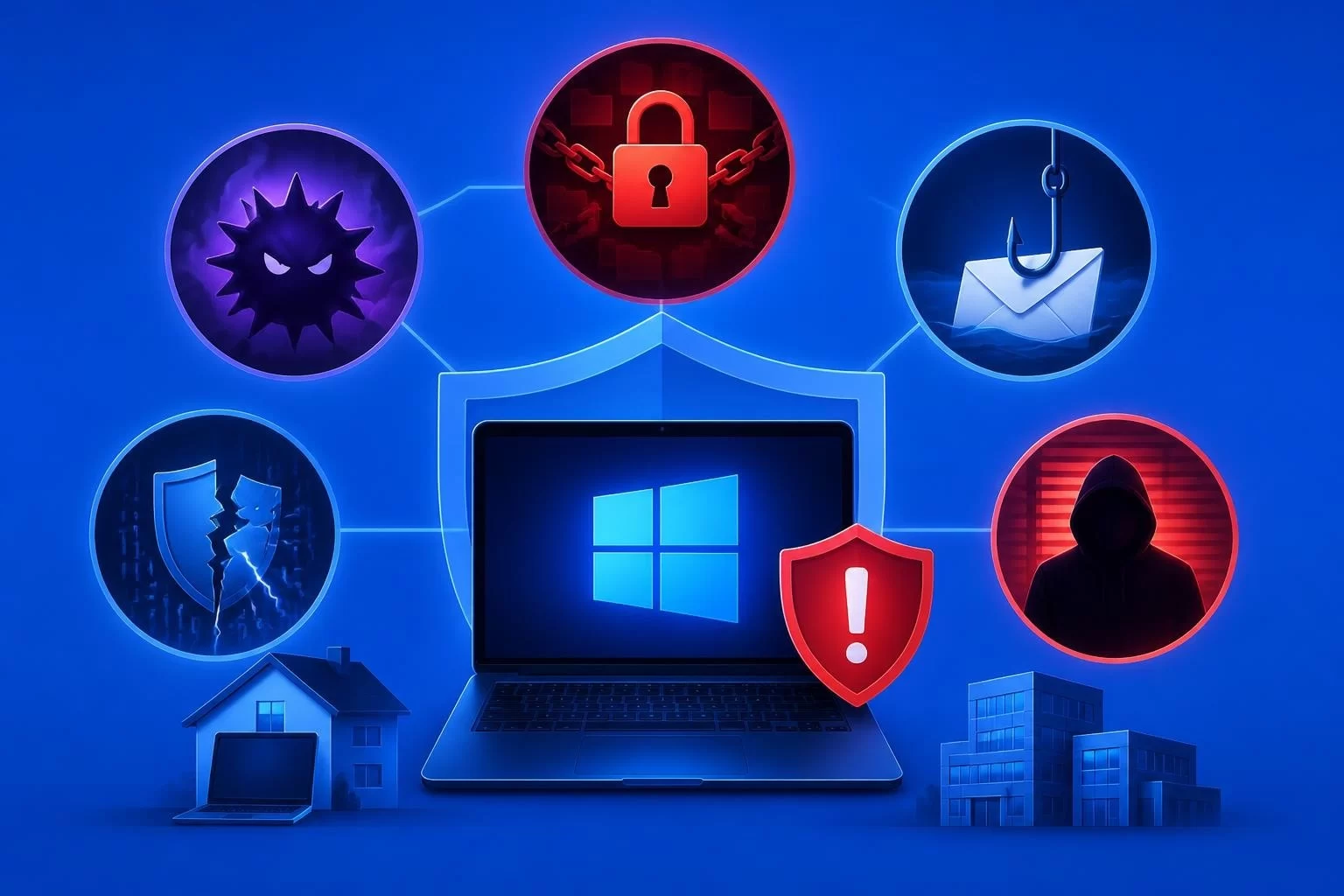
Computer threats have become increasingly sophisticated in 2026, targeting individuals and organizations with precision that was unimaginable just a few years ago. From ransomware attacks that encrypt entire networks to subtle phishing campaigns that harvest credentials, the digital threat landscape continues to expand at an alarming rate. Understanding these threats is no longer optional for anyone using a Windows system-it's a fundamental requirement for protecting personal data, financial information, and business operations.
The Evolution of Modern Computer Threats
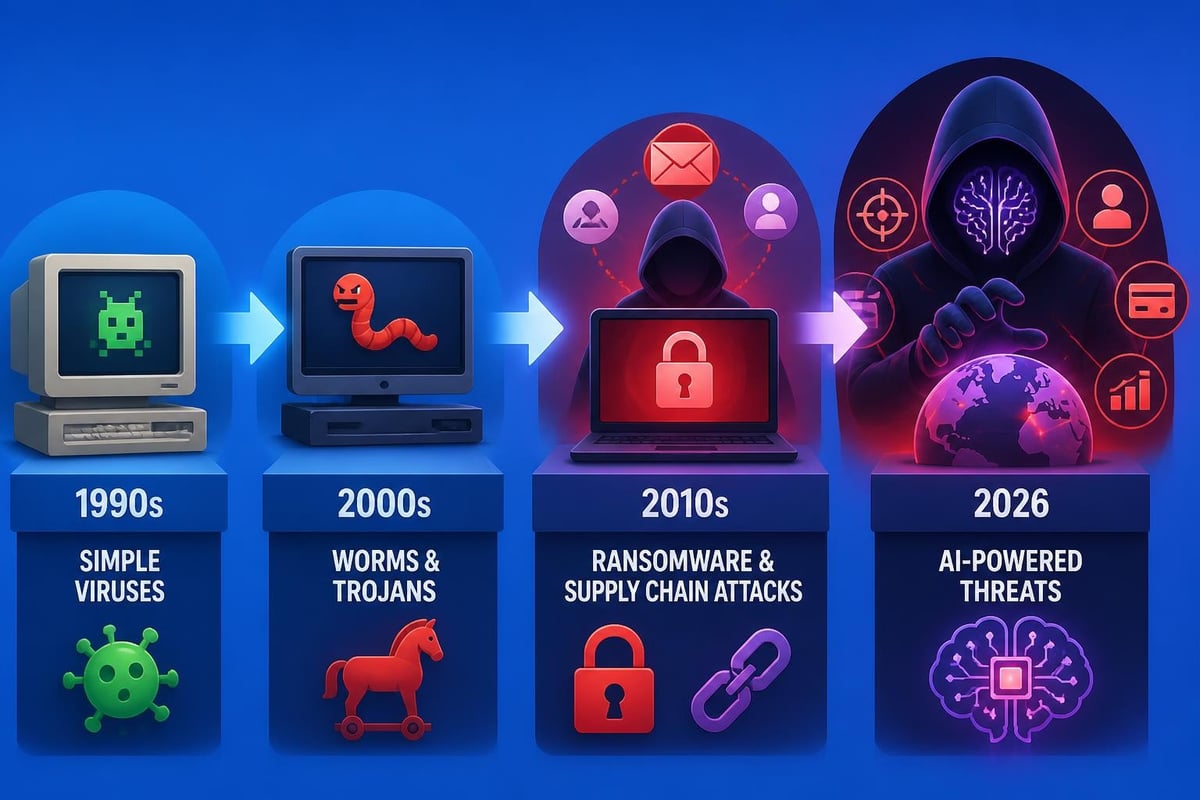
The nature of computer threats has shifted dramatically over the past decade. Where early viruses were often designed to cause visible damage or simply prove a point, today's threats are typically profit-driven and designed to remain undetected for as long as possible. ENISA’s Threat Landscape 2025 report reveals that ransomware, supply chain attacks, and nation-state activities now dominate the threat environment, with financial gain remaining the primary motivator for most cybercriminals.
Why Windows Systems Remain Primary Targets
Windows 10 and 11 users face unique challenges in the current threat landscape. These operating systems power the majority of business and personal computers worldwide, making them high-value targets for attackers seeking maximum impact. The widespread adoption creates economies of scale for threat actors-a single exploit or malware variant can potentially compromise millions of systems.
Computer threats targeting Windows environments exploit everything from unpatched vulnerabilities to user behavior patterns. Attackers understand that many users delay updates, click suspicious links, or download files from untrusted sources. This human element remains the weakest link in most security chains, which is why modern threats increasingly rely on social engineering tactics rather than purely technical exploits.
Categories of Computer Threats You Need to Know
Understanding the different types of computer threats helps you recognize warning signs and implement appropriate defenses. Each category operates differently and requires specific protective measures.
Malware and Its Many Forms
Malware encompasses any software designed to harm, exploit, or otherwise compromise a computer system. This broad category includes several distinct threat types:
- Viruses attach themselves to legitimate programs and spread when those programs are executed
- Trojans disguise themselves as helpful software while performing malicious actions in the background
- Worms self-replicate and spread across networks without user interaction
- Spyware monitors user activity and collects sensitive information without consent
- Adware displays unwanted advertisements and tracks browsing behavior
The SANS Institute provides detailed guidance on malware analysis techniques that security professionals use to understand and combat these threats. Modern malware often combines multiple techniques, creating hybrid threats that are harder to detect and remove.
Ransomware: The Profit-Driven Epidemic
Ransomware has emerged as one of the most damaging computer threats facing organizations and individuals in 2026. These attacks encrypt files and demand payment for the decryption key, often threatening to publish sensitive data if victims refuse to pay. According to Verizon’s Data Breach Investigations Report, ransomware incidents continue to rise year over year, with attackers targeting both large enterprises and small businesses.
What makes ransomware particularly dangerous is its dual-extortion model. Attackers not only encrypt data but also exfiltrate it first, creating leverage even for victims with robust backup systems. The psychological pressure of potential data exposure often compels payment, funding further criminal operations.
| Ransomware Tactic | How It Works | Impact on Victims |
|---|---|---|
| File Encryption | Uses strong cryptography to lock files | Complete loss of access to critical data |
| Data Exfiltration | Steals sensitive information before encrypting | Potential regulatory fines, reputation damage |
| Lateral Movement | Spreads across network to maximize damage | Organization-wide disruption |
| Backup Targeting | Deliberately destroys or encrypts backups | Removes primary recovery option |
Phishing and Social Engineering
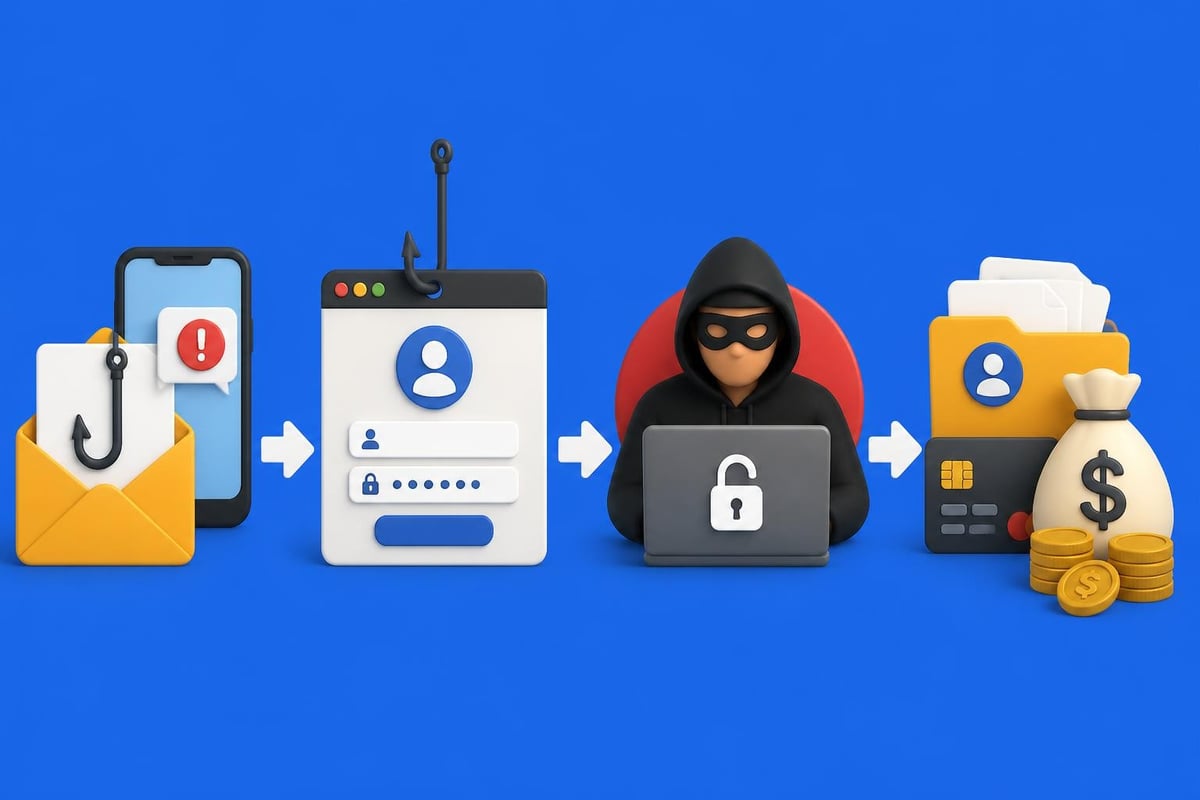
Phishing remains one of the most effective computer threats despite decades of awareness campaigns. These attacks manipulate human psychology rather than exploiting technical vulnerabilities. An email that appears to come from your bank, a text message claiming to be from a delivery service, or a phone call from someone posing as IT support can all be phishing attempts.
The sophistication of phishing campaigns has increased substantially. Attackers now use artificial intelligence to craft convincing messages, research their targets on social media, and time their attacks for maximum effectiveness. Spear phishing targets specific individuals with personalized content, while business email compromise (BEC) scams impersonate executives to authorize fraudulent wire transfers.
Advanced and Emerging Computer Threats
Beyond the well-known categories, several advanced threats pose significant risks to Windows systems in 2026.
Zero-Day Exploits
Zero-day vulnerabilities are software flaws unknown to the vendor and therefore unpatched. When attackers discover these vulnerabilities before the software maker does, they can exploit them with devastating effectiveness. Google’s analysis of zero-day exploitation trends shows that these attacks are increasingly used in targeted campaigns against high-value targets.
The window between discovery and patch deployment represents maximum vulnerability. During this period, traditional signature-based security tools cannot detect the exploit because no signature exists yet. Behavioral detection systems that monitor for anomalous activity offer better protection against zero-day threats.
Supply Chain Attacks
Supply chain computer threats compromise software before it reaches end users. By infiltrating the development or distribution process, attackers can inject malicious code into legitimate software updates that users trust and install willingly. These attacks are particularly insidious because they bypass many security controls.
The impact of a successful supply chain attack can be enormous. A single compromised update can affect thousands or millions of systems simultaneously. Organizations must now consider the security practices of every software vendor in their technology stack.
Insider Threats
Not all computer threats come from external attackers. Insider threats involve current or former employees, contractors, or business partners who misuse their authorized access. These threats can be intentional (malicious insiders stealing data) or unintentional (negligent employees accidentally exposing information).
According to MITRE ATT&CK framework, insider threat techniques span the entire attack lifecycle from initial access through data exfiltration. Detection requires monitoring user behavior for anomalies, which can be challenging without invading privacy or creating alert fatigue.
Real-World Impact of Computer Threats
The consequences of computer threats extend far beyond technical inconvenience. Understanding the real-world impact helps prioritize security investments and response planning.
Financial Costs
Direct financial losses from computer threats include ransom payments, fraud losses, and emergency response costs. Indirect costs often dwarf these figures: business interruption, lost productivity, legal fees, regulatory fines, and customer compensation all add up quickly.
The FBI’s Internet Crime Complaint Center report documents billions in reported losses annually, with actual losses likely much higher due to underreporting. Small businesses often suffer disproportionately because they lack the resources to absorb major security incidents.
Operational Disruption
When computer threats successfully compromise systems, normal business operations grind to a halt. Employees cannot access files, customers cannot complete transactions, and critical processes stop functioning. For healthcare providers, manufacturers, and other time-sensitive operations, even brief disruptions can have life-threatening or catastrophic consequences.
Recovery from a major incident often takes weeks or months. Systems must be rebuilt from scratch, data must be restored and verified, and security gaps must be identified and closed before normal operations can safely resume.
Reputation and Trust Damage
Data breaches and security incidents erode customer trust in ways that financial losses cannot capture. When personal information is compromised, customers question an organization's competence and commitment to protecting their privacy. This reputation damage can persist for years, affecting customer retention, partner relationships, and competitive positioning.
Protecting Windows Systems Against Computer Threats
Defending against the full spectrum of computer threats requires a layered approach that combines technology, processes, and user awareness.
Essential Security Controls
Every Windows 10 and 11 system should implement baseline security controls:
- Keep systems updated with the latest security patches from Microsoft and other software vendors
- Use strong authentication with complex passwords or passphrases and multi-factor authentication where available
- Enable built-in protections including Windows Defender, firewall, and exploit protection features
- Restrict user privileges by avoiding administrator accounts for daily tasks
- Back up critical data regularly to offline or cloud storage that ransomware cannot reach
- Encrypt sensitive information both in storage and during transmission
The NIST Cybersecurity Framework provides comprehensive guidance for organizations seeking to build systematic threat defenses. This framework emphasizes continuous risk assessment, protective controls, detection capabilities, response planning, and recovery procedures.
Behavioral Detection and Automated Response
Traditional signature-based antivirus software struggles against modern computer threats that constantly evolve to evade detection. Behavioral analysis offers a more robust approach by monitoring how programs and users actually behave, flagging activities that deviate from normal patterns.
When security software learns what normal looks like for your specific system, it can detect threats that have never been seen before. An unexpected program accessing the webcam, a scheduled task created by a suspicious process, or mass file encryption activity can all trigger alerts before significant damage occurs.
Modern security solutions address one of the biggest challenges users face: understanding what alerts mean and knowing how to respond. When technical jargon is replaced with clear explanations and specific recommended actions, non-technical users can make informed decisions quickly. This approach democratizes cybersecurity, making effective protection accessible regardless of technical expertise.

Understanding Web Application Threats
For users who run web servers, develop web applications, or simply interact with web services, understanding web-specific computer threats is crucial. The OWASP Top 10 identifies the most critical web application security risks, including injection attacks, broken authentication, security misconfiguration, and vulnerable components.
These threats affect not just web developers but also end users who interact with compromised websites. A vulnerable e-commerce site can leak your payment information; a compromised blog can serve malware to visitors; a misconfigured cloud service can expose your stored files to the internet.
Staying Informed About Emerging Threats
The computer threat landscape changes constantly as attackers develop new techniques and defenders adapt. Staying informed helps you recognize new threats and adjust your security posture accordingly.
Authoritative Threat Intelligence Sources
Several organizations publish regular threat intelligence that individuals and businesses can use:
- CISA Cybersecurity Advisories from the U.S. government provide timely warnings about active threats and practical mitigation steps
- Vendor security bulletins from Microsoft and other software makers announce vulnerabilities and available patches
- Industry reports from security companies analyze threat trends and emerging attack patterns
- Security research from academic institutions and independent researchers reveals new vulnerability classes and attack techniques
Practical Steps for Continuous Improvement
Protecting against computer threats is not a one-time project but an ongoing process:
| Action Item | Frequency | Purpose |
|---|---|---|
| Review security updates | Weekly | Install critical patches promptly |
| Test backups | Monthly | Verify data can be restored if needed |
| Security awareness training | Quarterly | Keep skills fresh on recognizing threats |
| Password updates | As needed | Change passwords after any suspected compromise |
| Security posture review | Annually | Assess whether controls match current threats |
Building security habits into daily routines makes protection sustainable. Five minutes spent reviewing whether an email is legitimate can prevent hours spent recovering from a phishing attack. Regular system maintenance prevents small vulnerabilities from becoming major security incidents.
The Human Element in Computer Threats
Technology alone cannot fully protect against computer threats because many attacks specifically target human decision-making rather than technical vulnerabilities. A perfectly configured firewall cannot prevent you from voluntarily entering your password into a phishing site. The most advanced malware detection cannot stop you from disabling it because it interferes with a game you want to play.
Recognizing Social Engineering Tactics
Attackers use proven psychological techniques to manipulate victims:
- Urgency creates pressure to act quickly without thinking carefully
- Authority leverages respect for positions of power (IT support, executives, law enforcement)
- Fear triggers emotional responses that override logical analysis
- Trust exploits existing relationships or creates false sense of legitimacy
- Curiosity tempts victims to click links or open attachments to satisfy their interest
Training yourself to pause when you encounter these triggers can prevent many computer threats from succeeding. If an email creates urgency, that is precisely when you should slow down and verify its legitimacy through independent channels.
Building a Security-Conscious Mindset
Developing good security instincts requires practice and reinforcement. Start by questioning unusual requests, verifying sender identities before taking action, and thinking through the potential consequences before clicking links or downloading files.
When you encounter something suspicious, trust your instincts. If an email from your bank seems slightly off, visit the bank's website directly rather than clicking links in the message. If a pop-up claims your computer is infected and demands immediate payment, close it and run a scan with your actual security software.
Technical Controls for Advanced Protection
While user awareness is crucial, robust technical controls provide defense in depth against computer threats that bypass human vigilance.
Network Segmentation and Access Control
Limiting how threats can spread through your network reduces potential damage. Guest networks should be isolated from devices containing sensitive information. IoT devices like smart home gadgets should not have access to computers storing financial data or work files.
Access control principles limit who can do what on each system. Standard user accounts prevent casual malware from installing itself system-wide. Properly configured permissions ensure that even if one account is compromised, the attacker cannot access every file on the system.
Monitoring and Logging
Comprehensive logging creates an audit trail that helps detect computer threats and investigate incidents after they occur. Windows Event Logs record security events, application behavior, and system changes. When properly monitored, these logs reveal patterns of suspicious activity before major damage occurs.
The challenge with logging is volume. A typical Windows system generates thousands of events daily, making manual review impractical. Automated analysis tools can filter noise, correlate related events, and surface the few critical alerts that require human attention.
Application Control and Whitelisting
Rather than trying to identify every possible malicious program (blacklisting), application control allows only approved programs to run (whitelisting). This approach dramatically reduces the attack surface because unknown malware simply cannot execute.
While effective, application whitelisting requires careful management. Every legitimate program must be approved before use, which can create friction for users who regularly install new software. The security benefits often justify this inconvenience, particularly for systems handling sensitive information.
Computer threats will continue evolving as attackers adapt to new defenses and develop innovative attack methods, but understanding the threat landscape and implementing layered protections significantly reduces your risk. Whether facing sophisticated ransomware, deceptive phishing campaigns, or emerging zero-day exploits, the combination of informed users, robust technical controls, and intelligent detection systems provides comprehensive defense. NetGuardian Pro brings these elements together in a single integrated platform that learns your system's normal behavior, detects anomalies automatically, and guides you through response decisions with clear, actionable recommendations-making professional-grade security accessible to everyone.